3.6 Printing on Envelopes, Transparencies, and Custom-size (Long) Paper
86
3
Basic Printer Operation
3
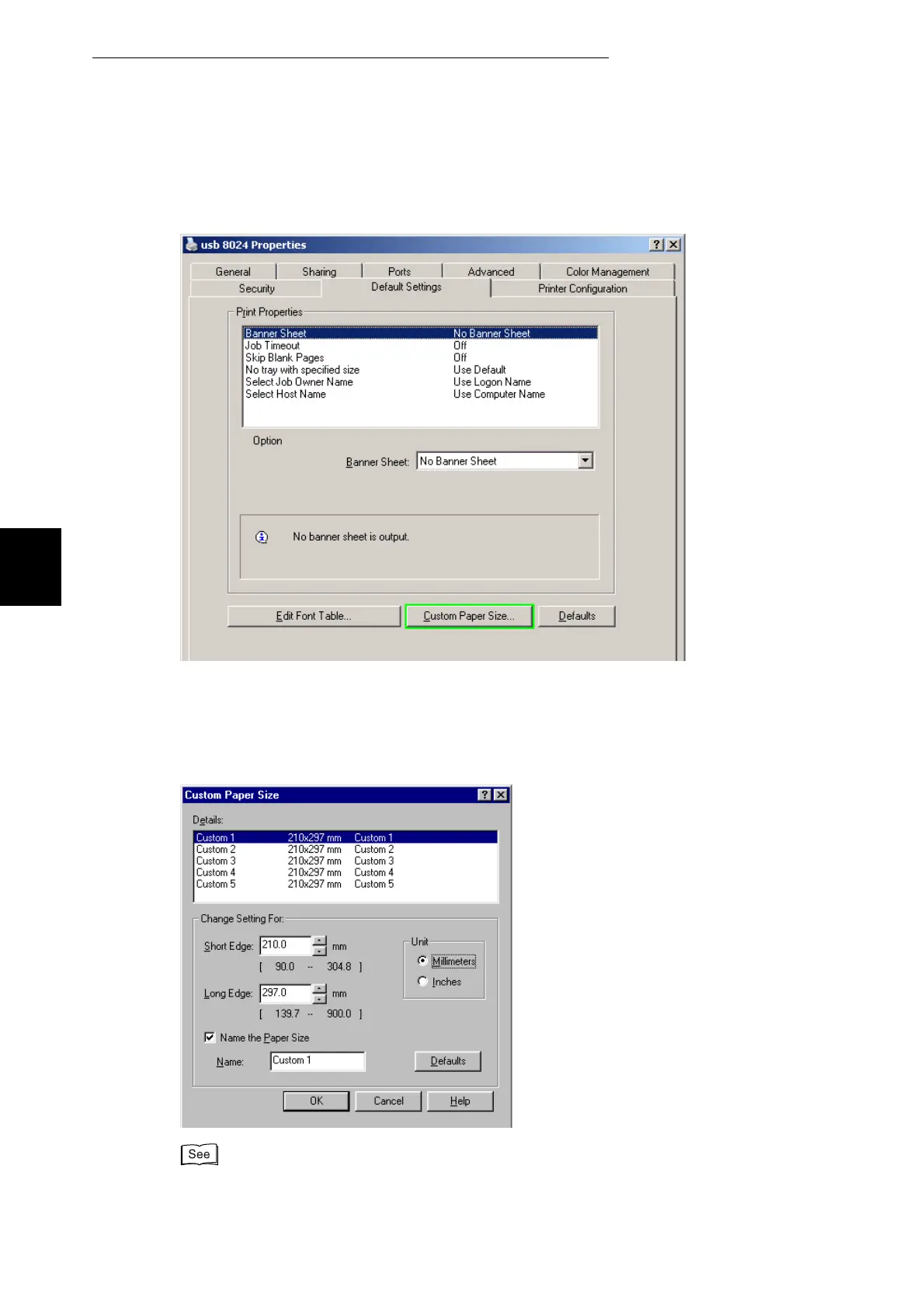
Click the Default Settings tab.
4
Click Custom Paper Size.
The Custom Paper Size dialog box appears.
5
Select one of the five paper sizes.
For details of the Custom Paper Size dialog box settings, refer to Help. For details about how to use
Help, refer to "3.3 Using Online Help".



 To Next Page