175
7
Clearing Paper Jams
7.4
Paper Jams between the
Drum Cartridge and Fuser
Cartridge
This section describes the procedures to remove paper jammed around the drum cartridge
and in the fuser. Select the appropriate procedure according to the location of the jammed
paper.
Paper Jams Around the Drum Cartridge:
Follow the procedure below to remove the jammed paper. Be careful when near
the fuser unit as this is very hot.
Procedure
1
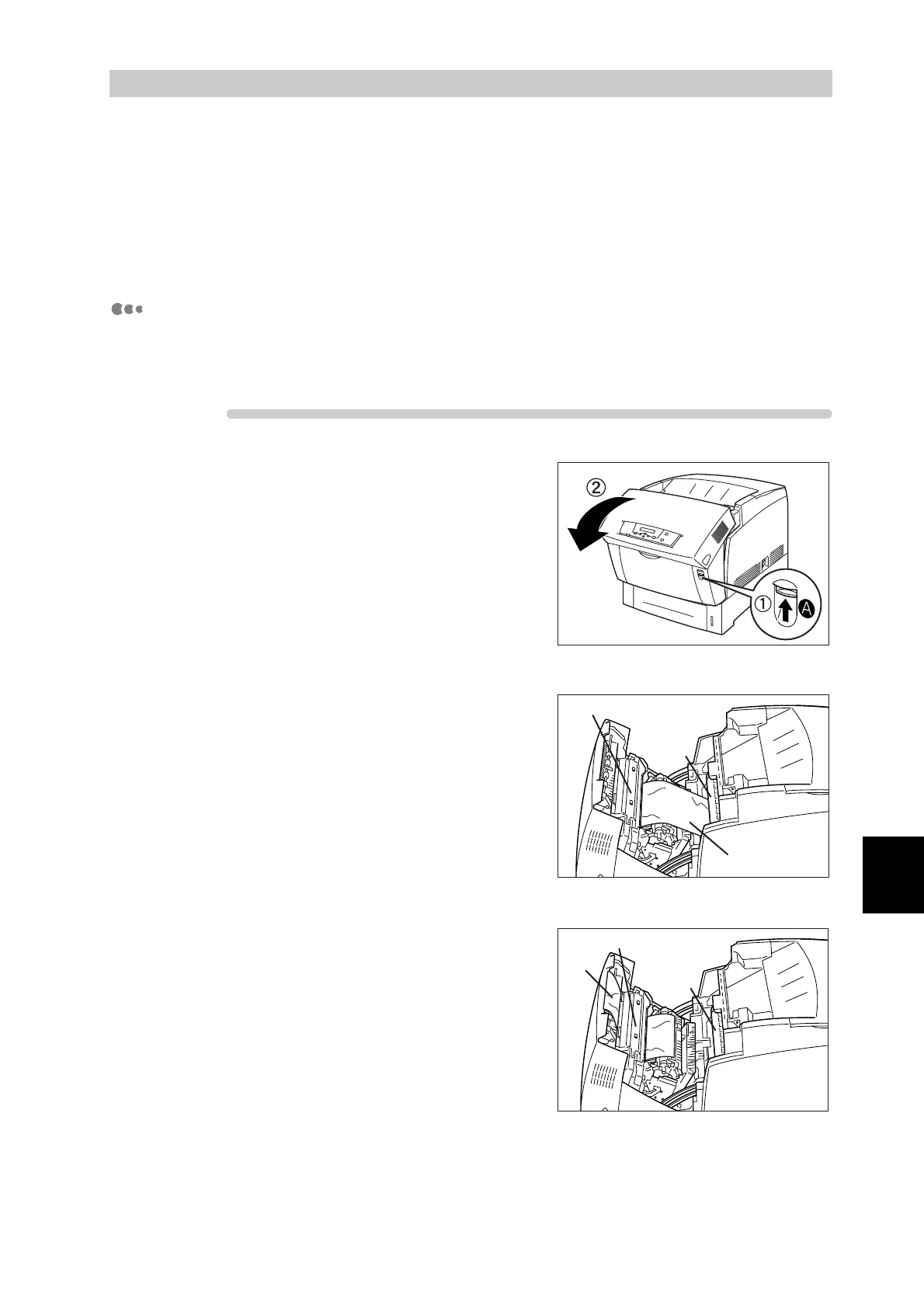
Push up button A (1) and fully open the
front door (2).
2
If there is paper jammed around the
drum cartridge (Illustration A), continue
following this procedure.
If there is paper jammed around the
fuser cartridge (Illustration B), follow
the procedure for "Paper Jams Around
the Fuser Cartridge:" on the next page.
Fuser cartridge
Paper
Drum
cartridge
Fuser cartridge
Paper
Drum
cartridge
<
us
ra
on
>
<
Illustration B>



 To Next Page