6.4 Print Quality is Not Good
145
6
Troubleshooting
6.4.3 Unsatisfactory Printing
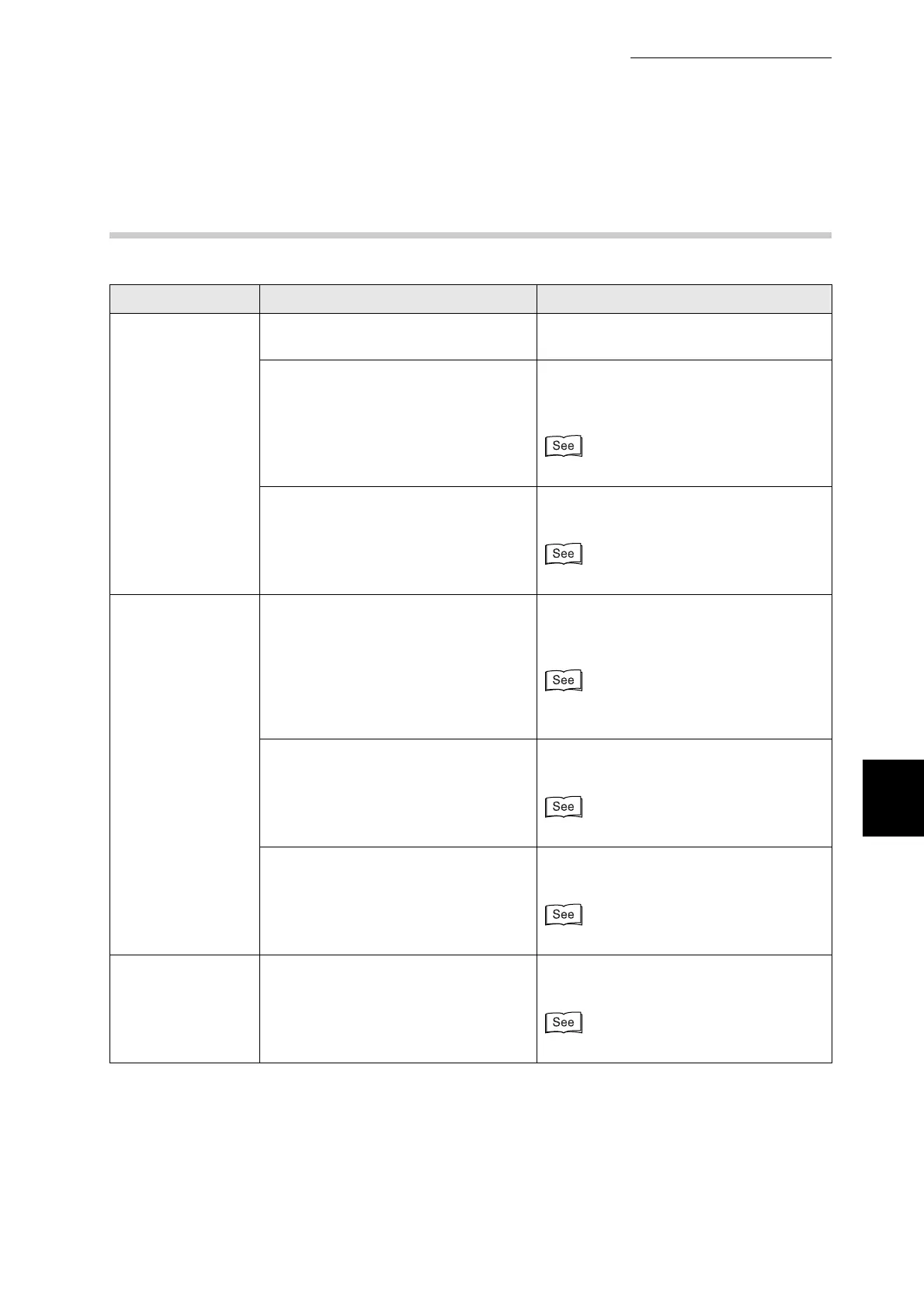
Symptom Possible Cause Action
Unsatisfactory
transparencies
Is the transparency suitable? Use transparencies suitable for use with
this printer
Is the media properly loaded into the
multi purpose tray?
Make sure that the transparencies are
properly loaded into the multi purpose
tray.
"3.6.2 Printing on Transparencies"
Is the printer driver configured to print
transparencies?
Set the printer driver for transparencies
on the Paper/Output tab (in Windows).
"3.6.2 Printing on Transparencies"
Unsatisfactory
envelopes
Is the envelope suitable? Use Com-10, Monarch, C5, DL
envelopes. Use envelopes
recommended for use with the printer.
"4.1 Suitable and Unsuitable Paper
Types"
Is the media properly loaded into the
multi purpose tray?
Make sure the envelopes are properly
loaded into the multi purpose tray.
"3.6.1 Printing on Envelopes"
Is the printer driver configured to print
Envelopes?
Set the printer driver for Envelopes in the
Paper/Output tab (in Windows).
"3.6.1 Printing on Envelopes"
Unsatisfactory
printing
Is EconoMode or a low resolution
option selected on the printer driver?
Change the printer driver settings on the
Graphics tab (in Windows).
Help



 To Next Page