8.3 Replacing the transfer roller
192
Daily Care
8
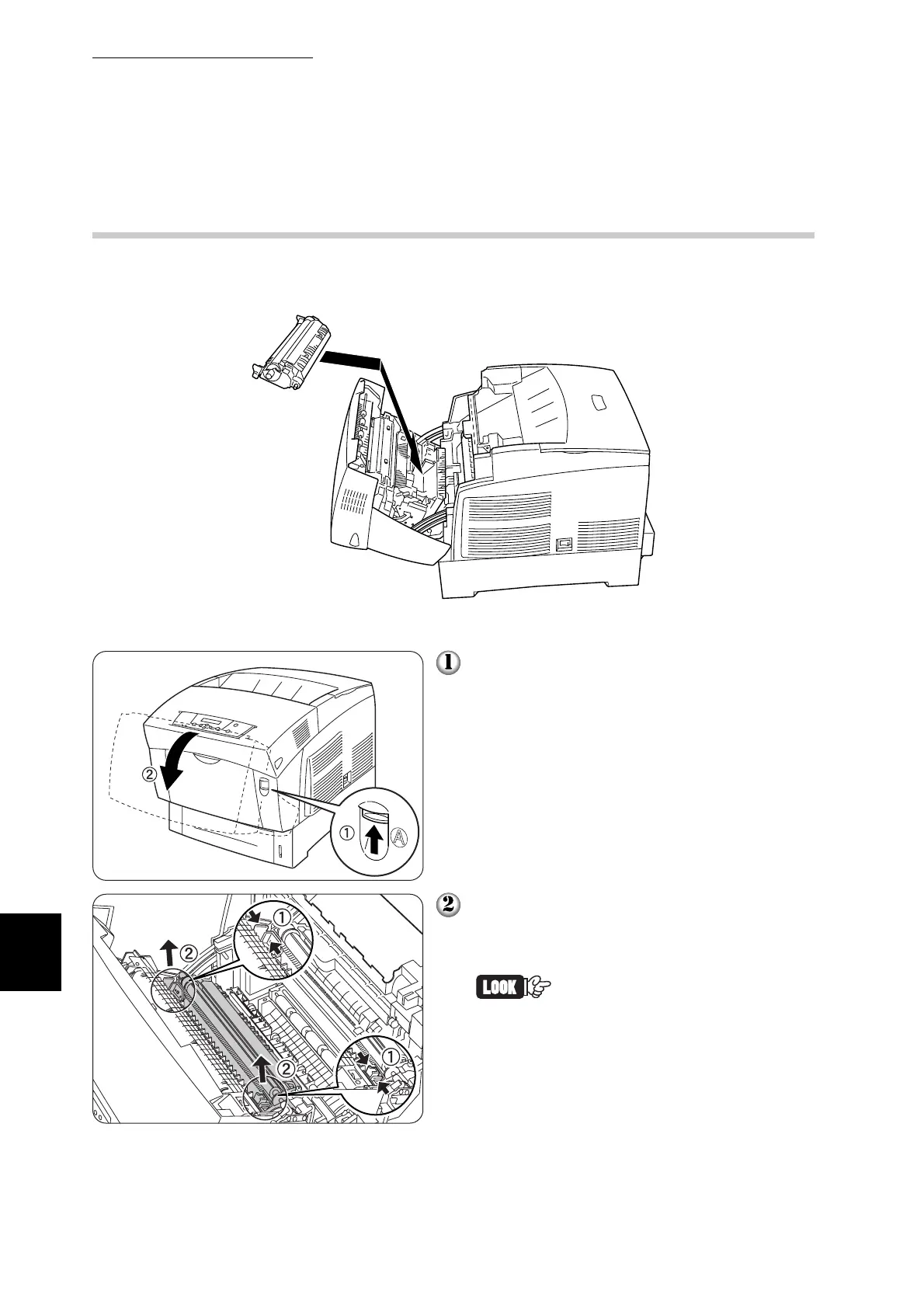
8.3.2 Replacing the Transfer Roller
Follow the procedure below to replace the transfer roller.
Push up button ‘A’ ➀ and fully open the
front cover ➁.
Grip the orange tabs at both ends of the
transfer roller
➀ and gently lift it out of the
printer ➁.
Lift the transfer roller carefully
to prevent transfer roll from
spilling out.



 To Next Page