163
6
Troubleshooting
6.10
Cleaning the Density
Sensor
When the printer's density sensor is dirty, follow the procedure below to clean it.
Procedure
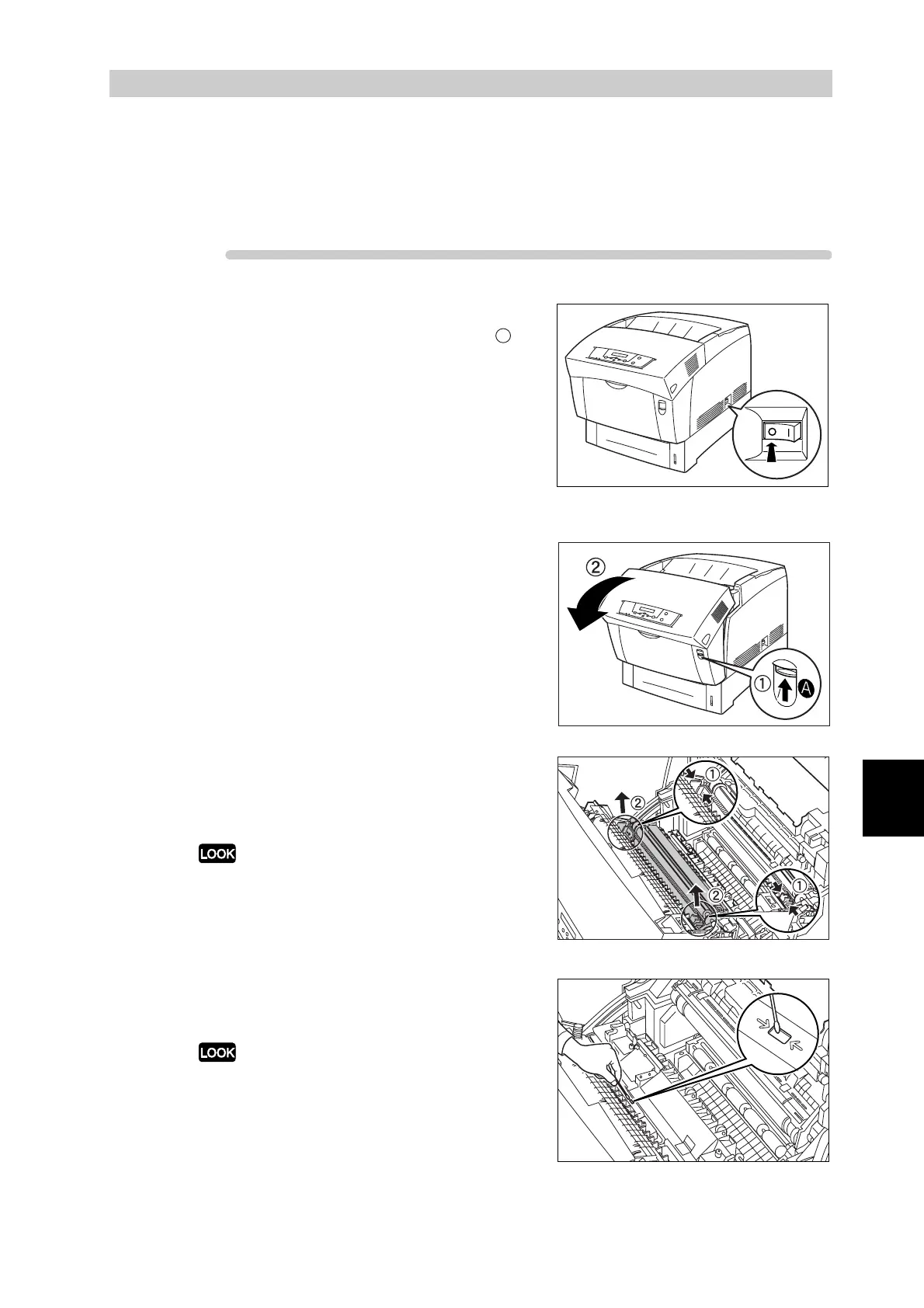
1
On the printer's right side, press the
side of the power switch marked " " to
switch off the printer.
2
Push up button A (1) and fully open the
front door (2).
3
Grip the orange tabs at both ends of
the transfer roller (1) and gently lift it
out of the printer (2).
Lift the transfer roller carefully to prevent transfer
roll from spilling out.
4
Gently wipe the density sensor window
with a clean dry cloth or cotton swab.
Do not allow anything hard to come in contact with
the density sensor window. Do not use excessive
force to clean the window.



 To Next Page