62
3
Basic Printer Operation
Printer Part Names and
Functions
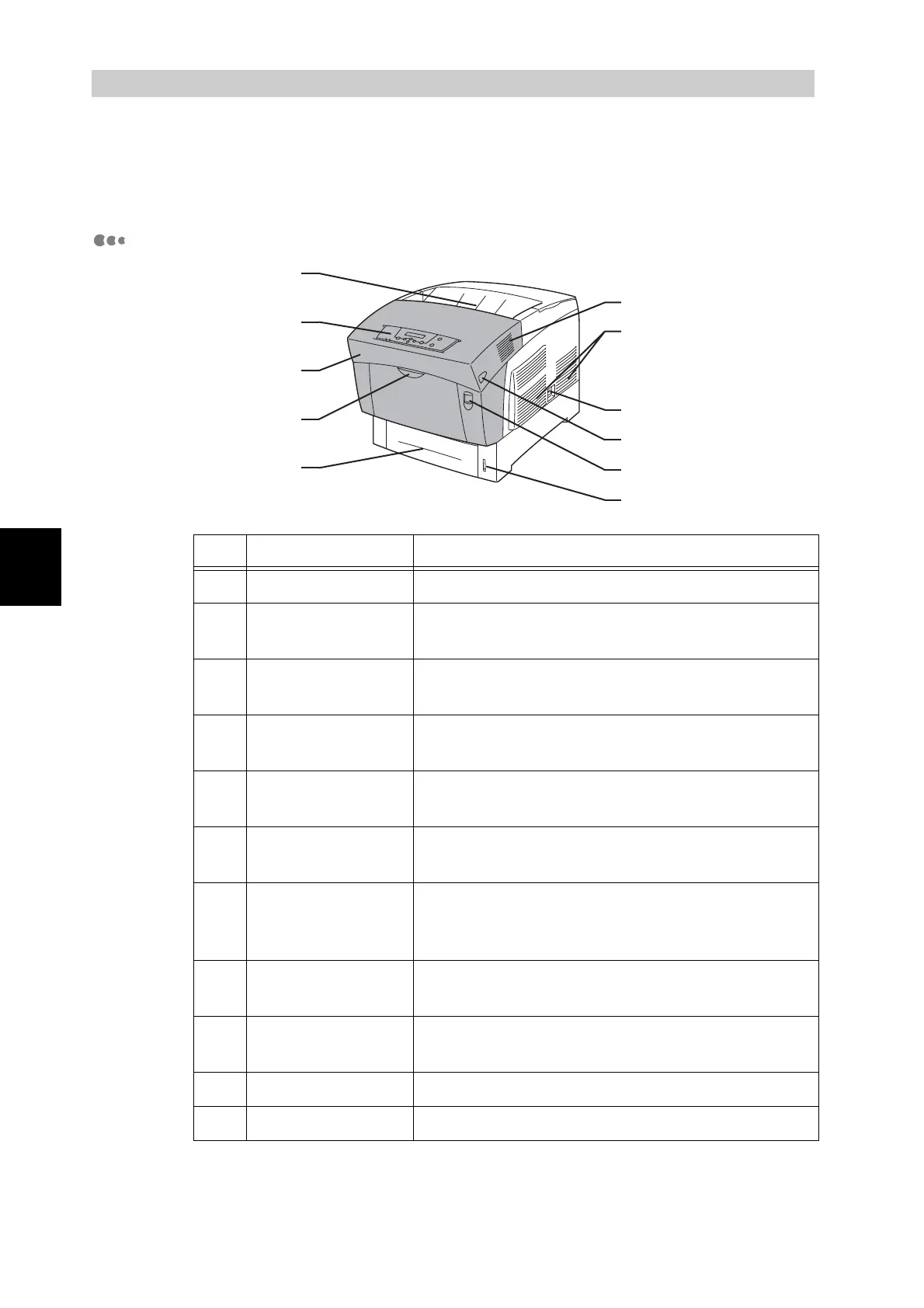
The names and functions of the various parts of the printer are as follows:
Front View
No. Name Description
1 Paper Tray Load paper here.
2 Multi purpose
Tray
Use this tray when feeding manually to load
items such as postcards and envelopes.
3 Front Cover Open to clear paper jams, replace the drum
cartridge, transfer roller, and fuser unit.
4 Operation Panel Use the buttons and display to control the
printer.
5 Face Down Tray Printed documents are output here, printed
side down.
6 Exhaust Grilles Allows internal heat to dissipate. Make sure the
grilles are never obstructed.
7 Air Intake Grill Allows air to enter the printer to prevent it from
overheating. Make sure the grill is never
obstructed.
8 Power Switch The printer’s power switch. Press [ I ] to turn
the printer on, and [O] to turn it off.
9 Button B Use button B to open the upper part of the front
cover.
10 Button A Use button A to open the whole front cover.
11 Paper Meter Use the meter as a guide to refill the paper tray.
1
11
2
10
3
9
4
8
5
6
7



 To Next Page