1.2 Configuring the Printer
12
Printer System Settings
1
1.2.3 Setting the IP Address
This section describes the procedure for setting the IP address, subnet mask,
and gateway address from the control panel of the printer.
Follow the procedure below.
IP addresses are managed throughout the system as a whole. Specifying the wrong IP
address can affect the entire network. Before setting an IP address, consult your system
administrator.
Refer to "5.2 Basic Menu Operation" and "Appendix B Control Panel Menu List" for
information about operation of the control panel.
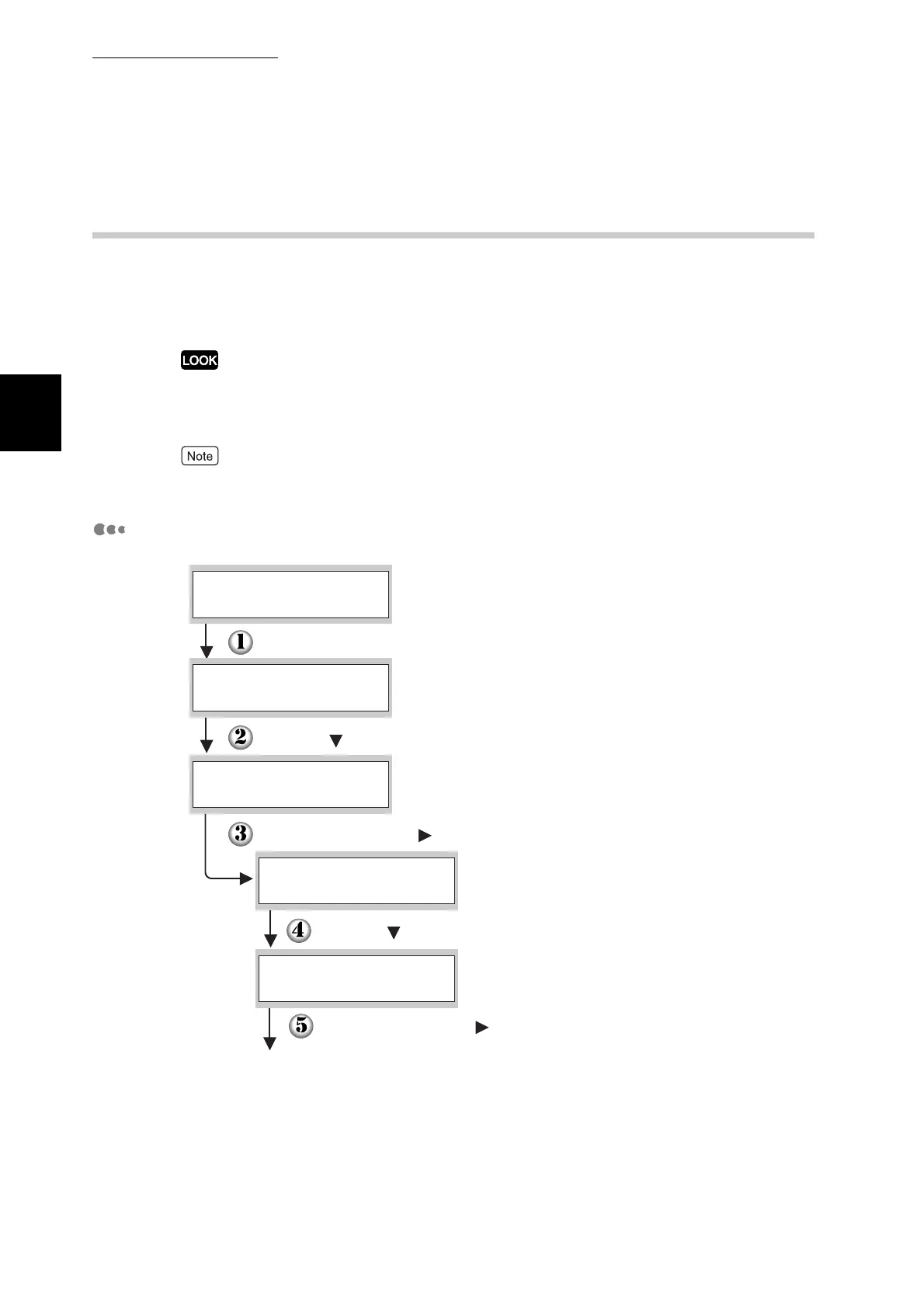
Set the IP Address Acquisition Method to Panel.
Press the Menu button. The menu screen appears.
(The print screen. The printer is ready to print.)
(The menu screen)
Press the button four times.
Press the Set/Eject or button once.
Press the button once.
Press the Set/Eject or button once.
Continued
Ready to Print
1:System
Menu
5:Network
Menu
Ethernet
5:Network
TCP/IP
5:Network



 To Next Page