179
7
Clearing Paper Jams
7.6
Paper Jams in the Tray
Module (1 or 2 cassettes)
Follow the procedure below to remove paper jammed in the tray module (2 cassettes).
When the printer is equipped with the tray module (1 shelf), you can use the same
procedure as described in this section to remove the jammed paper.
Procedure
1
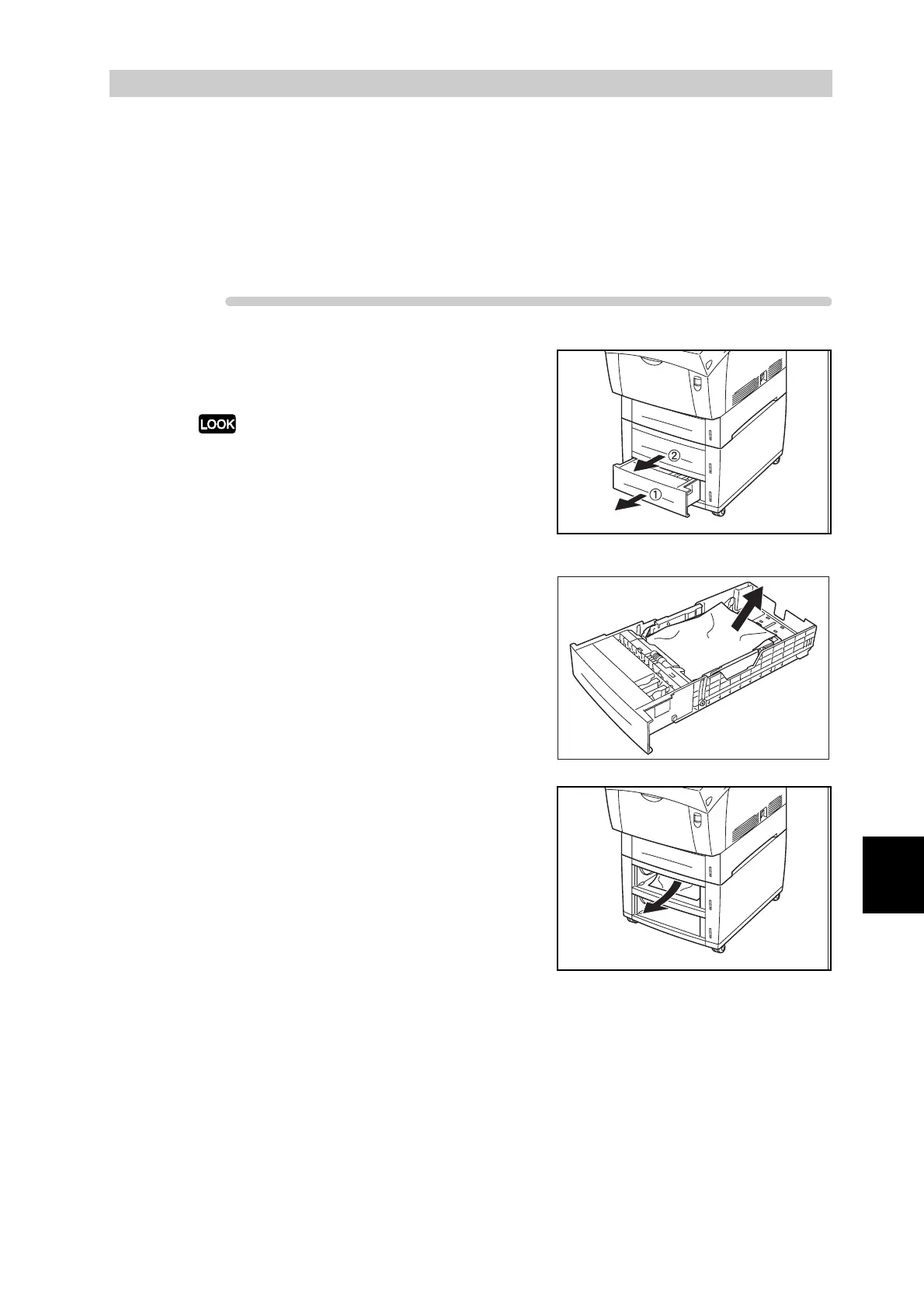
Open the trays until you find the
jammed paper.
Paper in the tray module feeds to the printer from
the front of the trays, therefore paper jammed in
the lower tray can block the upper tray of the
module or the paper tray in the printer, preventing
you from opening them. Look for the jammed paper
sequentially, starting with the lowest tray.
2
Remove all jammed and/or creased
paper from the tray.
3
Pull the jammed paper out carefully to
avoid tearing it.
If the paper is torn, confirm that there
are no scraps of paper remaining
inside the printer.



 To Next Page