1.2 Configuring the Printer
10
Printer System Settings
1
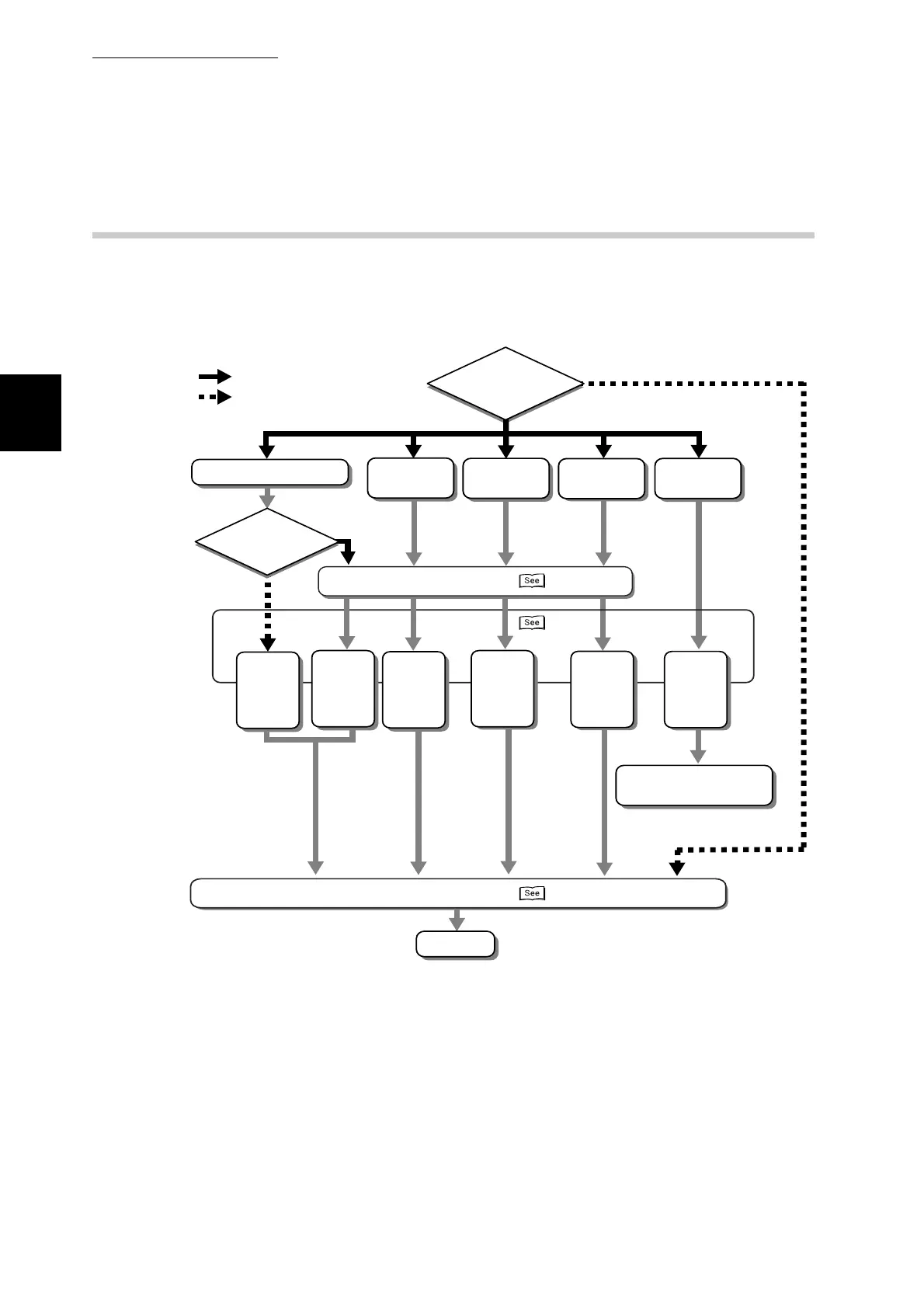
1.2.2 Printer Configuration Flow
This section describes the flow of printer configuration.
Refer to the flow chart and confirm that each requirement is met, according to
your needs.
*1 To use these protocols you need an optional network expansion card.
*2 Refer to "Configuring in NetWare Environment" in the Network User Guide.
*3 Refer to "Configuring in TCP/IP Environment" in the Network User Guide.
*4 Windows NT 4.0, Windows 2000, and Windows XP allow you to share the printer. For details
about how to share the printer and printing from client computers, refer to "Configuring in TCP/IP
Environment" in the Network User Guide.
Are you using a
network?
Ye s
No
With SMB
With
TCP/IP (LPD)
With
port 9100
With
Internet
With
NetWare
Are you using
TCP/IP?
Set IP addresses
Start the
protocol
Start SMB
NetBEUI
(set as the
default)
Start SMB
TCP/IP
(set as the
default)
Start LPD
(set as the
default)
Start
port9100
(set as the
default)
Start IPP
(set as the
default)
Start
NetWare
(set as the
default)
Configure the system
with the network utility
Installing the printer driver
Finish
"Chapter 2"
"1.2.4"
"1.2.3"
*1 *1
*4 *3 *3
*2
*1



 To Next Page