88
3
Basic Printer Operation
3.7
Two-sided Printing
You can use one of the following procedures to do use the printer for two-sided printing.
●
For plain paper, whether fed from a paper tray or the multi purpose tray, two-sided printing
is carried out automatically if you select it in the PCL6 printer driver upon executing the
print command.
●
For specialty paper such as envelopes or heavy weight paper, you can print the back
surface of the paper from the multi purpose tray as long as the front surface of the paper
was printed using this printer.
For details about the types of paper suitable for two-sided printing, refer to Suitable and Unsuitable Paper
Types".
If you use two-sided printing frequently in Windows, we recommend that you register the necessary
settings in the User Settings tab. Registering the settings saves time, because you do not need to
configure the driver each time you print. For details about the User Settings tab, refer to Help.
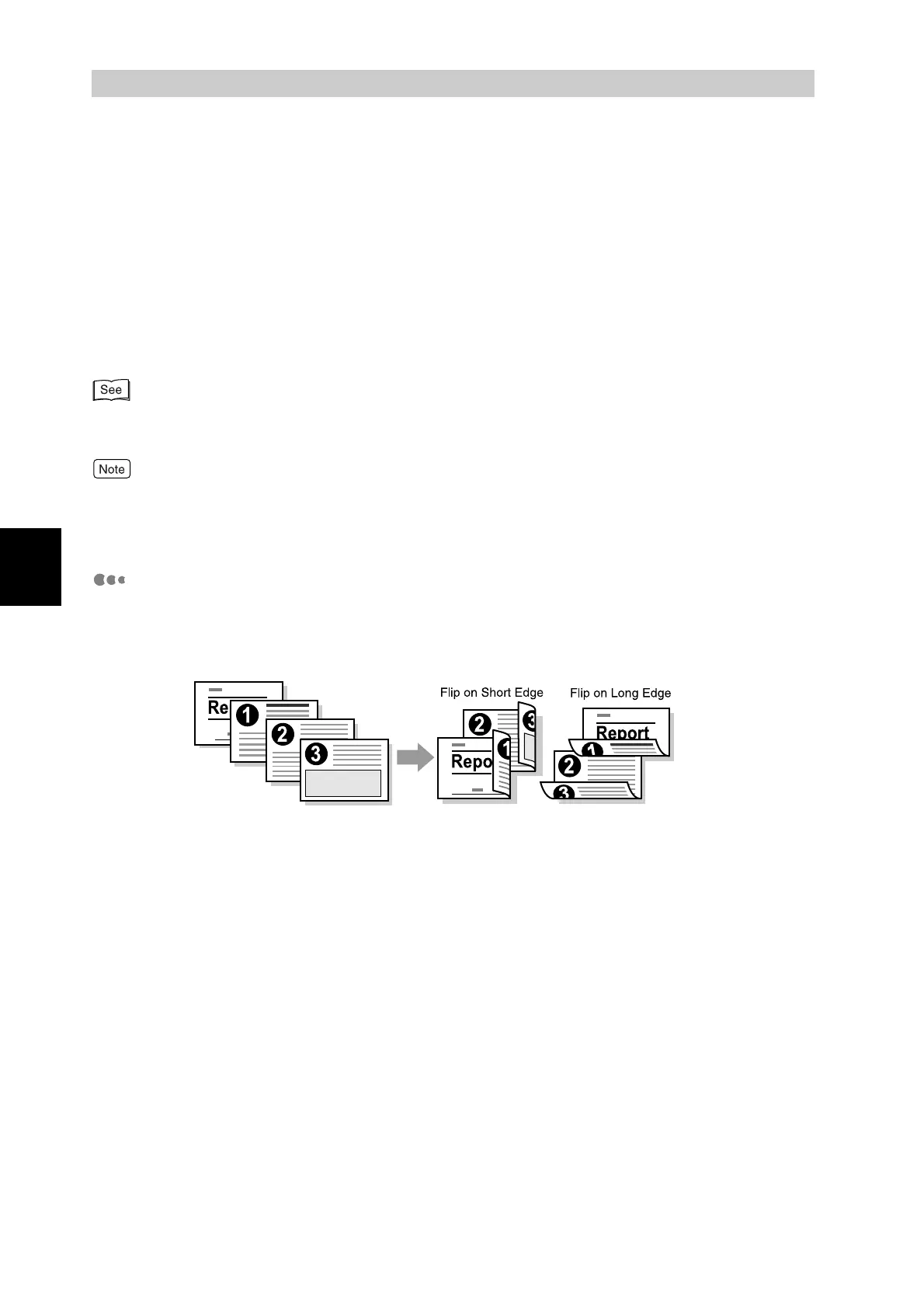
Types of Two-sided Printing
There are two types of two-sided printing: "Flip on Long Edge" and "Flip on Short
Edge". The results of printing with the two types are shown below:



 To Next Page