166
6
Troubleshooting
6.11
If the Multi Purpose Tray
Comes Loose
The multi purpose tray can come loose from the printer if it receives a strong shock. If it has
come loose, move to the reference according to the symptom to fix the problem.
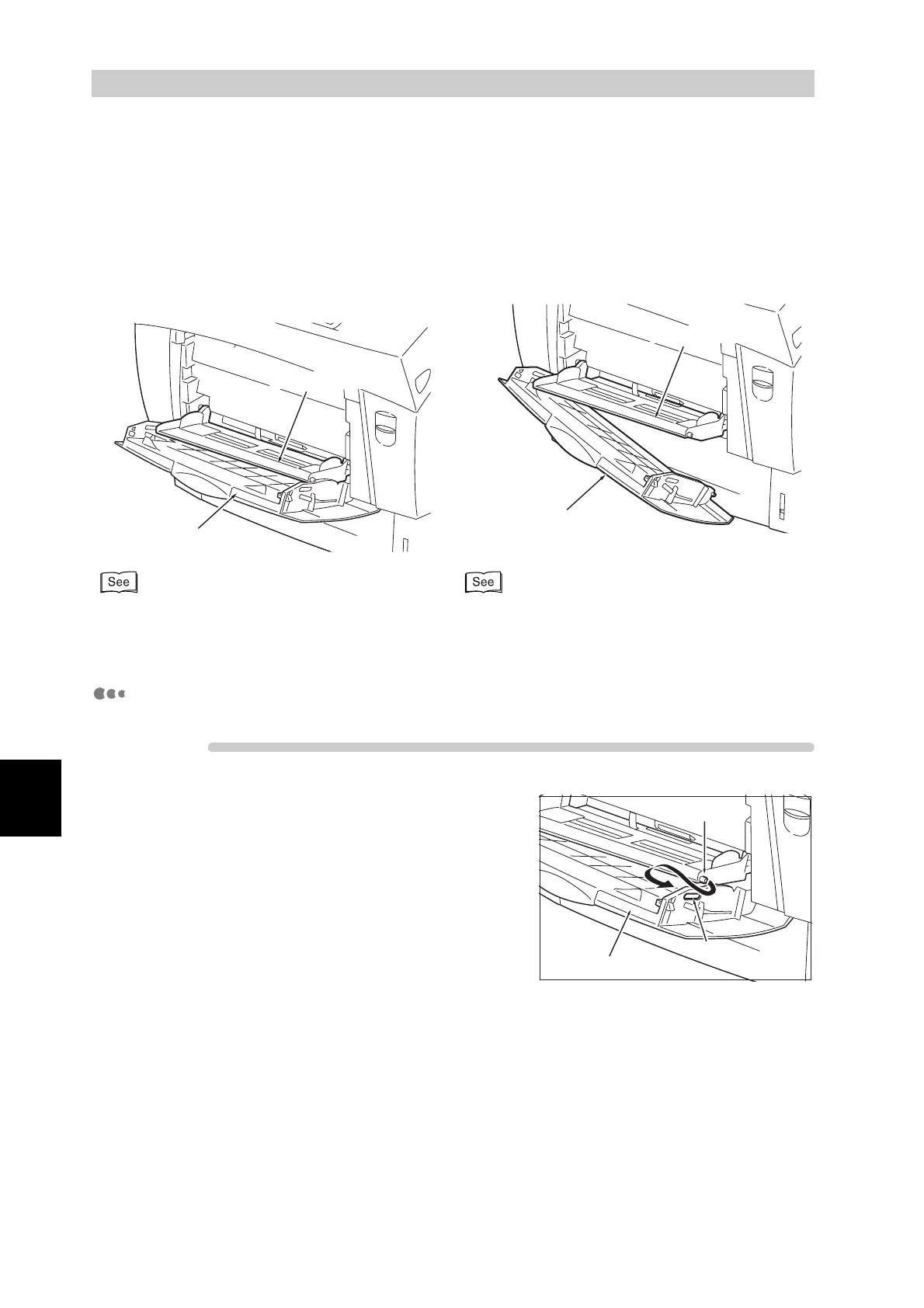
Mount Multi Purpose Tray Cover Onto the Multi Purpose Tray.
Procedure
1
Bend the multi purpose tray cover to
the outside and insert the protrusions
on the multi purpose tray into the holes
in the cover.
2
If both sides are loose, do the same for
the other side.
Multi purpose tray
Multi purpose tray cover
Multi purpose tray
Multi purpose tray cover
<If the pins on one or both sides of the multi
purpose tray are outside of the holes in the tray
cover>
"Mount Multi Purpose Tray Cover Onto the Multi
Purpose Tray."
"Mount Multi Purpose Tray Onto the Printer."
<If the multi purpose tray has separated from the
printer>
Multi purpose tray cover
Pin
Hole



 To Next Page