6.6 Other Problems
150
6
Troubleshooting
6.6.2 Other Problems
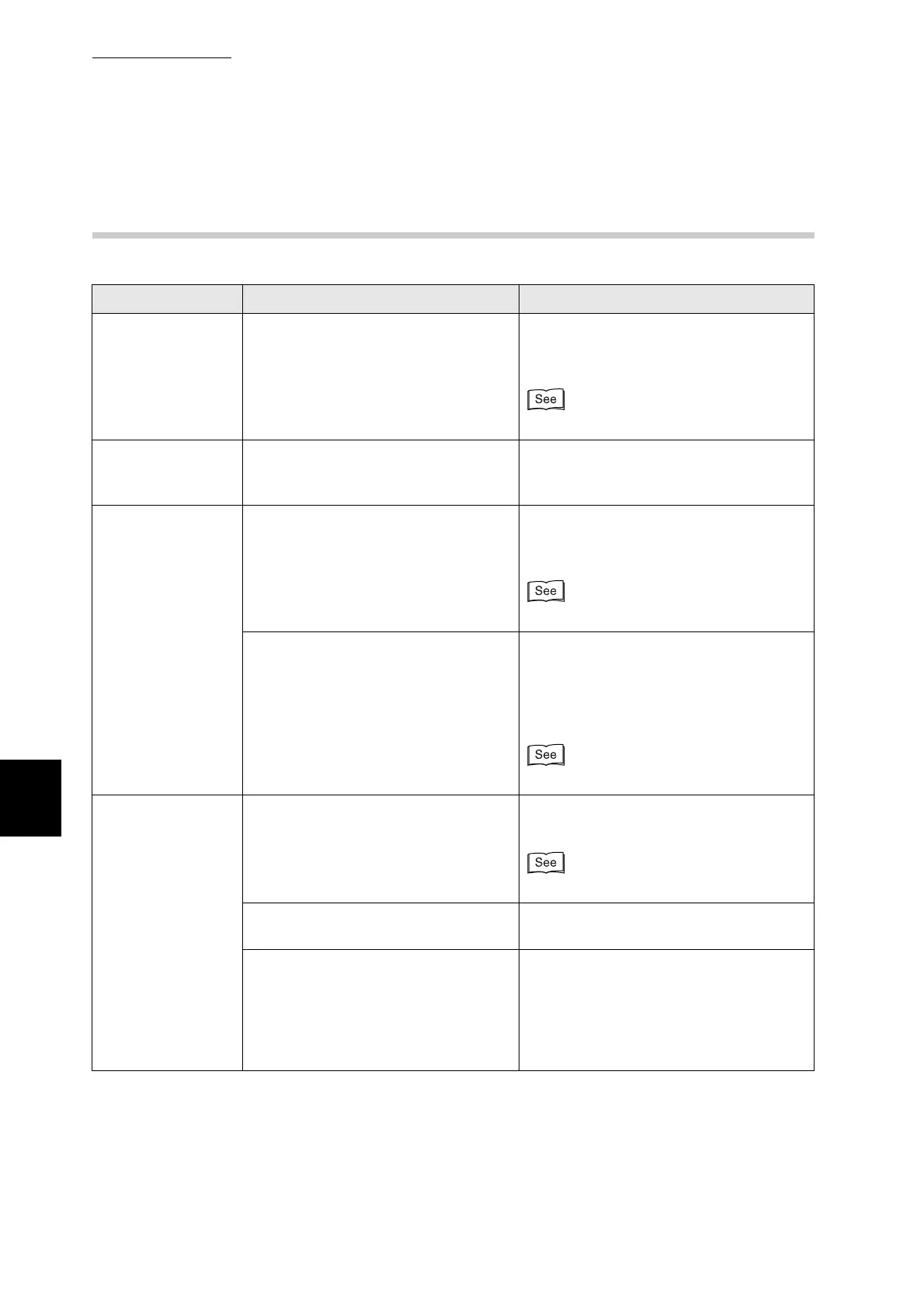
Symptom Possible Cause Action
Cannot print in
color
Is the printer driver set to Black/White
as the output color?
Change the printer driver settings in the
Paper/Output or Graphics tab
(Windows).
Help
Paper does not
feed from the
specified tray
Are the application settings overriding
the printer driver settings?
Set the paper tray in the application to
the same paper tray set in the printer
driver.
Printing is slow Is the printer driver set to Color as the
output color even when you are
printing in monochrome?
Change the printer driver settings in the
Paper/Output or Graphics tab
(Windows).
Help
Is the Power Save Mode Timer too
short?
When the printer is in power saver
mode, it takes longer than normal to
begin printing if it receives a print
request. On the control panel, set a
longer Power Save Timer.
"5.3 List of Menu Items"
Unusual noises are
coming from the
printer
Is the printer level? Reposition the printer on a flat, stable
surface.
"Safety Notes"
Is the paper tray properly inserted into
the printer?
Push the paper tray completely back into
the printer.
Is there paper or a foreign object
jammed in the printer?
Switch off the printer and remove the
jammed paper or foreign object. When
you cannot remove the obstruction,
switch off the printer and contact your
Tally or dealers. Do not attempt to
disassemble the printer.



 To Next Page