1.1 Adjusting Color Registration
3
Printer System Settings
1
Determining Values
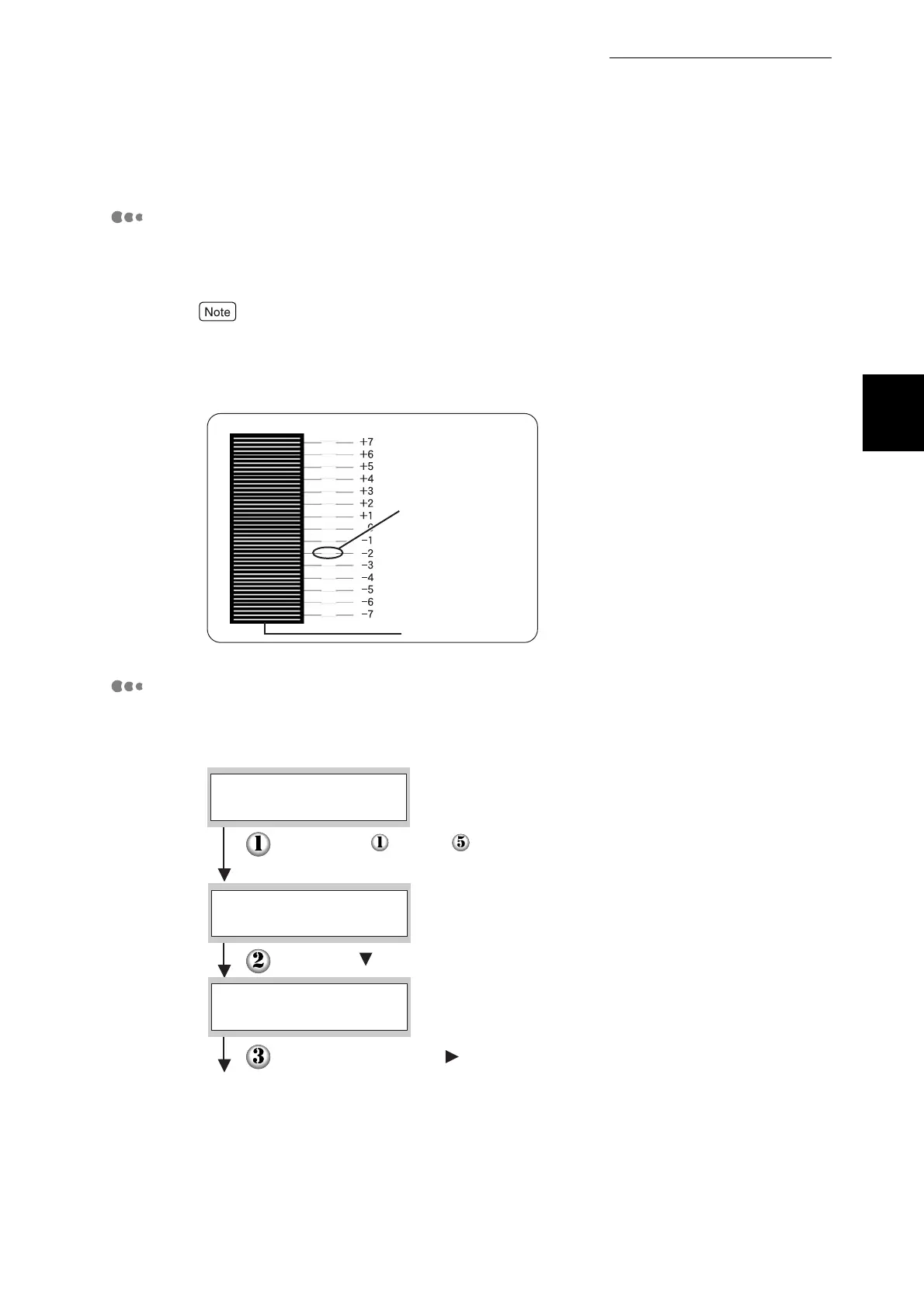
From the lines to the right of the Y (yellow), M (magenta), and C (cyan) pattern,
find the values of the straightest lines.
You can also use the densest colors of the grid to find the straightest lines. The colors printed
at the highest density are those next to the straightest lines.
When "0" is the value nearest the straightest line, you do not need to adjust the color
registration. When the value is not "0", follow the procedure outlined in "Entering Values".
Entering Values
Using the control panel, enter the values that you found in the Color Registration
Correction Chart to make adjustments.
Straightest line
Lattice pattern
Follow steps through on the previous page to display
the color registration correction chart settings menu.
Press the button twice.
Press the Set/Eject or button once.
Continued
Ready to Print
AUTO
ColorRegiCorrect
Enter Number
ColorRegiCorrect



 To Next Page