1.1 Adjusting Color Registration
4
Printer System Settings
1
Repeat steps and to continue adjusting the color
registration.
Continued from previous page.
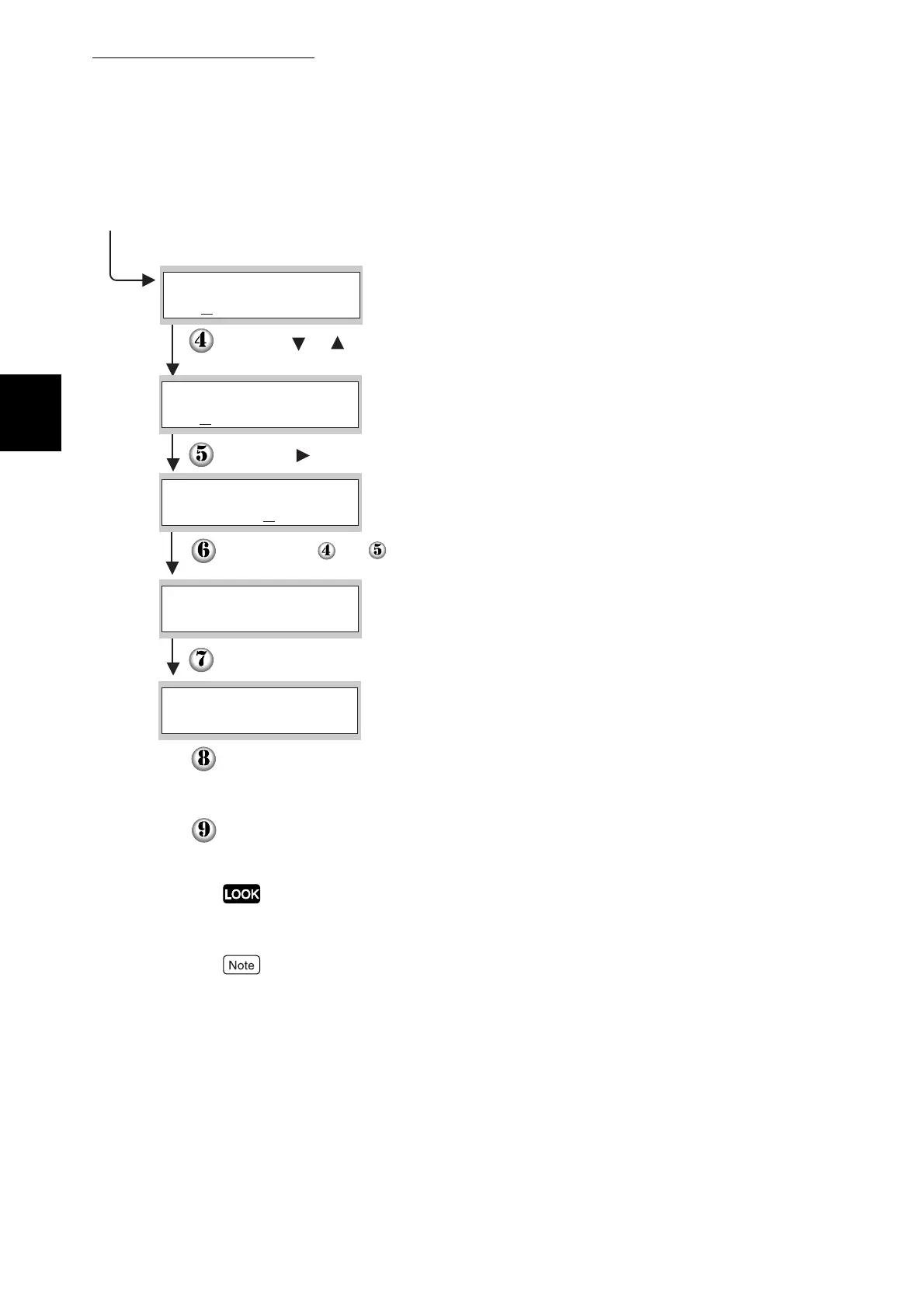
Using the or buttons, press the buttons until you
reach the value (for example, +3) displayed on the chart.
Press the button once and move the cursor to the next value.
Press the Set/Eject button once.
Press the Set/Eject button once.
The Color Registration Correction Chart is printed with the
new values.
Color registration adjustment is complete when the
straightest Y (yellow), M (magenta), and C (cyan) lines
are next to the "0" line.
Y=+3 M= 0 C= 0
Enter Number
Y=+3 M=+1 C=+2
Enter Number
Y=+3 M= 0 C= 0
Enter Number
Ready to Print
Correction Chart
If "0" is not next to the straightest lines, determine the values
and adjust again.
After printing the Color Registration Correction Chart, do not turn
off the printer until the printer motor has stopped running.
Y= 0 M= 0 C= 0
Enter Number



 To Next Page