3.7 Two-sided Printing
90
3
Basic Printer Operation
3.7.2 Two-sided Printing on Specialty Paper
Provided the front side of the paper has been printed using the T8024, you can
use the multi purpose tray to print on the back of the following types of specialty
paper.
●
Heavy weight paper
●
Envelopes
●
Glossy paper
Avoid printing on paper preprinted with another printer, as this can damage the printer.
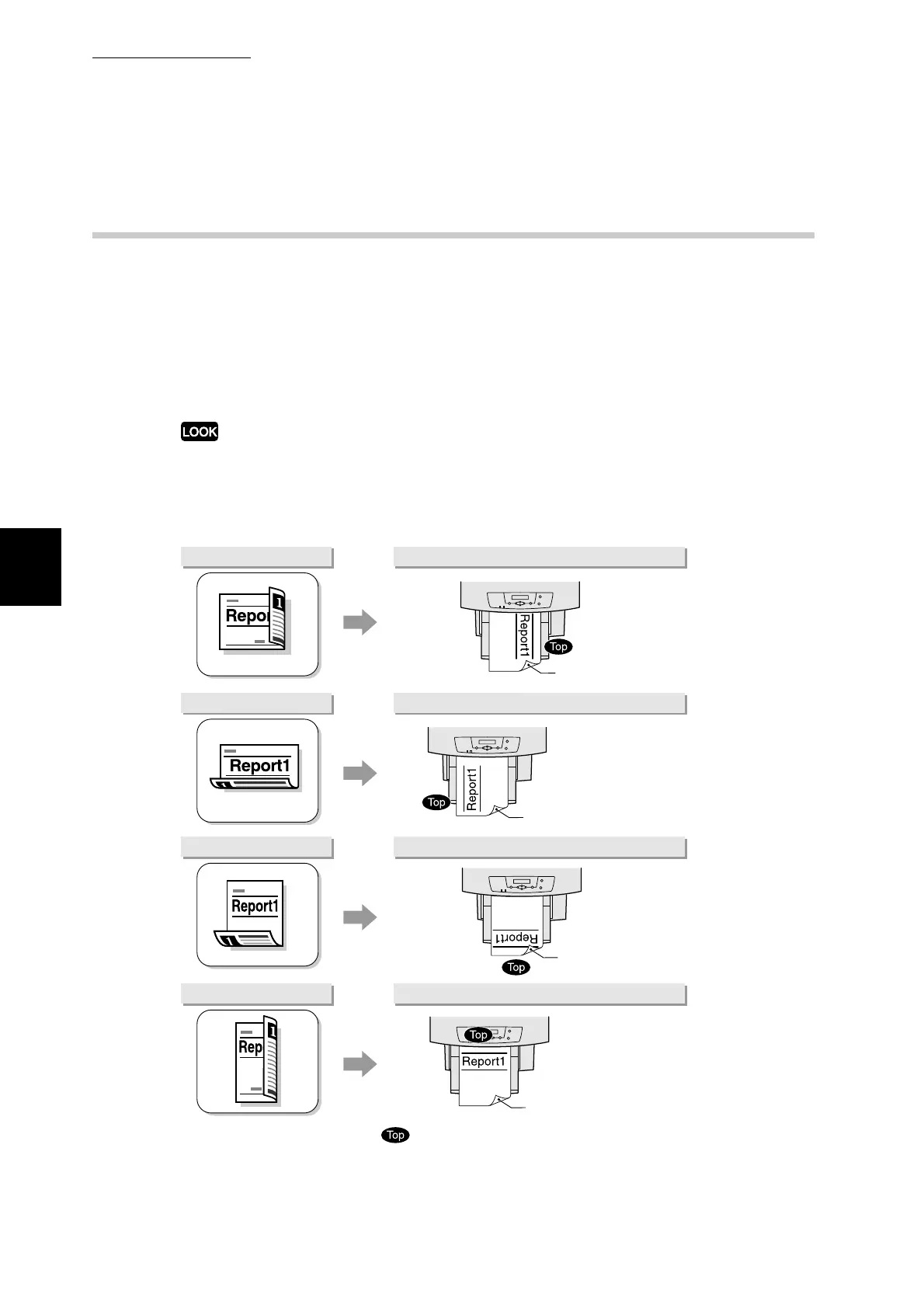
Set the paper in the multi purpose tray according the orientation of the original or
the desired binding orientation.
XXXXX
XXXXX
XXXXX
To print like this: Paper orientation
To print like this: Paper orientation
To print like this: Paper orientation
To print like this: Paper orientation
means the top of the document.
Print side down
Print side down
Print side down
Print side down



 To Next Page