6.11 If the Multi Purpose Tray Comes Loose
167
6
Troubleshooting
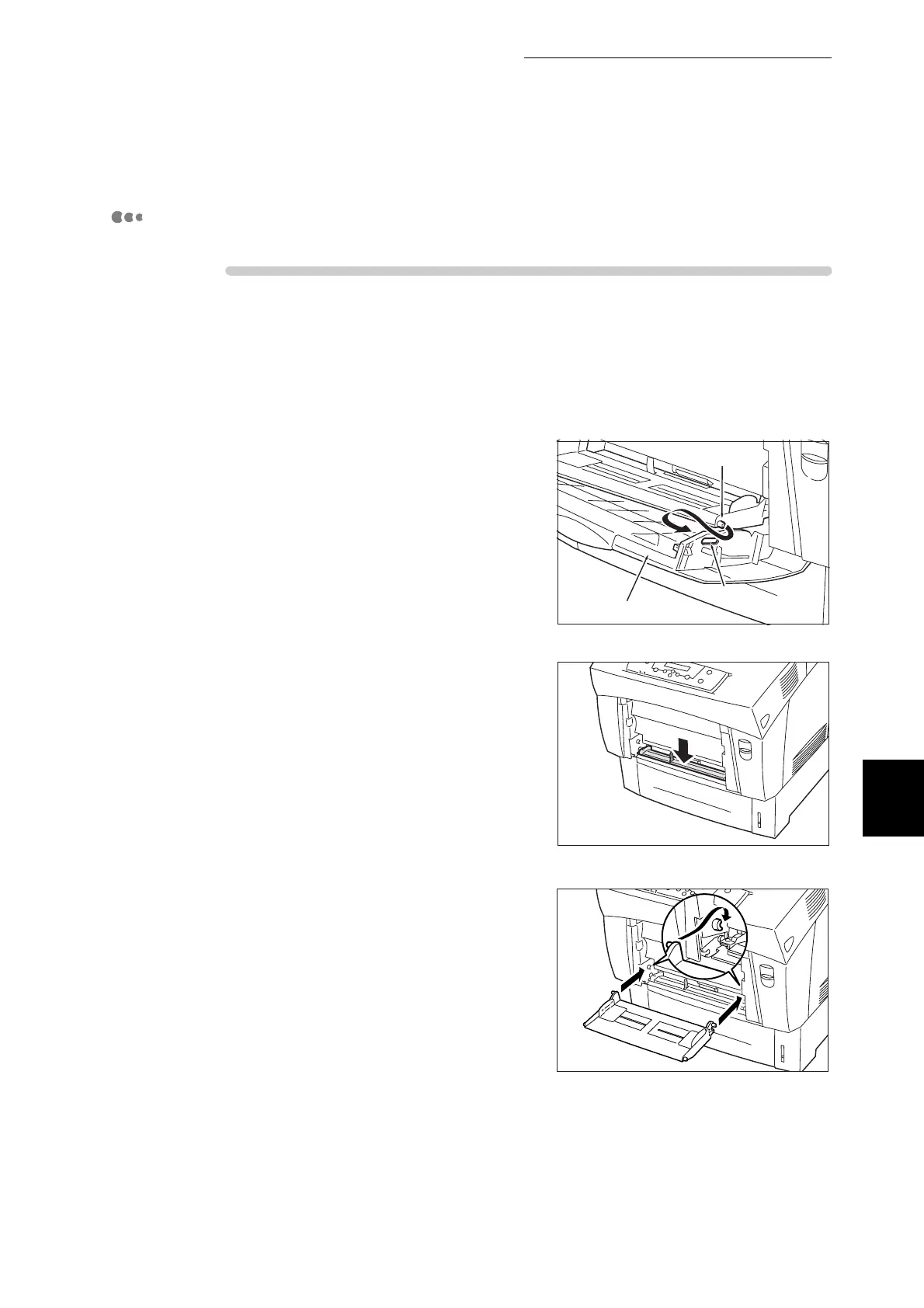
Mount Multi Purpose Tray Onto the Printer.
Procedure
1
Removing the multi purpose tray cover
and multi purpose tray from the printer.
2
Push up button A (1) and fully open the
front door (2).
Then, close the front door.
3
Make sure that the part shown in the
drawing hanging down.
4
Hold the multi purpose tray horizontally
and insert it all the way inside from the
front of the printer.
Pull the protrusions on the multi
purpose tray all the way from the front
to the back on the printer bearings.
Multi purpose tray cover
Pin
Hole



 To Next Page