6.11 If the Multi Purpose Tray Comes Loose
168
6
Troubleshooting
5
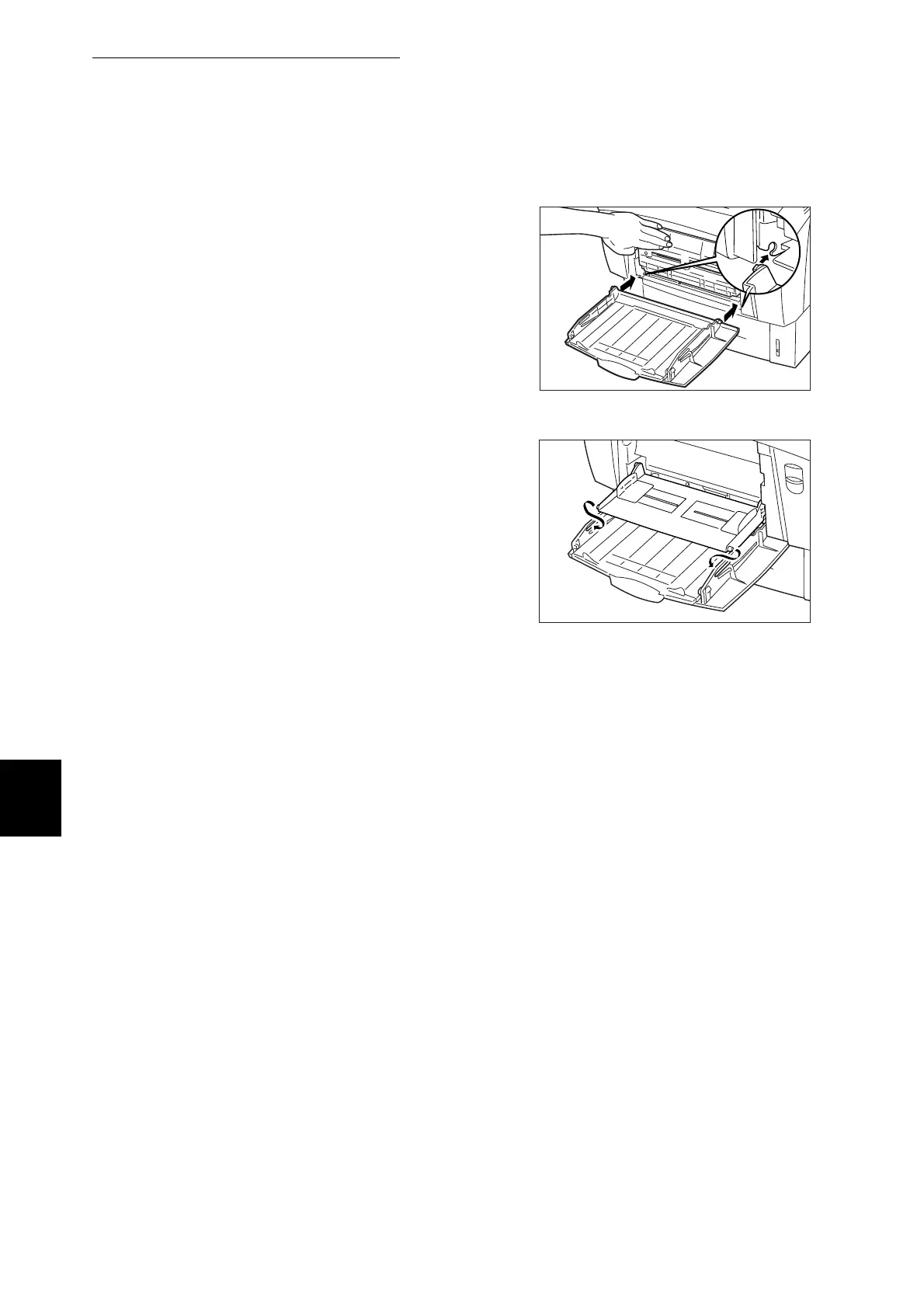
Lay the multi purpose tray on the
printer side. While holding it with your
hand, insert the protrusions on both
sides of the multi purpose tray cover
into the bearings on the printer.
6
Lay the multi purpose tray. While
holding it with your hand, insert the
protrusions on both sides of the multi
purpose tray into the holes in the multi
purpose tray cover.



 To Next Page