8.3 Replacing the transfer roller
193
Daily Care
8
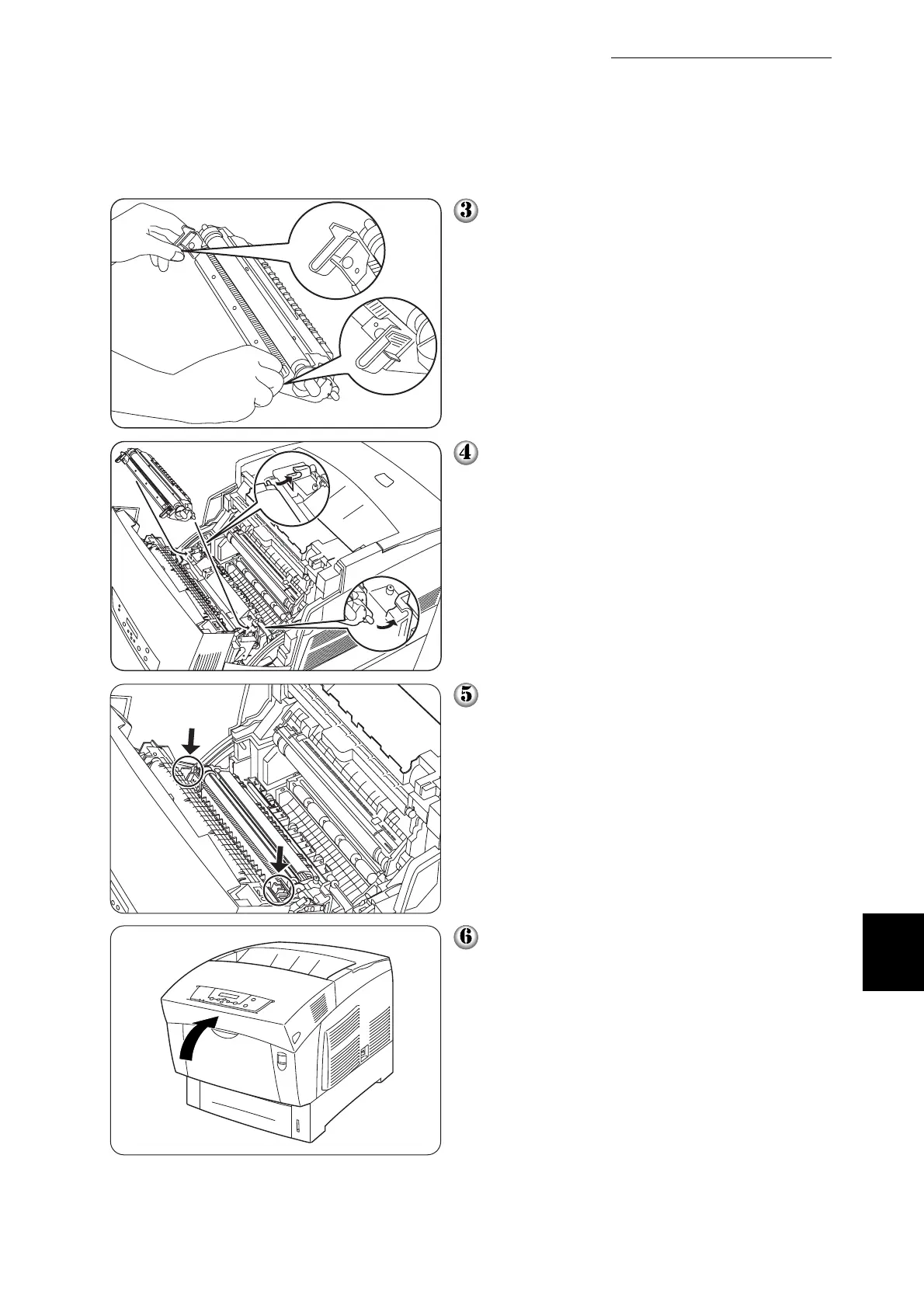
Unpack a new transfer roller and grip the
orange tabs as shown.
Insert the pins at both ends of the trans-
fer roller into the bearings inside the
printer, and gently push the roller into the
printer.
To lock the transfer roller into the printer,
push down on the tabs until you hear a
click.
Close the front cover.



 To Next Page