7.4 Paper Jams between the Drum Cartridge and Fuser Cartridge
176
7
Clearing Paper Jams
3
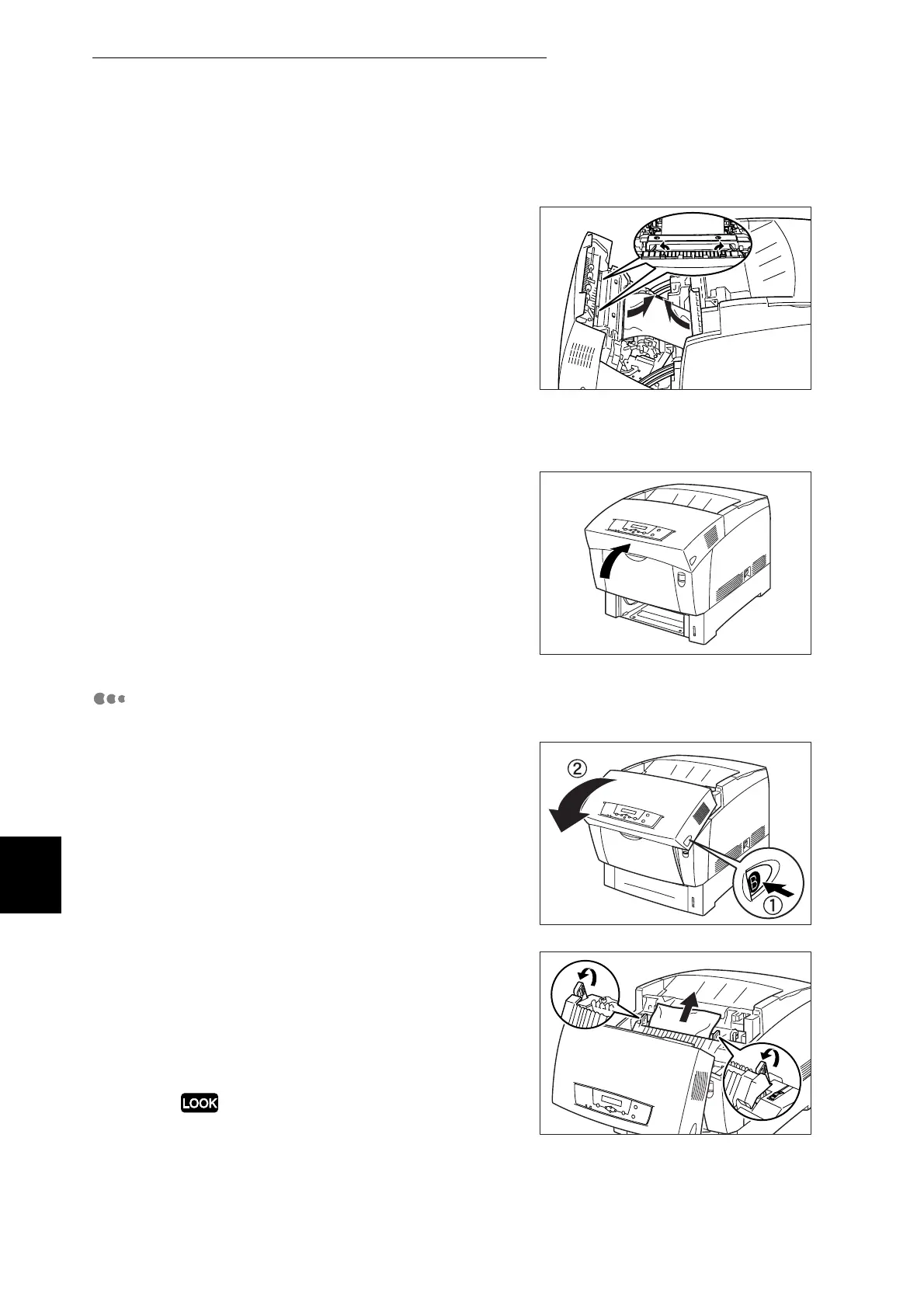
Open the fuser cartridge levers and
remove the jammed paper. Ensure that
you do not touch the drum when
removing the jammed media.
If the paper is torn, remove any scraps
of paper remaining inside the printer.
4
Be sure to close the fuser cartridge
levers after removing the jammed
paper.
5
Close the front door.
Paper Jams Around the Fuser Cartridge:
1
Push button B (1) and open the front
door (2).
2
Open the levers at the ends of the fuser
cartridge and remove the jammed
paper.
If the paper is torn, remove any scraps
of paper remaining inside the printer.
During operation, the fuser unit (heater) becomes
very hot.
Touching directly can cause burns. Be very careful.



 To Next Page