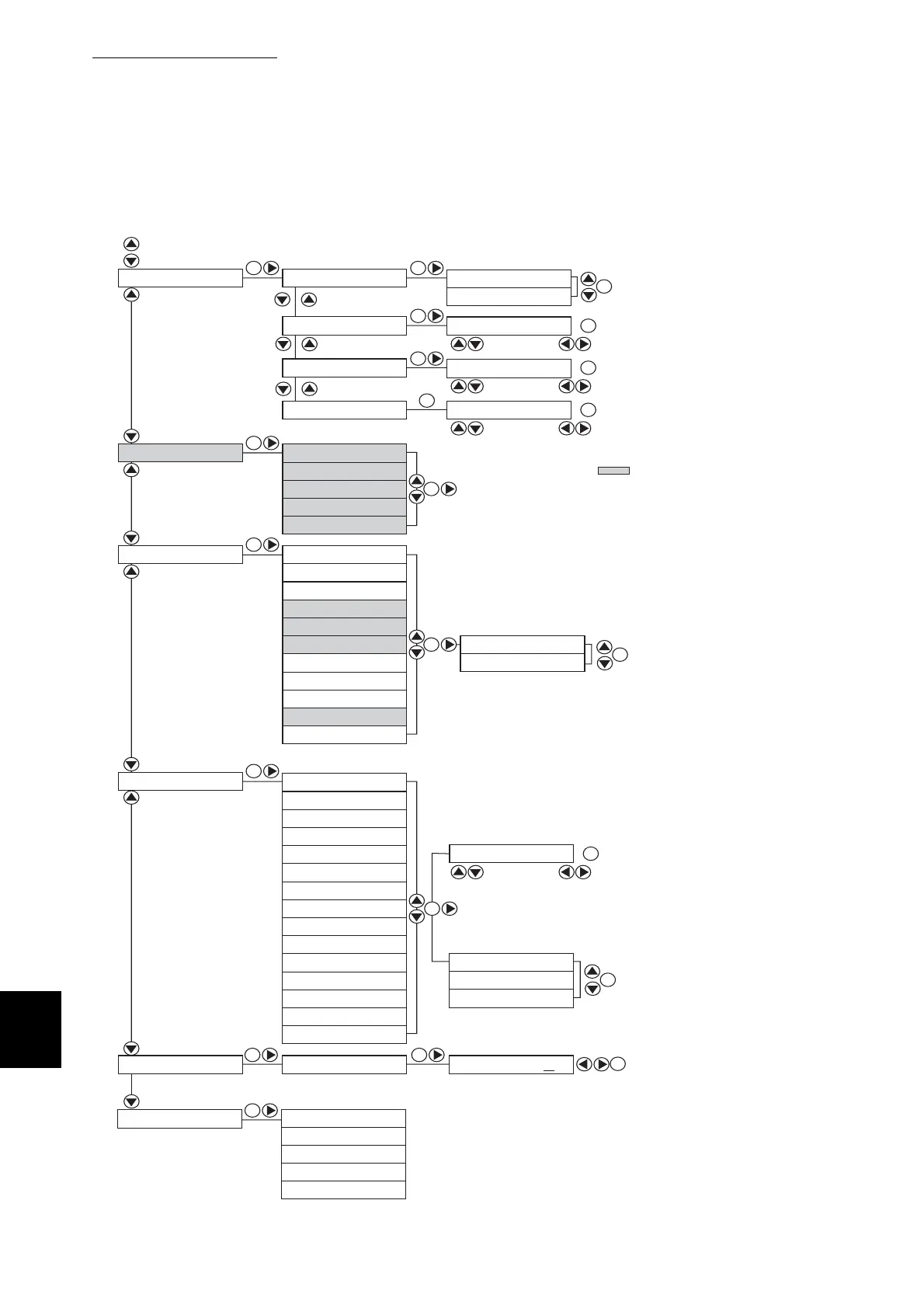
B Control Panel Menu List
222
Appendix
Select Mode
: select value, : shift cursor
...from previous page
SE
SE
SE
SE
SE
SE
SE
SE
SE
SE SE
SE
SE
SE
SE
SE
SE
SE
SE
SE
SE
: select value, : shift cursor
: select value, : shift cursor
: select value, : shift cursor
TCP/IP
Protocol
IPX Frame Type
IP Filter
Ready to Init Yes No
Setup IP Address
IP Address
Subnet Mask
Gateway Address
Filter 1 Address
Filter 1 Mask
Filter 1 Mode
Filter 2 Address
Filter 2 Mask
Filter 2 Mode
Filter 3 Address
Filter 3 Mask
Filter 3 Mode
Filter 4 Address
Filter 4 Mask
Filter 4 Mode
Filter 5 Address
Filter 5 Mask
Filter 5 Mode
Select Address, Mode
Reject
Accept
Off
*
000. 000. 000. 000
*
Disabled
Enabled
*
LPD
P9100
IPP
SMB TCP/IP
SMB NetBEUI
NetWare
Ethertalk
FTP
SNMP UDP/IP
Internet Services
Auto
*
802.3
802.2
SNAP
Ethernet-II
000. 000. 000. 000
*
000. 000. 000. 000
*
000. 000. 000. 000
*
DHCP
*
Panel
Default for Status Messenger
and FTP is Disabled.
Shaded menu items ( ) are
displayed only when an optional
network expansion card is installed.
Init NVM
Auto
Adobe Protocol
SE
Standard
BCP
TBCP
RAW
SNMP IPX



 To Next Page