2.5 Setting Up the USB Port
59
Installing the Printer Driver
2
■Setting the USB port
Procedure
1
Connect the printer and pc together with a USB cable and switch on the
printer.
The computer automatically detects the new hardware and installs necessary software.
2
Click Start, select Settings and then Printers.
The Printers window is displayed.
3
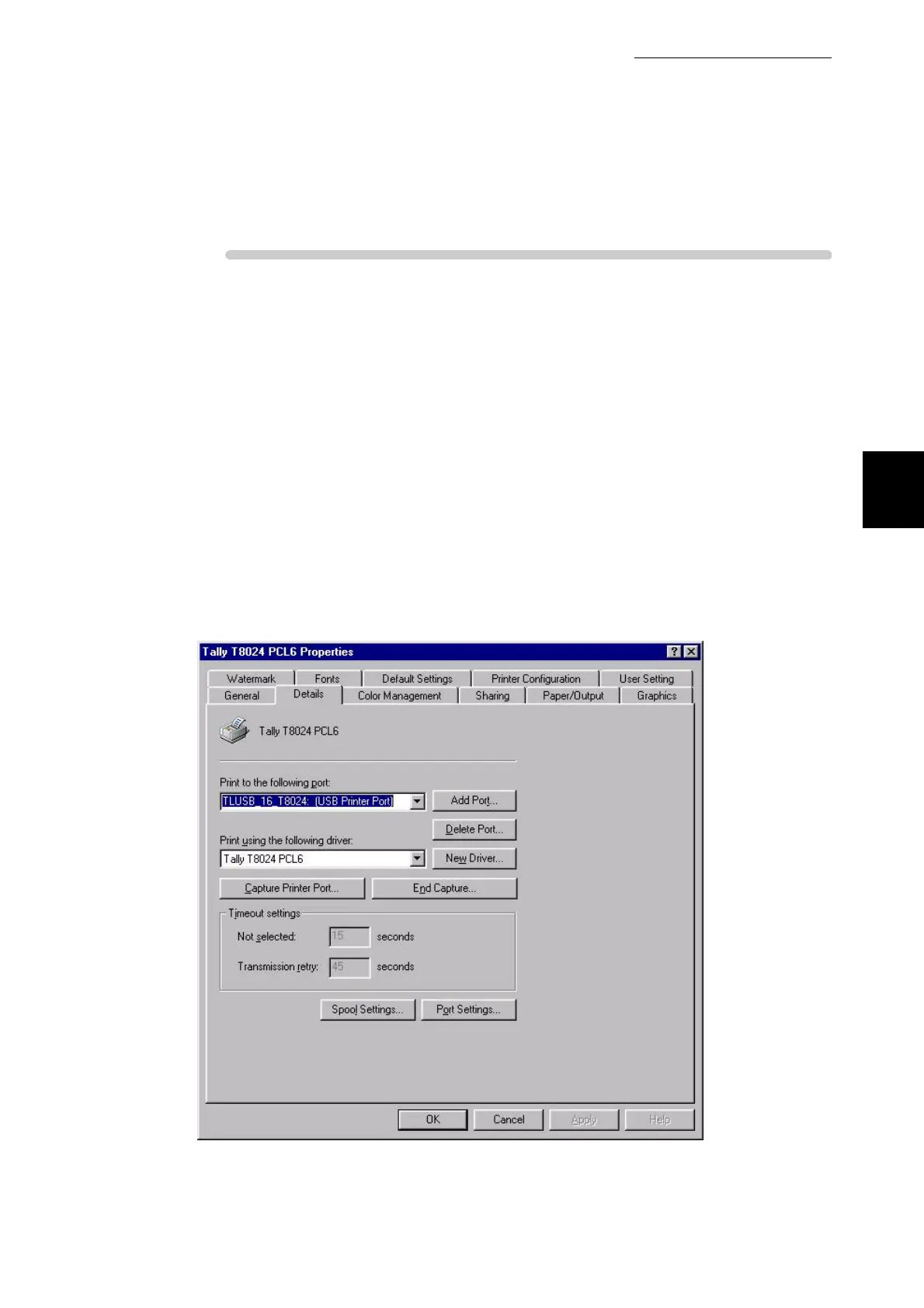
Select the T8024 printer icon, then click Properties on the File menu.
The Properties dialog box is displayed.
4
"TLUSB_X_T8024: (USB Printer Port)" now appears in "Print to the
following port" on the Details tab. Select this port.
In TLUSB_X …, a value from 0 to FF appears in the position indicated
by [x]. The value varies according to the environment.



 To Next Page