4-68 4262930-Rev A
ELECTRICAL
4
Traction Control Unit
Removal and Installation
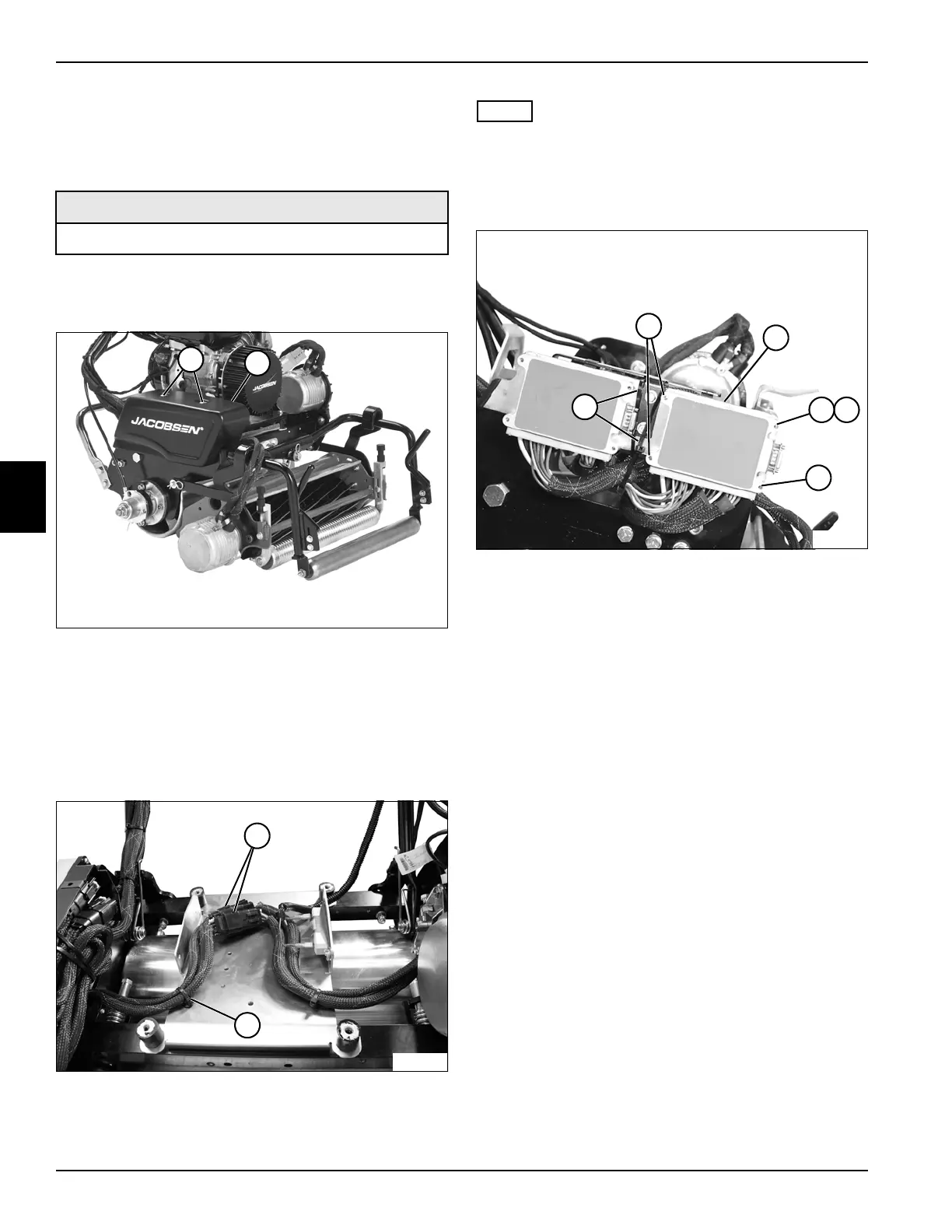
See Figures 4-66 through 4-68.
1. Park the mower safely. (See “Park Mower Safely” on
page 1-5.)
Figure 4-66
2. Remove screws (1) and motor controller cover (2).
3. For battery pack powered mowers, remove power
module. (See “Battery Tray and Power Module
Mount” on page 4-69.)
4. For gen-set powered mowers, remove engine. (See
“Engine” on page 3-4.)
Figure 4-67
5. Cut cable tie (4).
NOTE
Label all wires before disconnecting to ensure correct
installation.
6. Disconnect traction control unit harness connectors
(3).
Figure 4-68
7. Cut cable ties (8).
8. Remove four screws (5) and one internal-tooth lock
washer (7), and remove traction control unit (6).
Installation Notes
• Install traction control unit by reversing the order of
removal.
• Do NOT apply dielectric grease or any lubricant to
traction motor harness connectors.
• Use new cable ties.
Required Materials
Dielectric Grease (Jacobsen PN 365422)
TN4429
2
1
TN4630
3
4
TN4634
7
8
5
6
5
5








 To Next Page