POWER TRAIN
4262930-Rev A 5-7
5
Repair
Traction Drive Belt Cover
Removal and Installation
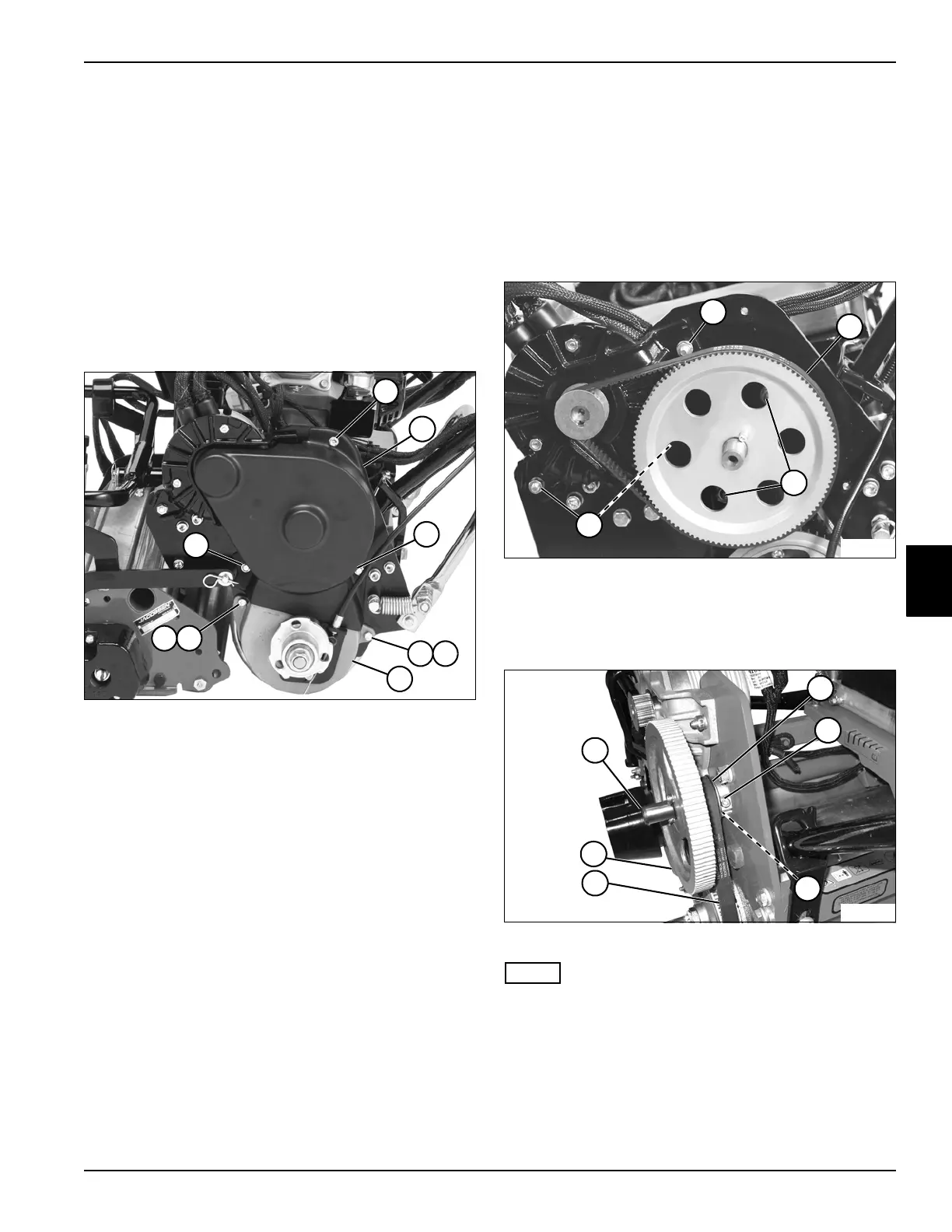
See Figure 5-6.
1. Park the mower safely. (See “Park Mower Safely” on
page 1-5.)
2. Remove transport wheels (if equipped). (See
“Transport Wheels (Optional)” on page 9-2.)
3. Remove wheel hubs and bearings. (See “Wheel
Hubs and Bearings” on page 9-3.)
Figure 5-6
4. Remove three screws (1) and upper belt cover (2).
5. Remove two screws (3), lock washers (4), and lower
belt cover (5).
Installation Note
Install traction drive belt cover by reversing the order of
removal.
Traction Drive Belts
Removal
See Figures 5-7 and 5-8.
1. Park the mower safely. (See “Park Mower Safely” on
page 1-5.)
2. Remove the traction drive belt cover. (See “Traction
Drive Belt Cover” on page 5-7.)
Figure 5-7
3. Loosen traction motor mount screws (1) and remove
traction drive (transfer) belt (2).
4. Loosen bearing bracket nuts (3).
Figure 5-8
NOTE
Record the number of shims used (if any) to ensure
correct installation.
5. Loosen screw (6) and remove outer transfer pulley
(9), inner transfer pulley (5), shaft (4), and shims (7)
as an assembly.
6. Remove traction drive (final drive) belt (8).
TN4638
1
1
3
3
2
5
1
4
4
TN4639
2
1
1
3
TN0817
4
6
9
8
5
7








 To Next Page