7-8 4262930-Rev A
BRAKES
7
Park Brake Band
Removal
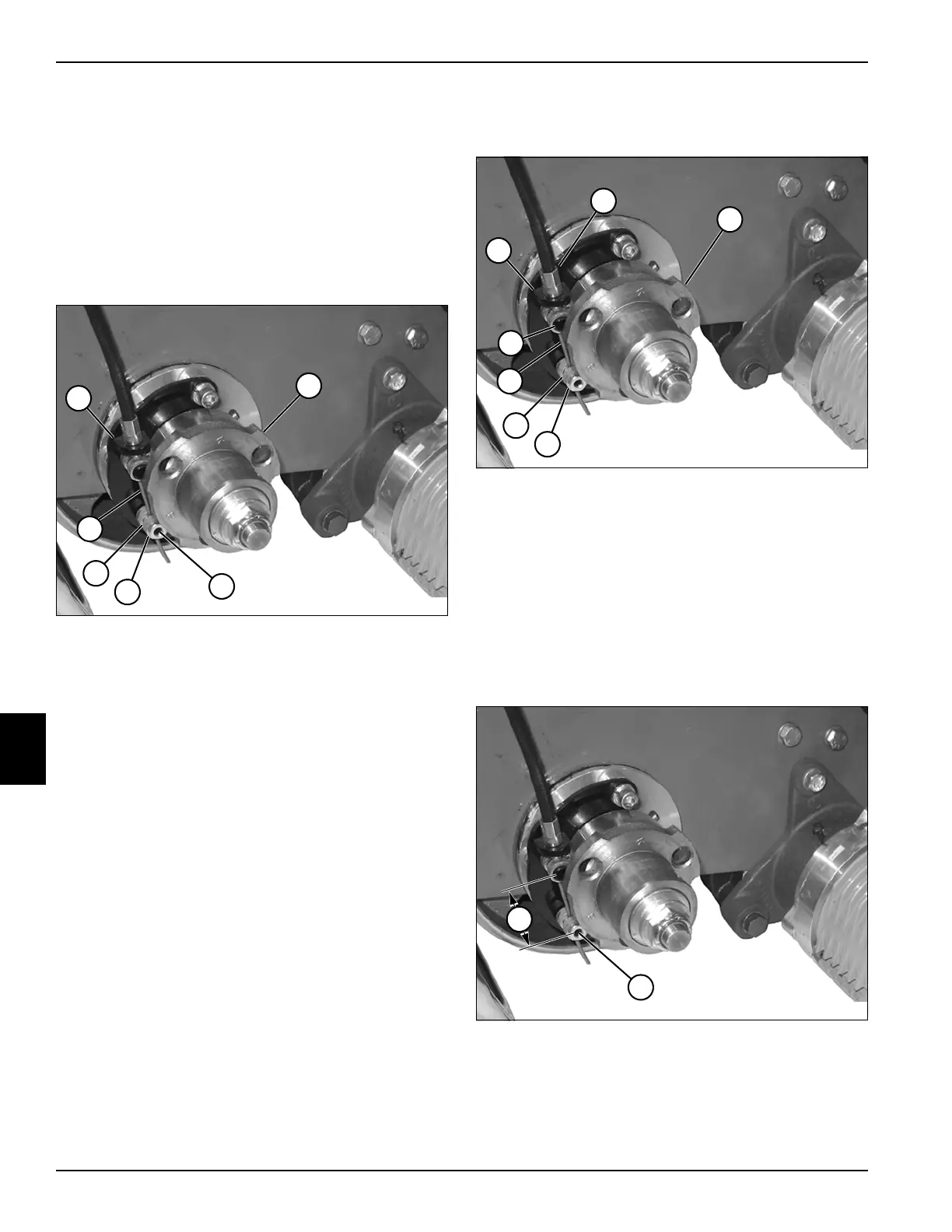
See Figure 7-10.
1. Park the mower safely. (See “Park Mower Safely” on
page 1-5.)
2. Remove transport wheels (if equipped). (See
“Transport Wheels (Optional)” on page 9-2.)
3. Release park brake.
Figure 7-10
4. Loosen set screw (3) and remove brake cable (6)
from lower brake band pin (4) and bracket (1).
5. Remove lower brake band pin (4).
6. Remove wheel hub (2). (See “Wheel Hubs and
Bearings” on page 9-3.)
7. Remove brake band (5) from bracket.
Installation
See Figures 7-11 and 7-12.
Figure 7-11
1. Install park brake band (5) on bracket (1).
2. Install wheel hub (3). (See “Wheel Hubs and
Bearings” on page 9-3.)
3. Install lower brake band pin (4) into brake band (5).
4. Route end of brake cable (6) through bracket (1),
upper brake band pin (7), and lower brake band pin
(4).
5. Position brake band so upper brake band pin (7)
rests against end of cable sheath (2).
Figure 7-12
6. Move free end of brake band until distance between
center of park brake band pins (8) is approximately
1.50 in. (38 mm). Tighten set screw (9).
7. Check brake adjustment. (See “Park Brake Check
and Adjustment” on page 7-4.)
TN4407
1
5
6
3
2
4
TN4407
1
5
6
2
7
4
3
TN4407
8
9








 To Next Page