4-48 4262930-Rev A
ELECTRICAL
4
Key Switch Test
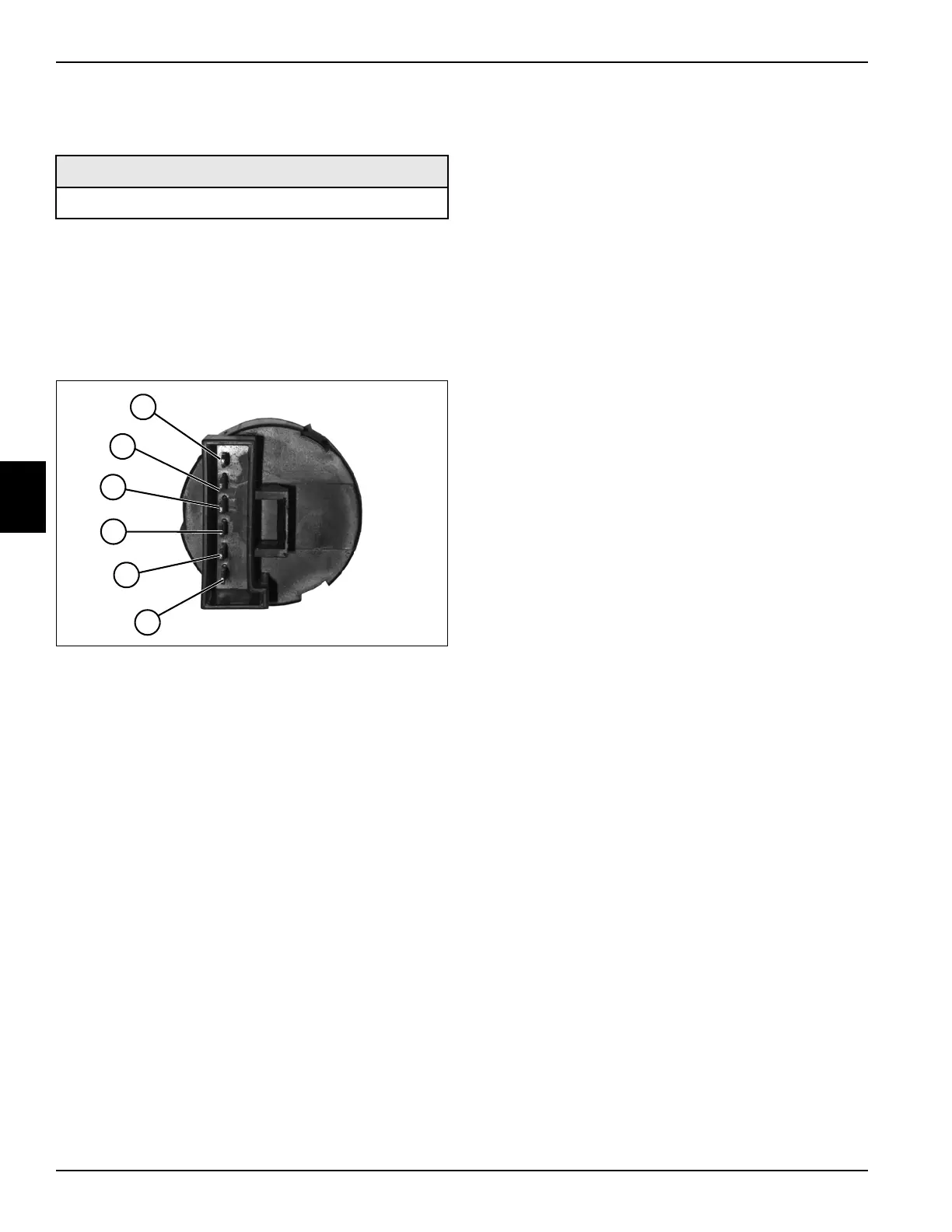
See Figure 4-26.
1. Park the mower safely. (See “Park Mower Safely” on
page 1-5.)
2. Remove handle cover. (See “Handle Cover” on
page 6-4.)
3. Remove key switch. (See “Key Switch” on
page 4-60.)
Figure 4-26
4. Move key switch to the off position.
5. Measure resistance between terminals (5 and 6).
Is the resistance value 0.02 ohm or less?
YES Proceed to step 6.
NO The key switch is faulty.
6. Move key switch to the run position. Measure
resistance between terminals (3 and 4).
Is the resistance value 0.02 ohm or less?
YES Proceed to step 7.
NO The key switch is faulty.
7. With key switch in the run position, measure
resistance between terminals (1 and 6).
Is the resistance value 0.02 ohm or less?
YES Proceed to step 8.
NO The key switch is faulty.
8. Move the key switch to the start position. Measure
resistance between terminals (1 and 2).
Is the resistance value 0.02 ohm or less?
YES Proceed to step 9.
NO The key switch is faulty; replace the switch.
9. With key switch in the start position, measure
resistance between terminals (3 and 4).
Is the resistance value 0.02 ohm or less?
YES The key switch is good.
NO The key switch is faulty; replace the switch.
Required Tools or Equipment
Digital Multimeter, Ohmmeter, or Continuity Tester
TN0809
3
4
5
6
2
1








 To Next Page