6-4 4262930-Rev A
HANDLE AND CONTROLS
6
Repair
Handle Cover
Removal and Installation
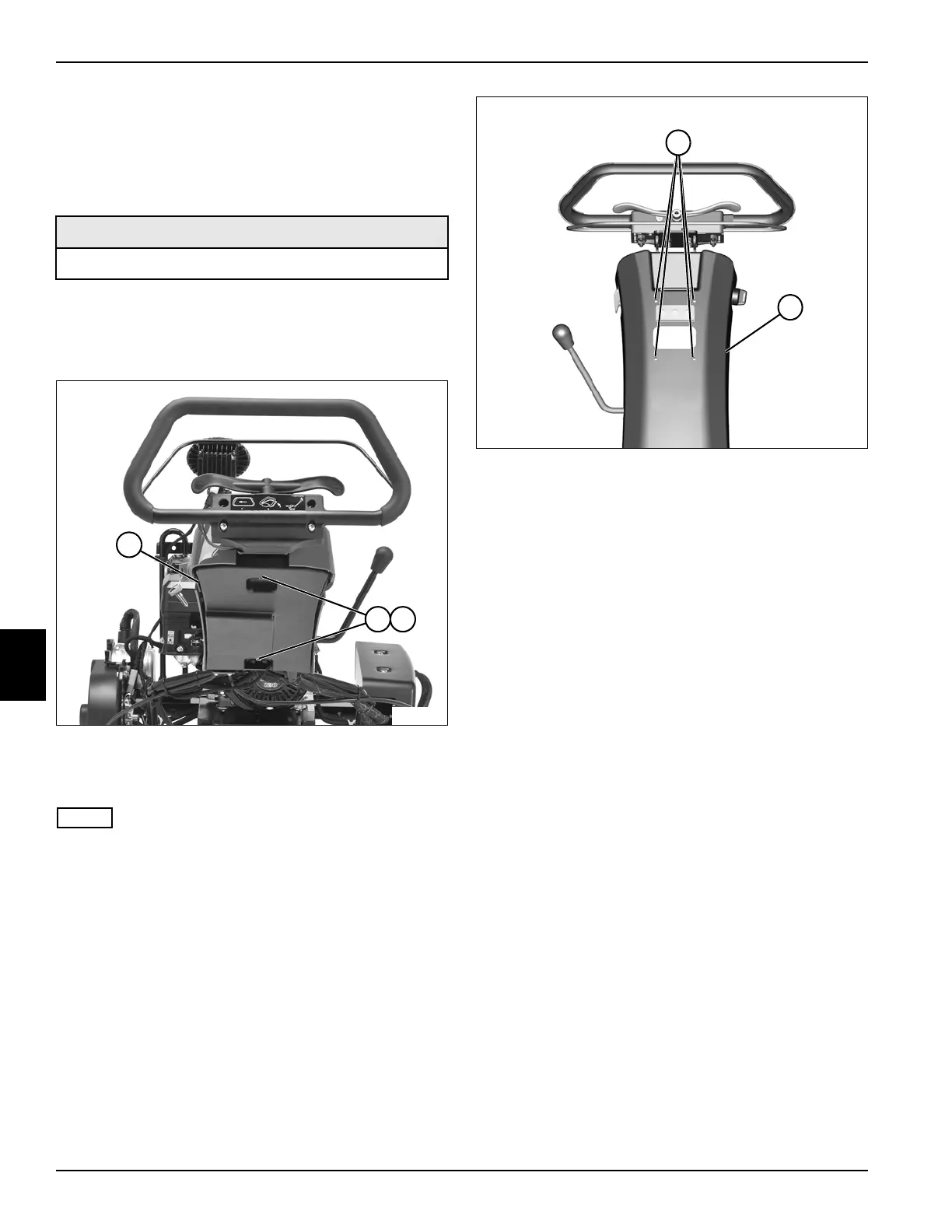
See Figures 6-5 and 6-6.
1. Park the mower safely. (See “Park Mower Safely” on
page 1-5.)
Figure 6-5
2. Remove two nuts (2) and washers (3), and remove
rear half of cover (1).
NOTE
Label all wires before disconnecting to ensure correct
installation.
3. Disconnect light switch wire terminals (if equipped).
(See “Light Switch” on page 4-61.)
Figure 6-6
4. Remove four screws (4) and front half of handle
cover (5).
Installation Notes
• Install handle cover by reversing the order of
removal.
• Apply dielectric grease (Jacobsen PN 365422) to any
connectors removed.
• Align park brake cables and main wire harness with
openings in covers before tightening cover screws.
Required Materials
Dielectric Grease (Jacobsen PN 365422)
TN4432
1
32
TN4388
5
4








 To Next Page