2-12 4262930-Rev A
SPECIFICATIONS AND GENERAL INFORMATION
2
Key Switch Check
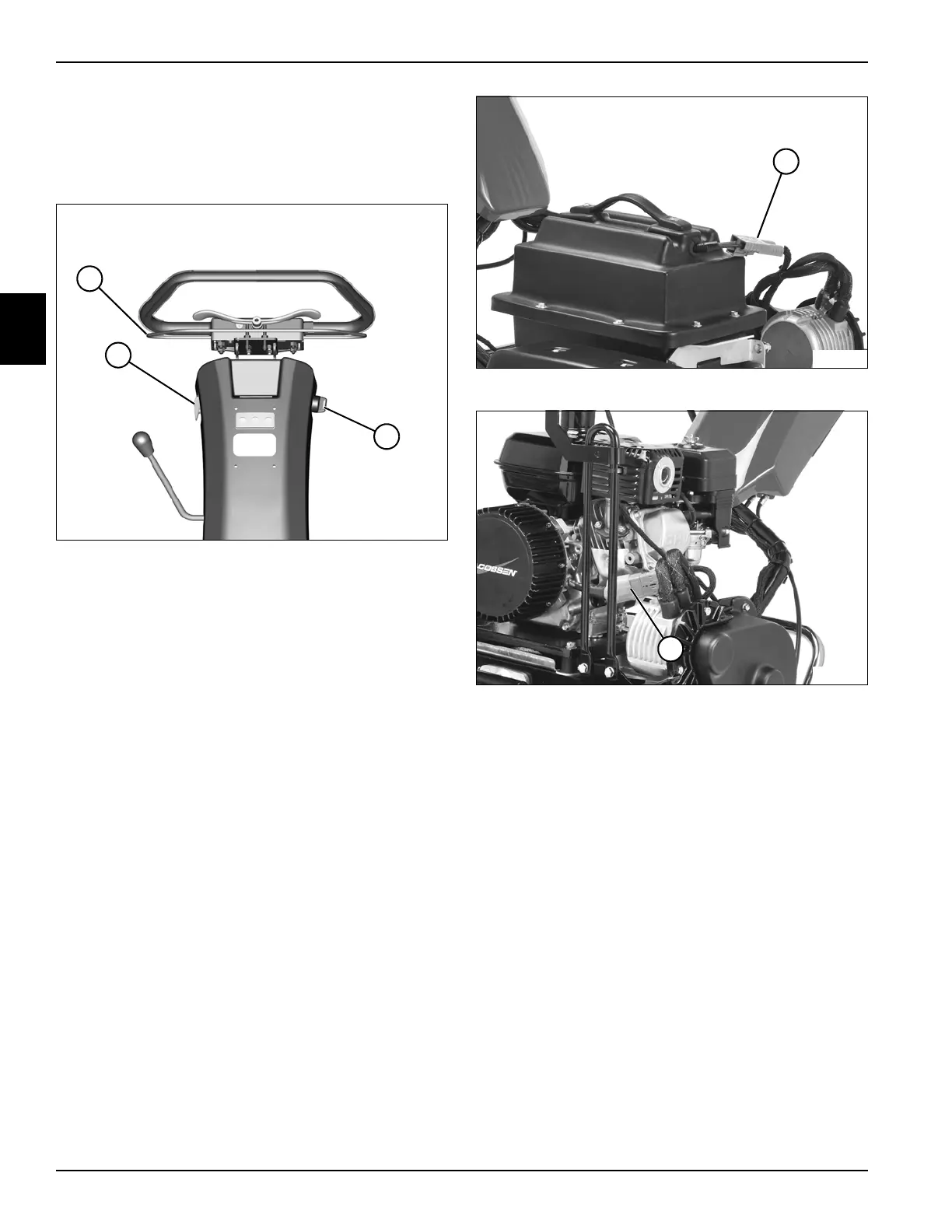
See Figures 2-8 through 2-10.
The unit is equipped with a key switch to stop the traction
and reel motors from the operator’s position.
Figure 2-8
1. Place the mower securely on the kickstand and move
the mow switch (1) to the off position.
2. Move the key switch (3) to the start/on position.
3. Gen-Set Models: Move the key switch (3) to the on
position, start the engine, then move key switch to
the start position to power up the controller.
4. Slide the Operator Presence Control (OPC) bail (2)
to the left and engage the traction drive.
5. Move the key switch (3) to the off position. The
traction drive will stop.
Figure 2-9: Battery Pack Models
Figure 2-10: Gen-Set Models
If the traction drive does not stop, disconnect the battery
pack/gen-set connector (4) to stop the traction drive and
immediately repair the system.
1
TN4388
2
3
4
TN4431
4
TN4397








 To Next Page