ELECTRICAL
4262930-Rev A 4-41
4
Maintenance Mode
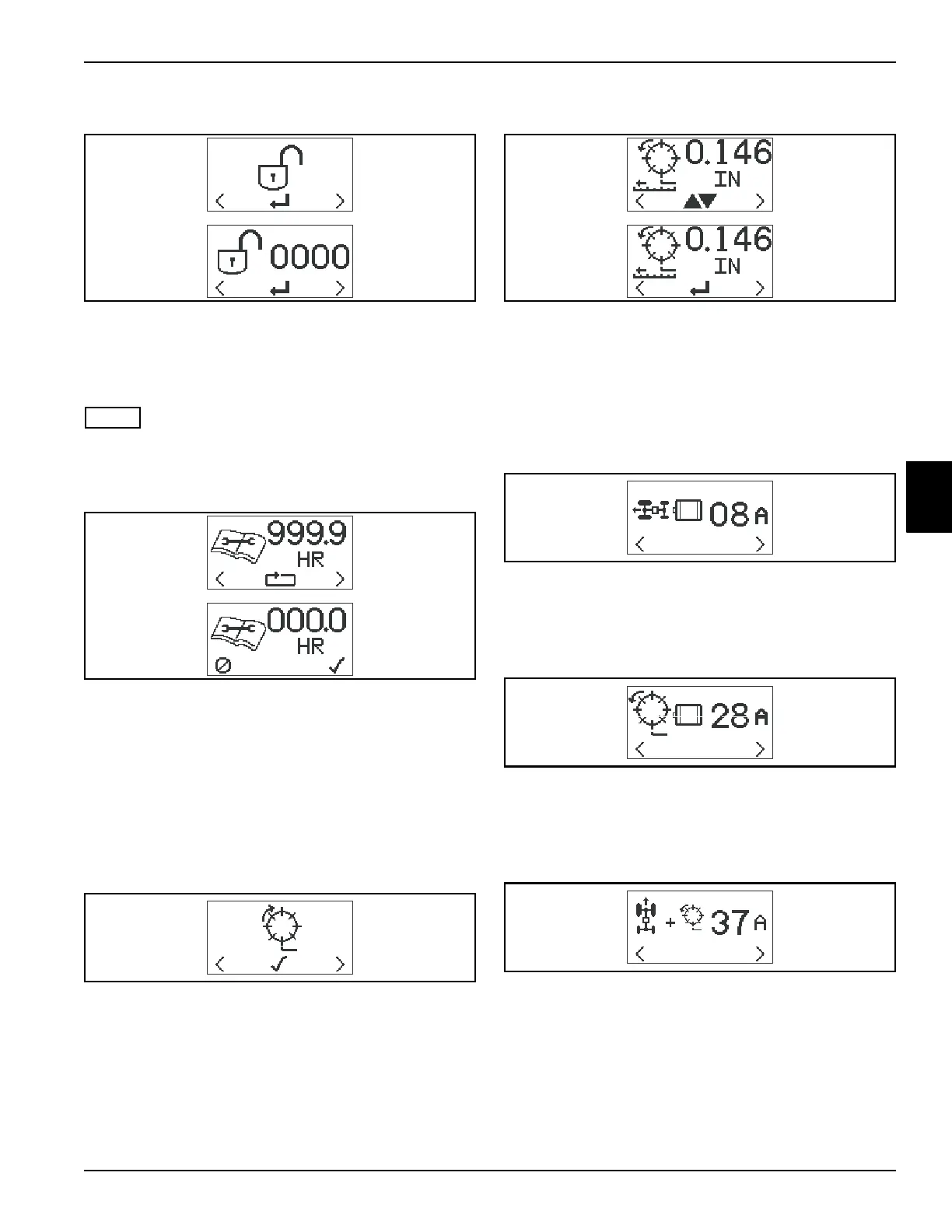
To enter Maintenance Mode, press either orange button
(1 or 4) until Maintenance Mode PIN screen is on the
display and press black button (3). Use the orange
buttons (1 and 4) to select and the black button (3) to
enter the digits for the Maintenance Mode PIN.
NOTE
The default PIN for Maintenance Mode is 6789.
Maintenance Hours
Maintenance Hours system can track up to 999.9 hours
for maintenance purposes.
To reset maintenance hours, press either orange button
(1 or 4) on the front cover until the maintenance hours
screen is on the LCD display. Press the black button (3)
to move to the confirm reset screen. Press the right
orange button (1) to confirm reset, or press the left
orange button (4) to cancel reset.
Backlap Select
Used to switch mower to backlap mode.
Set FOC
To set the fixed FOC, press either orange button (1 or 4)
on the front cover until the FOC set screen is on the LCD
display. Press the black button (3) to enter set mode. Use
the orange buttons to raise (1) or lower (4) the FOC value
to the desired setting. Press the black button to set
speed.
Traction Motor Current
Displays current draw of traction motor. Fault will be
displayed if current draw is greater than 30 amps for one
second.
Reel Motor Current
Displays current draw of reel motor. Fault will be
displayed if current draw is greater than 30 amps for one
second.
Total Motor Current
Displays total current draw of traction motor and reel
motor.
TN4478, TN4465
TN4479, TN4480
TN4466
TN4481, TN4482
TN4483
TN4484
TN4485








 To Next Page