ELECTRICAL
4262930-Rev A 4-43
4
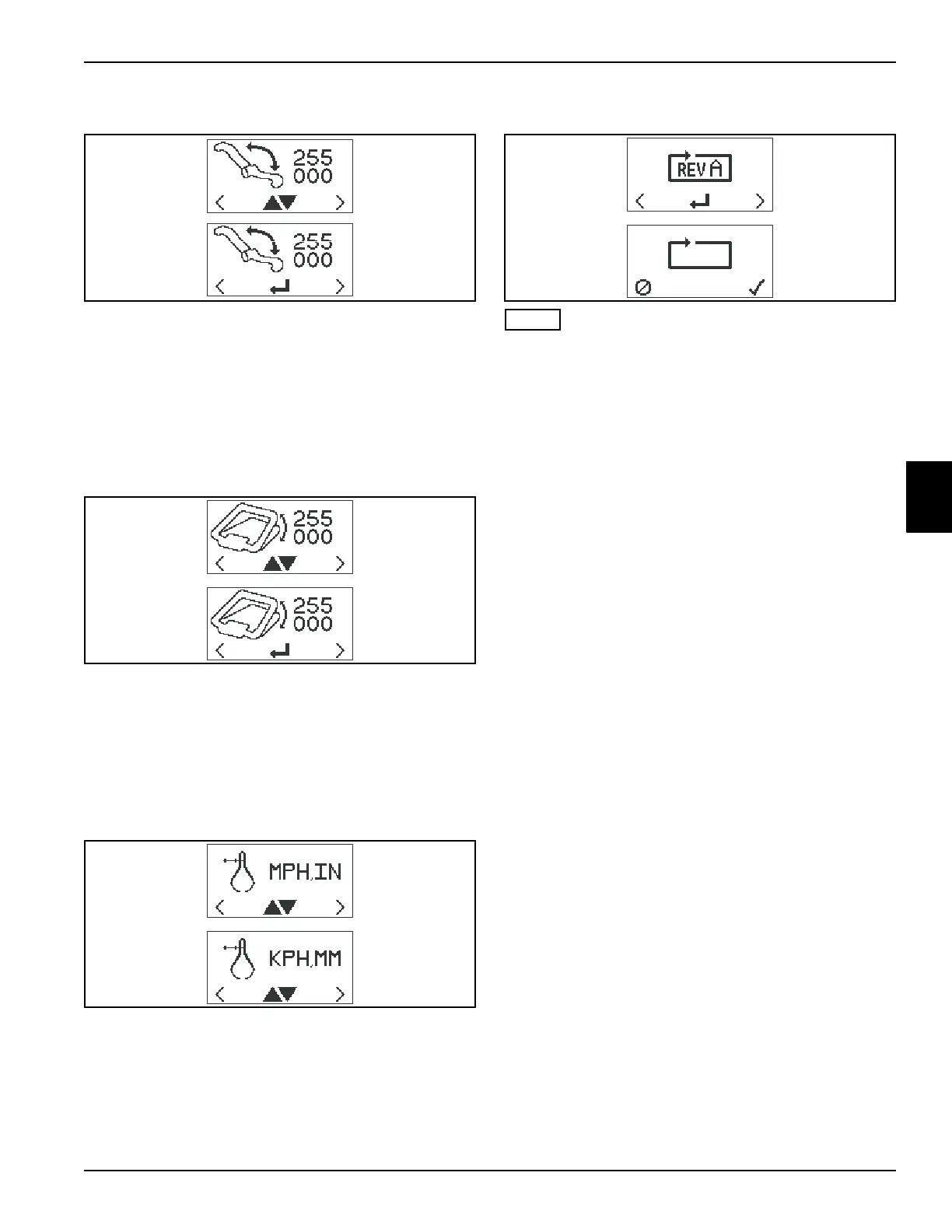
Speed Paddle Calibration
To calibrate the paddle, press either orange button
(1 or 4) on the front cover until the speed paddle
calibration screen is on the LCD display. Press the black
button (3) to enter set mode. Move the speed paddle
through its entire range of movement to determine
minimum and maximum values.
Values displayed will change as controls are moved.
Bail Lever Calibration
To calibrate the bail lever, press either orange button
(1 or 4) on the front cover until the bail lever calibration
screen is on the LCD display. Press the black button (3)
to enter set mode. Fully engage and disengage the bail
lever to determine minimum and maximum values.
Values displayed will change as controls are moved.
Display Units
To set the display units, press either orange button
(1 or 4) on the front cover until the units screen is on the
LCD display. Press the black button (3) to toggle
between English (MPH, IN) and metric (KPH, MM) units.
Factory Reset
NOTE
Factory Reset will reset the controller to factory default
values for an 11-blade reel. Select and change values as
necessary for other reels.
To reset controller to factory default values, press either
orange button (1 or 4) on the front cover until the factory
reset screen is on the LCD display. Press the black
button (3) to move to the confirm reset screen. Press the
right orange button (1) to confirm reset, or press the left
orange button (4) to cancel reset.
Blade Count......................11
Maximum Mow Speed......3.8 mph (6.1 kph)
Reel Speed.......................2200 rpm
Fixed FOC Setting............0.146
Display Units.....................English
TN4494, TN4495
TN4496, TN4497
TN4498, TN4499
TN4500, TN4501








 To Next Page