96
DISPLAYING THE MEASUREMENT RESULT
• Display unit
1 By pressing the button, the display unit is changed to "mm" or "D."
•Scale type
1 Each time the button is pressed, "Absolute," "Adjustable" and "Normalized" are changed.
•Step
The display step is set.
The contents and method of setting are the same as "Example: Total Aberration."
• Overlay setting
1 By pressing the button, the following overlay buttons are displayed:
• Map overlay (cross scale)
• Map overlay (angle scale)
• Map overlay (mm grid scale)
• Map overlay (pupil)
2 Tap on the button of the desired overlay, and press the : the overlay is dis-
played on the map.
• Kerato axis
1 Each time the button is pressed, "None" and "Sim-K axis" of the Kerato axis are changed.
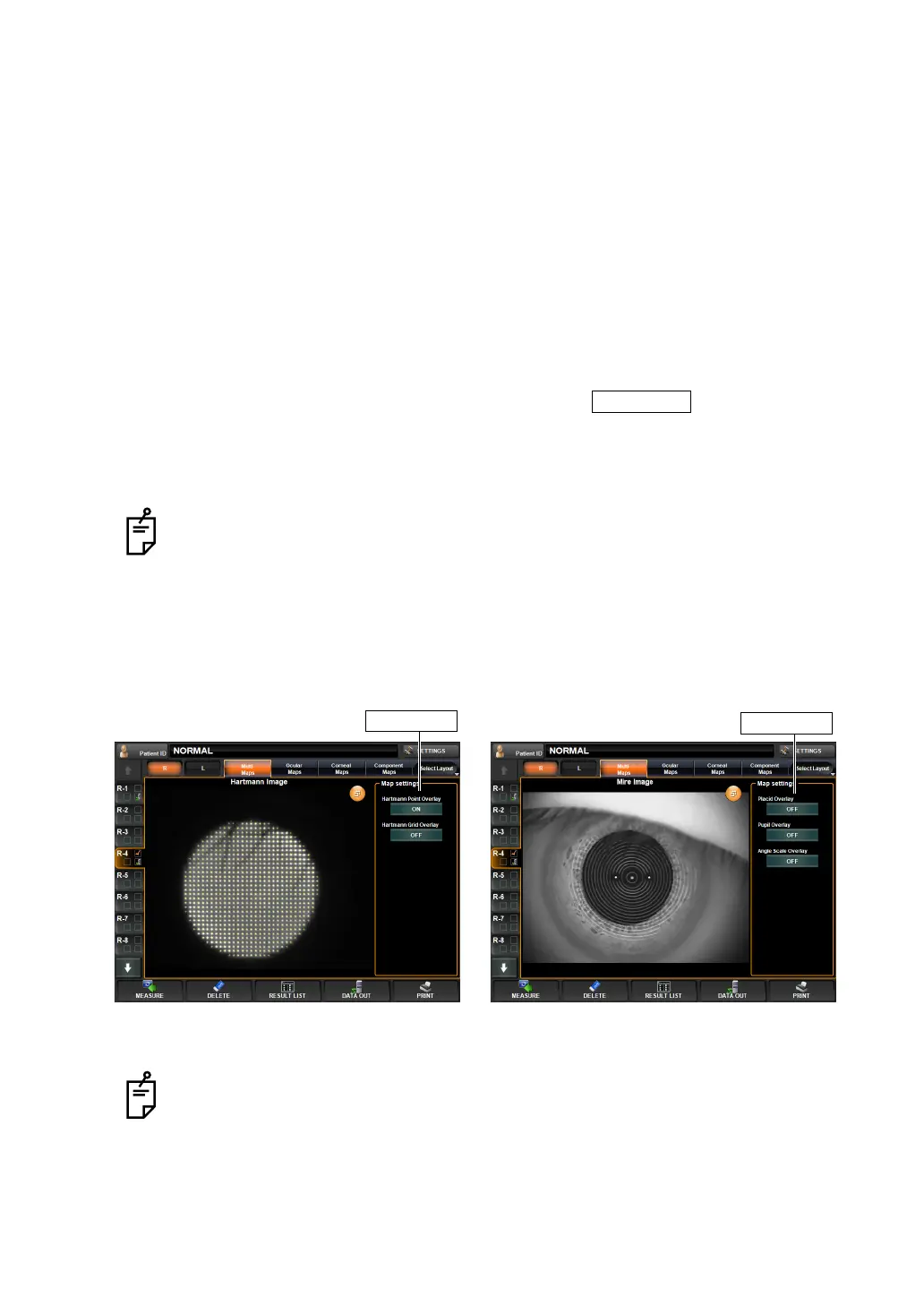
HARTMANN IMAGE AND MIRE IMAGE
By tapping and dragging each image to the right, the context menu related to the map is dis-
played for overlay-displaying detection conditions, copying the image, etc. (See "ANALYSIS
SETTING MENU" on page 97.)
(Overlay-displayed net) (Overlay-displayed ring/pupil)
Items set by "Map Setting," displayed on the right side of the enlargement display,
can also be set by the items of "DISPLAY" of the "SETTINGS screen." See "
DIS-
PLAY SETTING (DISPLAY)" on page 142.
When the corneal Mire image is enlarged and displayed from the corneal aberra-
tion map and IOL selection map, the overlay cannot be changed by dragging the
image. Besides, part of display items of "Map Setting" is different. For details, see
page
100.
OK button
Map settings
Map settings
Hartmann image Mire image



 To Next Page