3. REPLACING THE IMPORTANT PARTS EO18-33030
3.1 Replacing the Parts for B-FV4T-GS/TS
3-2
3.1 Replacing the Parts for B-FV4T-GS/TS
3.1.1 Replacing the Top Cover and the Mid Cover
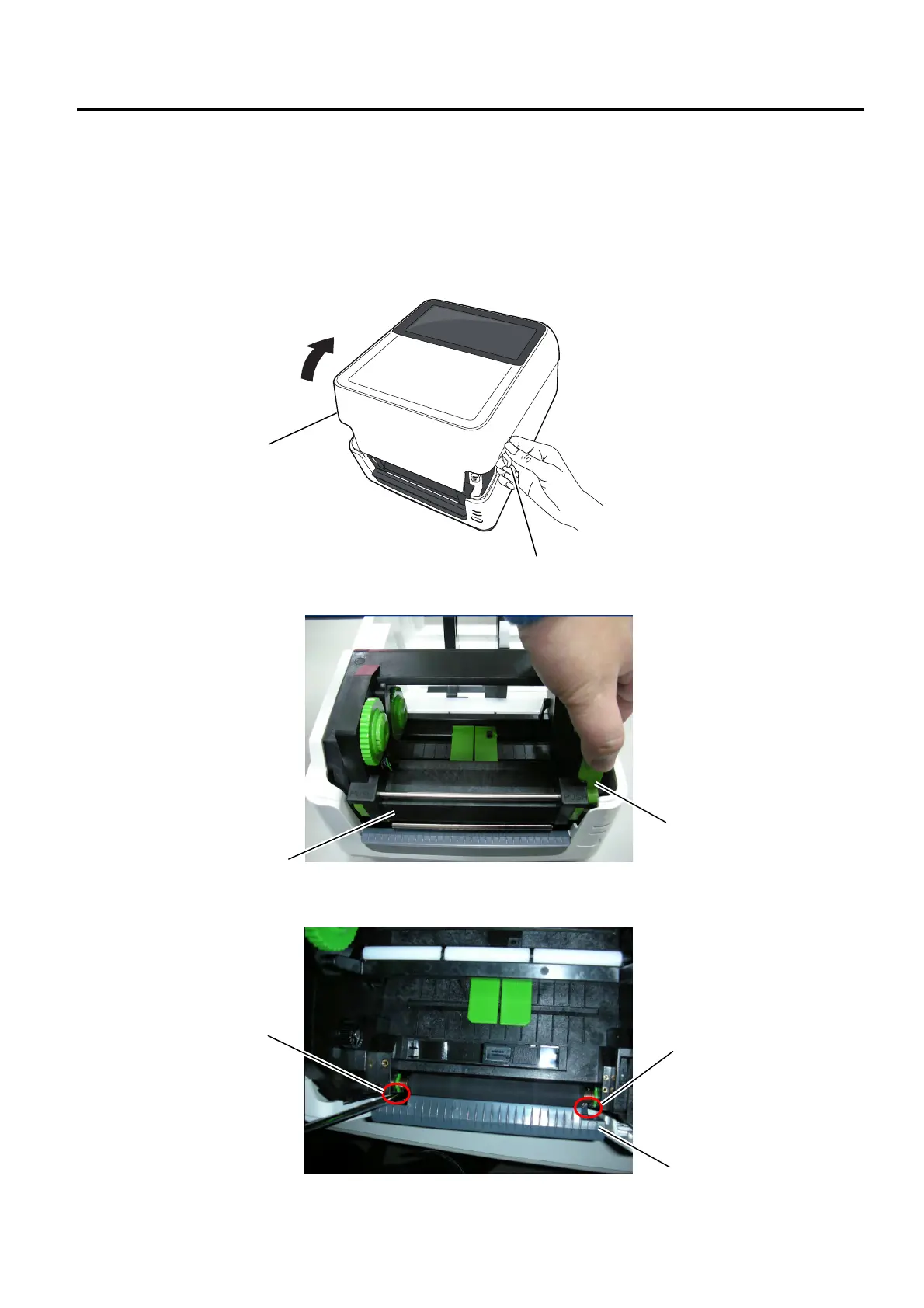
1. Holding the tabs on both sides of the top cover, lift the cover in the direction indicated by the arrow to
fully open it.
2. Push the print head release latch to open the print head block.
3. Use a Phillips screwdriver to remove the 2 screws from the front cover.
Top Cove
Tab
Print Head Release Latch
Screw
Front Cover
Screw
Print Head Block



 To Next Page
 Loading...










