7. B-FV Setting Tool EO18-33030
7.2 Working with B-FV Setting Tool (V1.0.21)
7-4
7.2 Working with B-FV Setting Tool (V1.0.21)
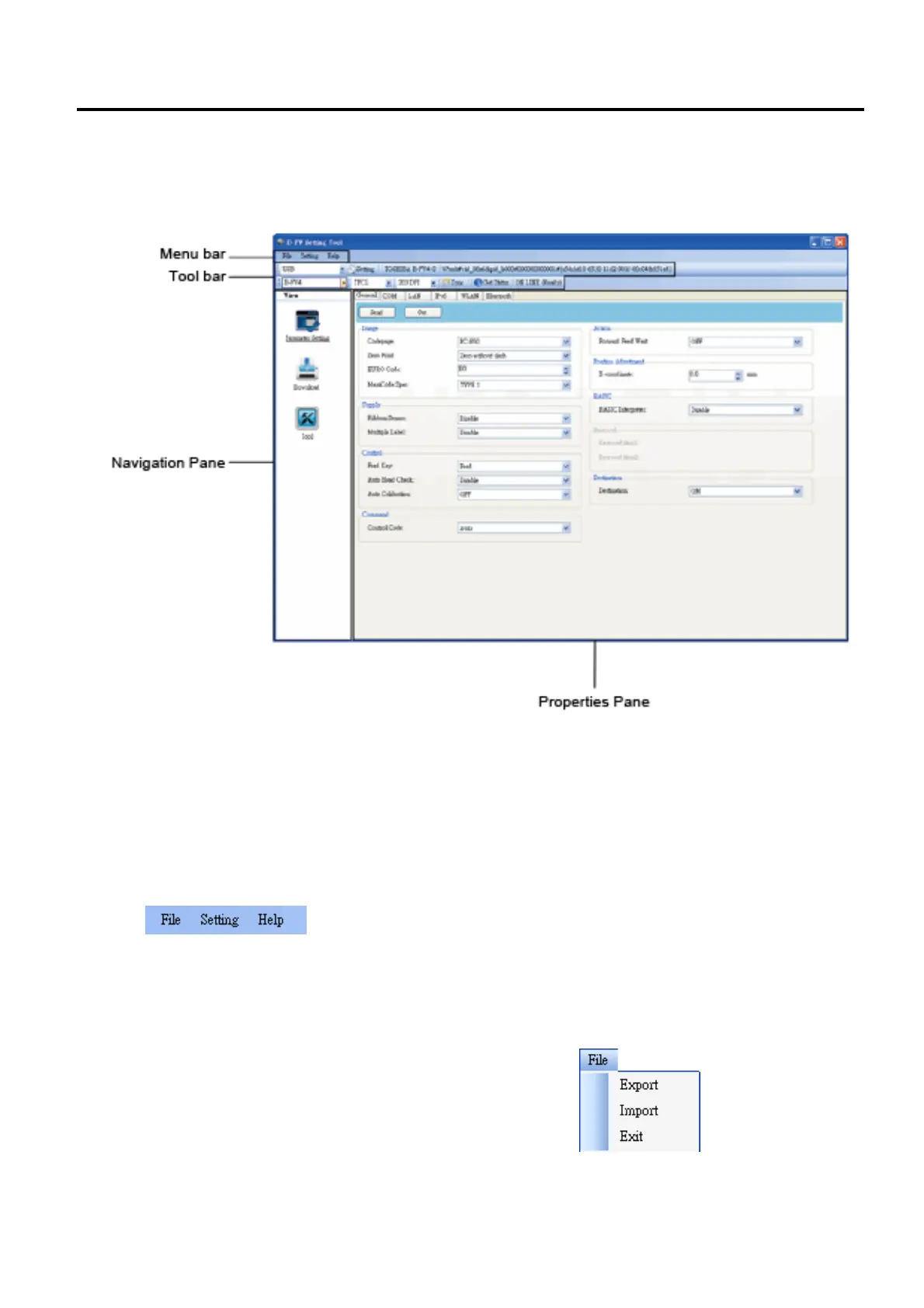
Start B-FV Setting Tool. Its interface looks like this:
■ Menu bar It includes B-FV Setting Tool menus.
■ Toolbar It provides ports, port settings, emulation languages, printer dpi and printer status.
■ Navigation Pane You can switch between the listed items to view their tabs.
■ Properties Pane You can view and manage printer properties or perform tasks.
7.2.1 Menu bar
There are three menus in the menu bar: File, Setting and Help.
File
■ Export Export your printer settings to an XML file,
including all parameters, port settings and firmware
information.
■ Import Import the printer settings file from an XML file.
■ Exit Exit Print Utility.



 To Next Page
 Loading...










