CANopen gateway
Wieland Electric GmbH | BA000970 | 11/2016 (Rev. F)
Switch on
Executing, SBUS+ and PDO state: all "Good"
Green
Idle (cable not connected or node guarding
/
Executing, SBUS+ and PDO state: at least one "Bad"
Critical error, caused by emergency bit
Configuration required or is taking place right now
Red (2 Hz)
Critical error, caused by gateway itself
Further information:
Diagnostics and troubleshooting [ch. 10.13, p. 160]
How to set the CANopen address with the aid of the hardware address switches
Set the CANopen address switches using the hardware address switches at the front of
the system.
Switch the samosPRO system off and on again.
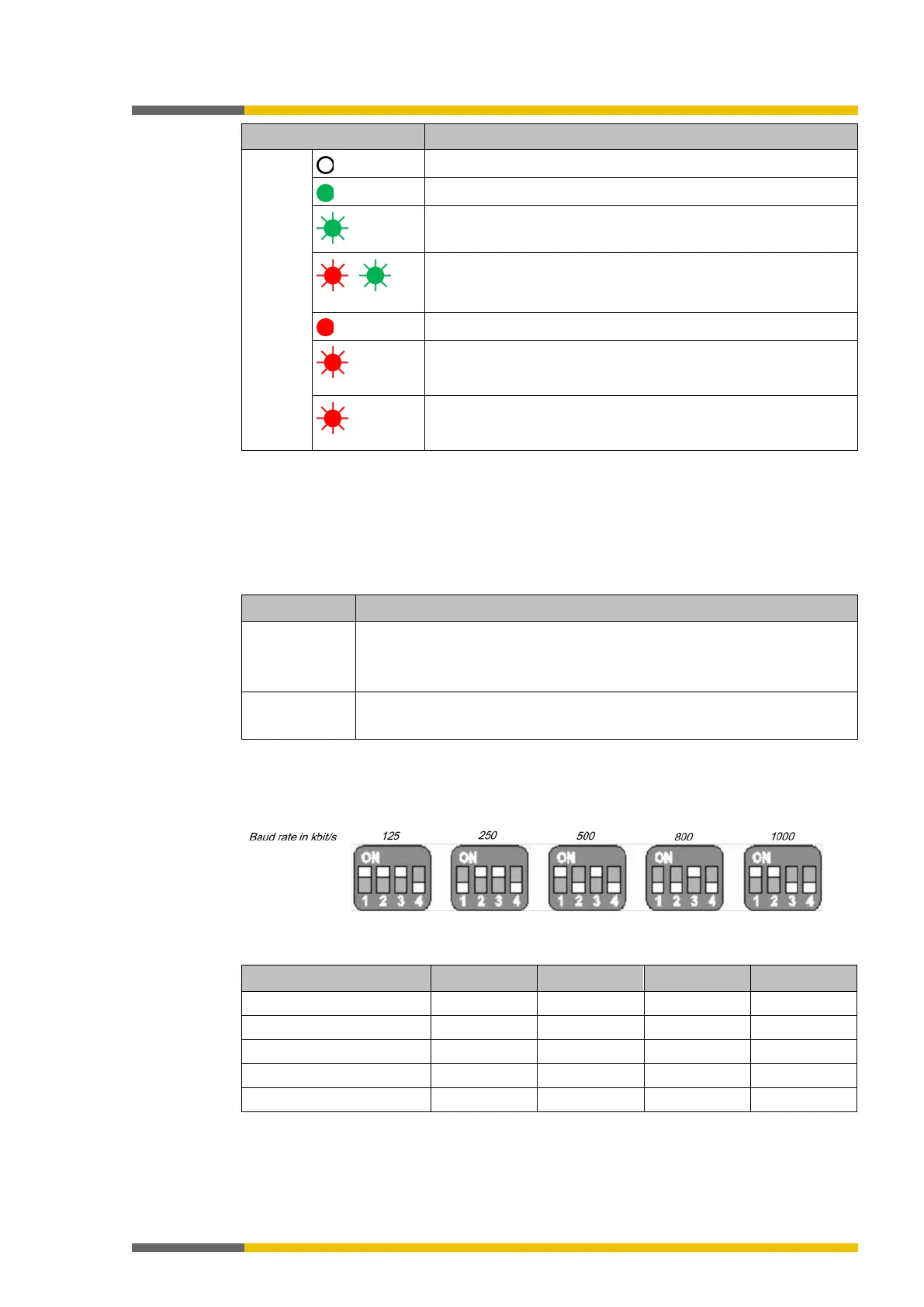
Table 78: Address switch on the SP-CANopen module
Address switch 1
Rotary switch with 10 positions for setting the module address
Address switch 2
Rotary switch with 10 positions for setting the module address (in units)
How to set the baud rate with the aid of the hardware DIP switches:
Set the baud rate using the DIP switches on the equipment.
Switch the samosPRO system off and on again.
Illustration 46: Setting the DIP switches on the SP-CANopen module
Table 79: Setting the DIP switches on the SP-CANopen module



 To Next Page