CANopen gateway
Wieland Electric GmbH | BA000970 | 11/2016 (Rev. F)
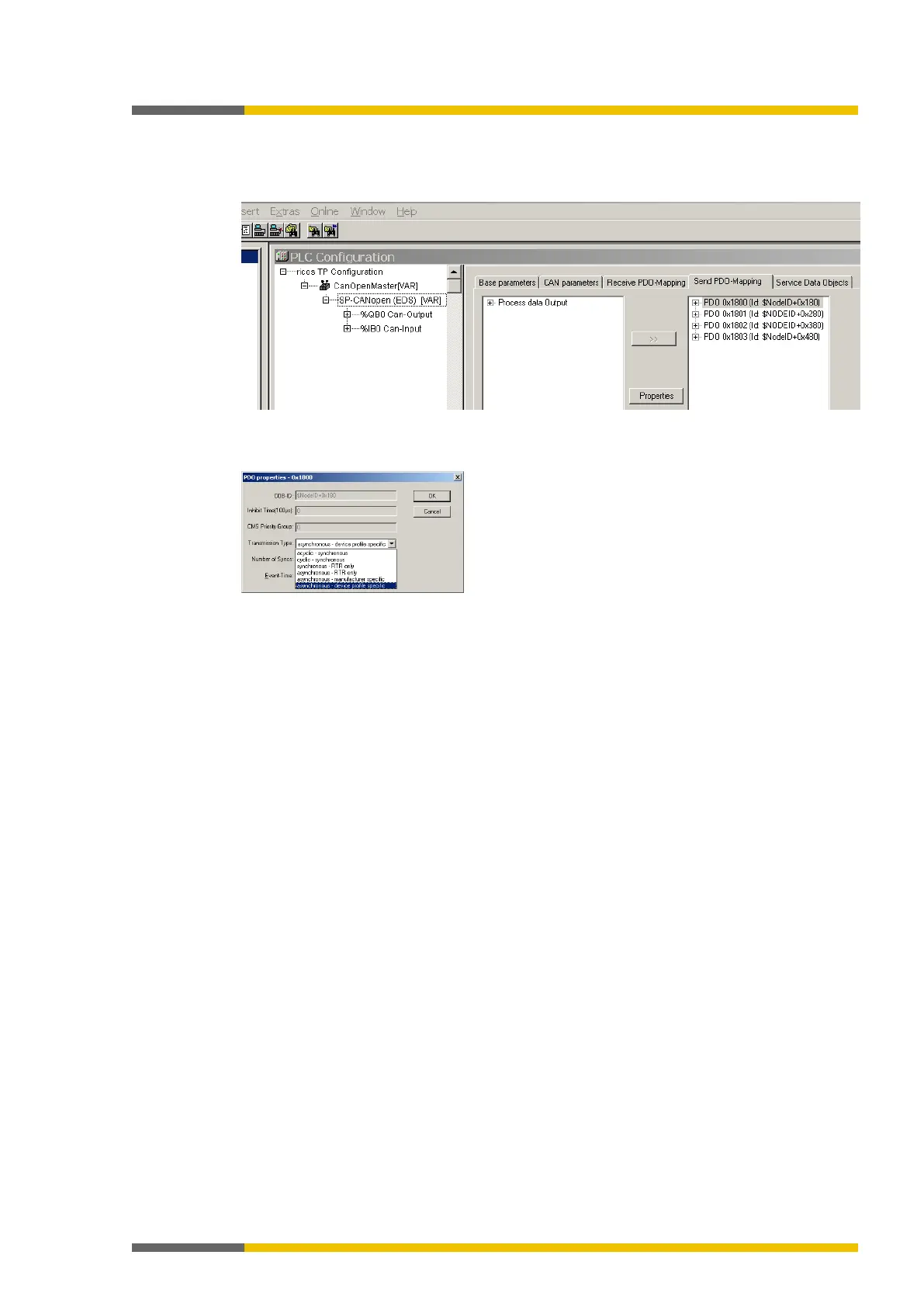
Example – How to install the PDO transmission type with CoDeSys 2.3:
In the Control Configuration edit window, select the SP-CANopen module. Then click the
Send PDO mapping index card on the right.
Illustration 52: PDO configuration with CoDeSys 2.3
Select one of the PDOs shown (e.g. PDO 1) and click on the Properties button. The PDO
Properties dialog window will open.
Illustration 53: PDO Properties dialog window in CoDeSys 2.3
From the selection, choose the desired transmission type for the PDO, enter the event time
in ms and click on OK. More detailed information in this regard may be found in the sec-
tion "Transmission types for the TxPDOs" on page 107 and in the manual for your CanO-
pen configuration software.
Repeat these steps for the other transmission and receiving PDOs.



 To Next Page