CANopen gateway
Wieland Electric GmbH | BA000970 | 11/2016 (Rev. F)
The SP-CANopen module
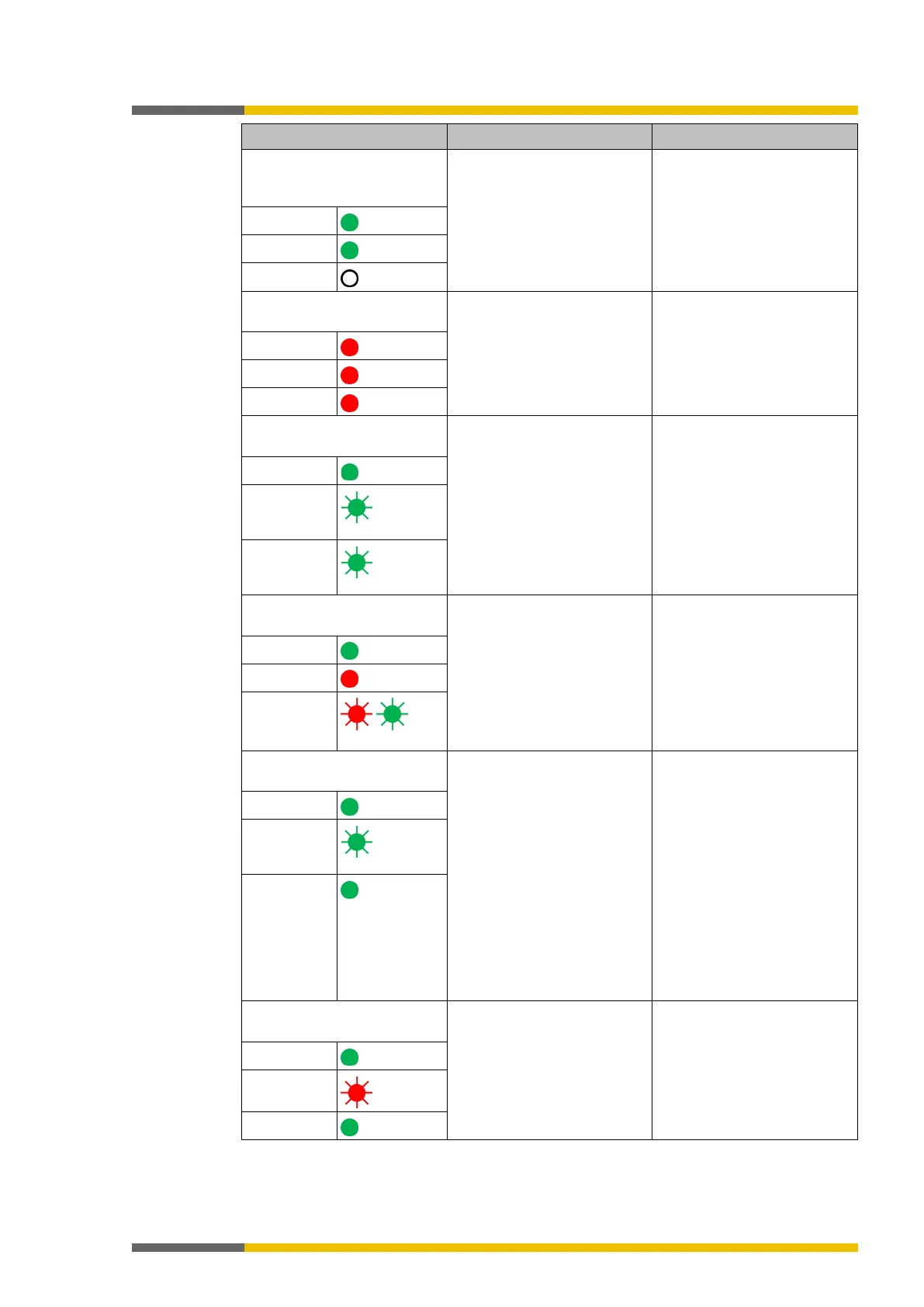
does not provide any PDO
Supply voltage too low. Check the power
supply.
LED PWR
LED NS
MS LED
The SP-CANopen module
does not provide any data.
Brief drop in power supply. • Check the power supply.
• Reset the samosPRO
system.
LED PWR
LED NS
MS LED
The SP-CANopen module
does not provide any data.
• Wrong node ID or CANo-
pen address.
• Wrong baud rate (CAN
transceiver possibly in er-
ror passive), the SP-
CANopen module is in id-
le state.
• Check and correct the
address.
• Check and correct the
baud rate.
LED PWR
LED NS
MS LED
The SP-CANopen module
does not provide any data.
• Wrong baud rate and the
transceiver of the SP-
CANopen module is in
bus-off state (hardware
problem at the physical
CAN level).
• The CAN cable was inter-
rupted.
• Check and correct the
baud rate.
• Check the CANopen cab-
ling.
• Reset the samosPRO
system.
LED PWR
LED NS
MS LED
/
The SP-CANopen module
does not provide any data.
• CANopen master is in the
stop or pre-operational
state
• Another slave could not
be initialized during initia-
lization of the bus system.
• CANopen state of the SP-
CANopen module is pre-
operational. Wrong node
ID or CANopen address.
• Set the CANopen master
to the run s
state operational).
• Check whether all slaves
on the bus have been
switched on.
• Check the CANopen cab-
ling.
• Check whether the CAN
master starts automatical-
ly.
• Check and correct the
LED PWR
LED NS
MS LED
Green
The SP-CANopen module
does not provide any data.
• The transceiver of the SP-
CANopen
Error Passive state.
• The CAN cable was inter-
rupted.
• Check the CANopen cab-
ling.
• Check the diagnostic
messages with the aid of
the samosPLAN5+.
• Reset the samosPRO
system.
LED PWR
LED NS
MS LED



 To Next Page