SmartPAC 2 User Manual 1126700
Initialization Mode 4-7
INSTALLED OPTIONS
(INITIALIZATION – INSTALLED OPTIONS)
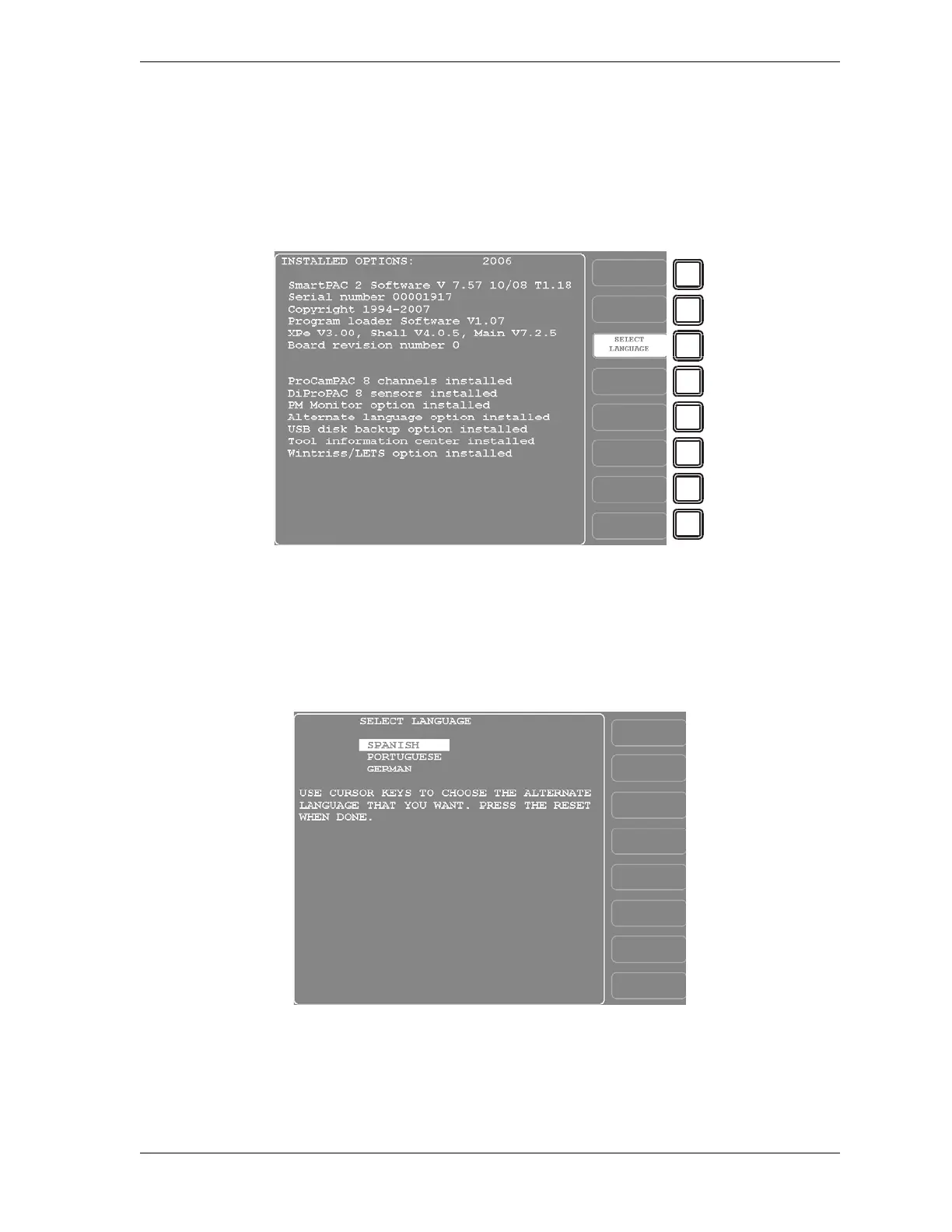
This item enables you to view the options that are installed on your SmartPAC 2 (see
Figure 4-3), including the number of cam channels and sensors.
If you have ordered the alternate language option, this screen also provides a function key, F3
(Select Language), that allows you to select the language in which you want SmartPAC 2
screens displayed. When you press F3, the screen shown in Figure 4-4 displays.
To select a language, highlight one of the three items, and press RESET. You are returned to
the Installed Options screen.
Figure 4-3. Installed Options Screen
Your screen will look different.
Figure 4-4. Select Language Screen



 To Next Page