1126700 SmartPAC 2 User Manual
G-22 Reporting Downtime and Scrap to LETS
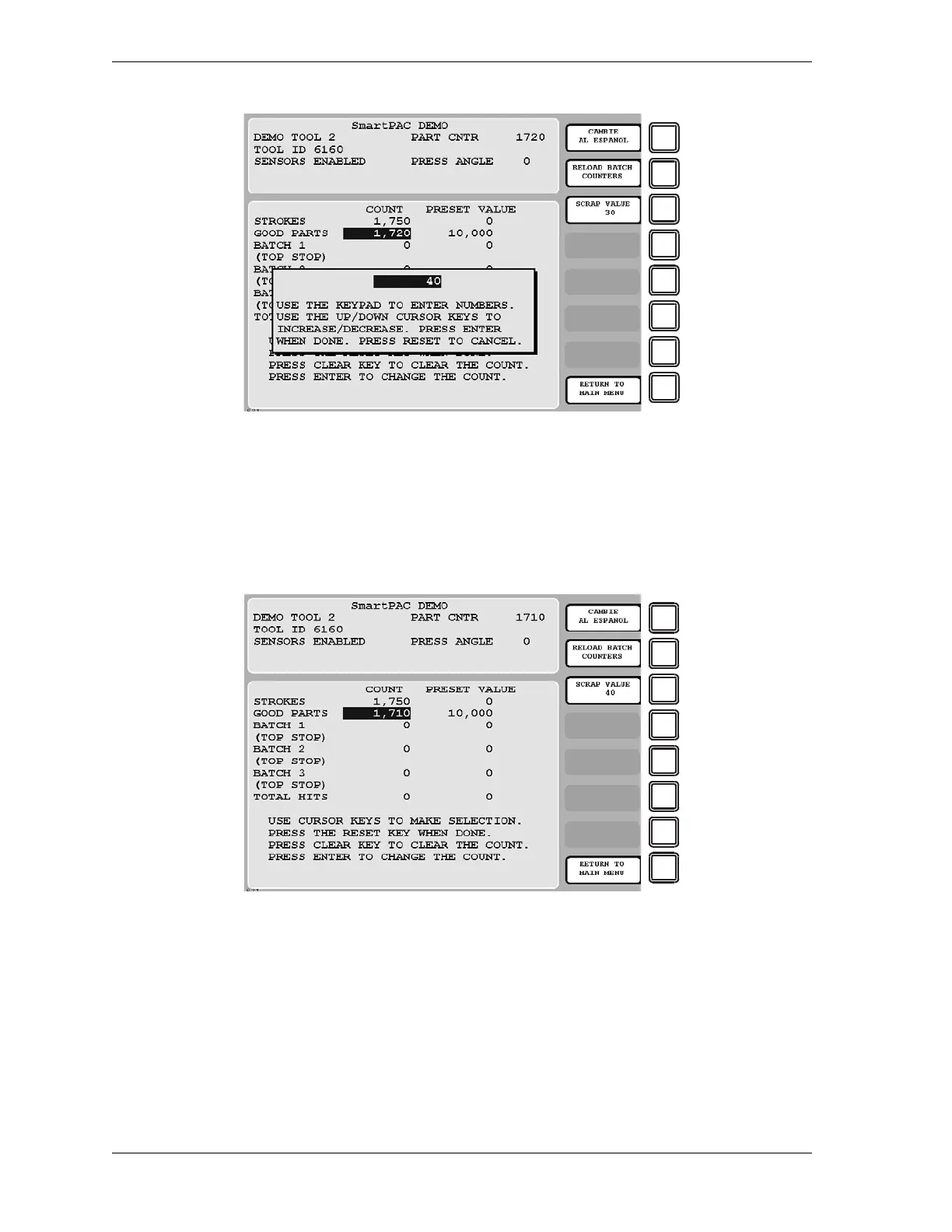
You are returned to the Counters screen. The value you entered in the Scrap Value Entry
window is displayed beneath the “Scrap Value” caption to the left of the F3 function key
(see Figure G-17, in which a scrap total of “40” is used as an example). The Good Parts
counter is reduced by the difference between the amount of your Scrap Value entry and the
current Scrap Value (e.g., 1,720-(40-30)=1,710 in Figure G-17).
5. Repeat step 4 for the remaining scrap entries associated with the current job until the job is
completed.
Figure G-16. Counters Screen with Scrap Value Entry Window Displayed (40 Items Shown)
Figure G-17. Counters Screen with Scrap Value Updated to 40 Items



 To Next Page