SmartPAC 2 User Manual 1126700
Program Mode 5-33
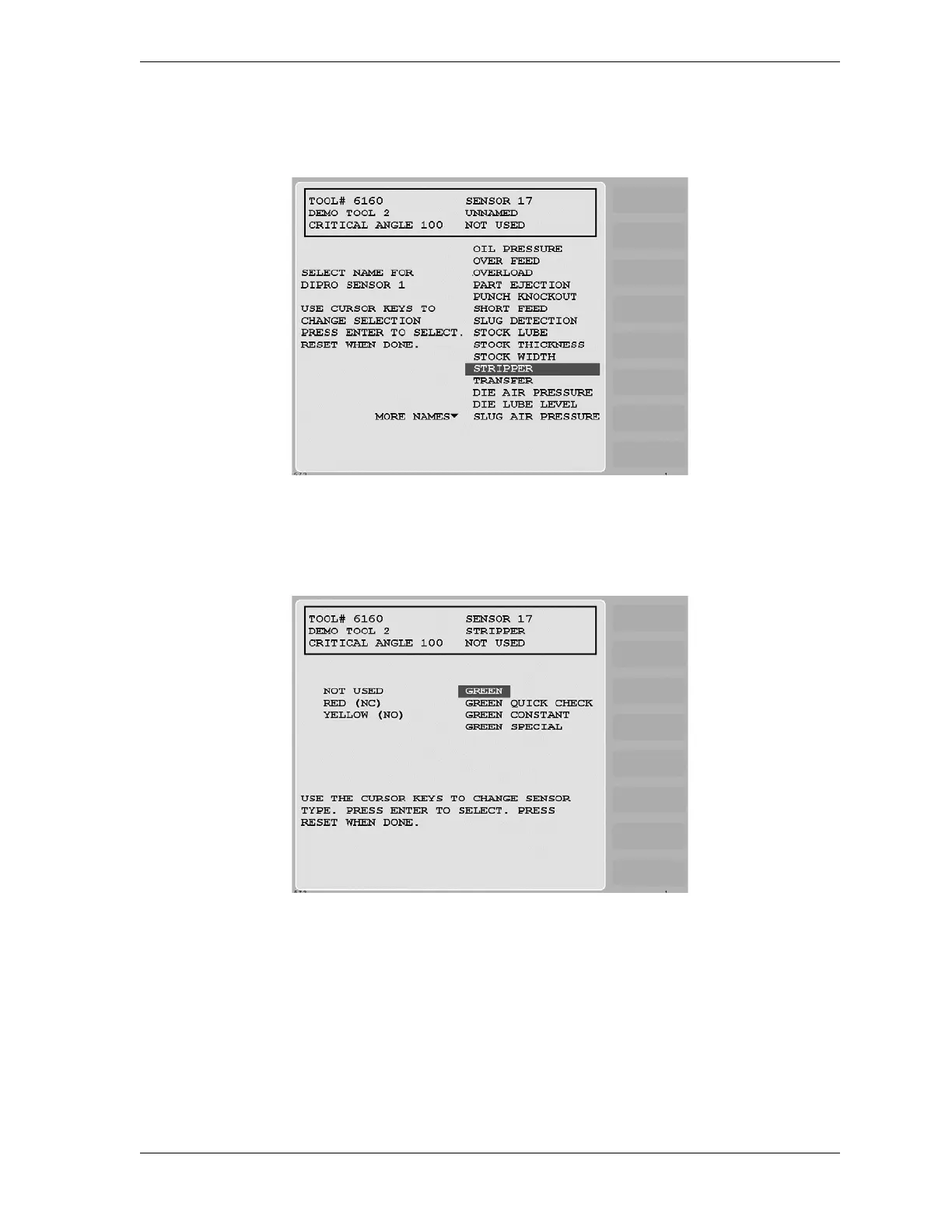
2. Select the sensor number that you want to program. The Sensor Names screen (see
Figure 5-34) displays.
3. Select a function for the sensor. (“Stripper” is used as an example in Figure 5-34.) The
Sensor Type screen (see Figure 5-35) displays.
4. Select the sensor type (i.e., GREEN, GREEN QUICK CHECK, or GREEN CONSTANT).
The Sensor Stop Type screen (see Figure 5-36, page 5-34) displays.
Figure 5-34. Sensor Names Screen with Stripper Function Highlighted
Figure 5-35. Sensor Type Screen with “GREEN” Highlighted



 To Next Page