1126700 SmartPAC 2 User Manual
C-8 SmartView
Installing SmartView on Your Computer
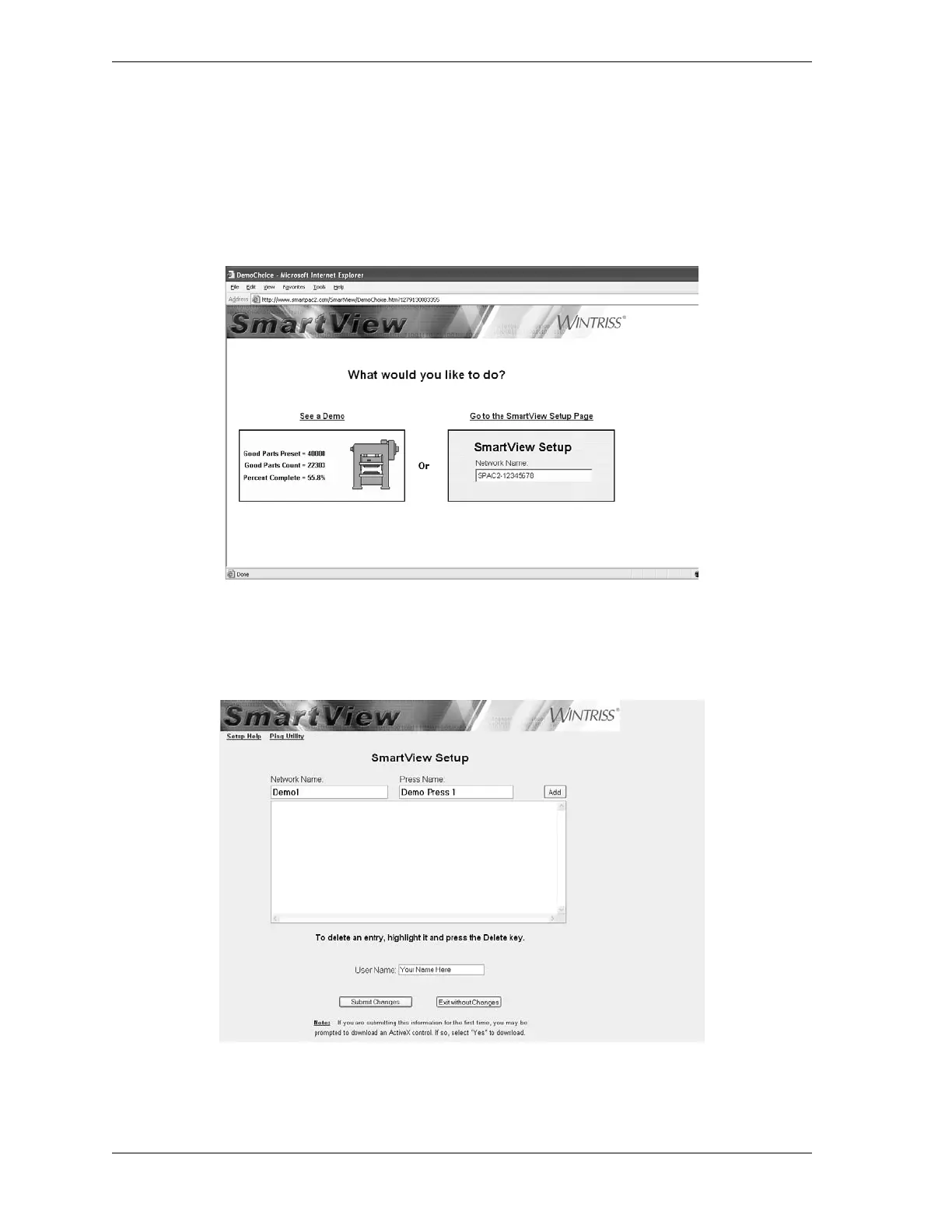
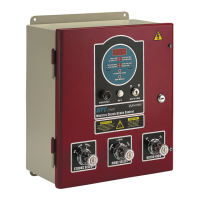
1. Enter http://www.smartpac2.com in the Internet Explorer address window, and click on
the Go button to launch SmartView. If you are installing SmartView for the first time, the
SmartView introductory page (see Figure C-4) will display. Otherwise, you will be taken
directly to the SmartView Setup Page (see Figure C-5.
2. Click on the Go to the SmartView Setup Page on the SmartView introductory page, if
necessary, to access the SmartView Setup Page (see Figure C-5).
3. Click in the Network Name window, and type “Demo1” as shown in Figure C-5.
Figure C-4. SmartView Introductory Page
Figure C-5. SmartView Setup Page



 To Next Page