SmartPAC 2 User Manual 1126700
Run Mode 6-33
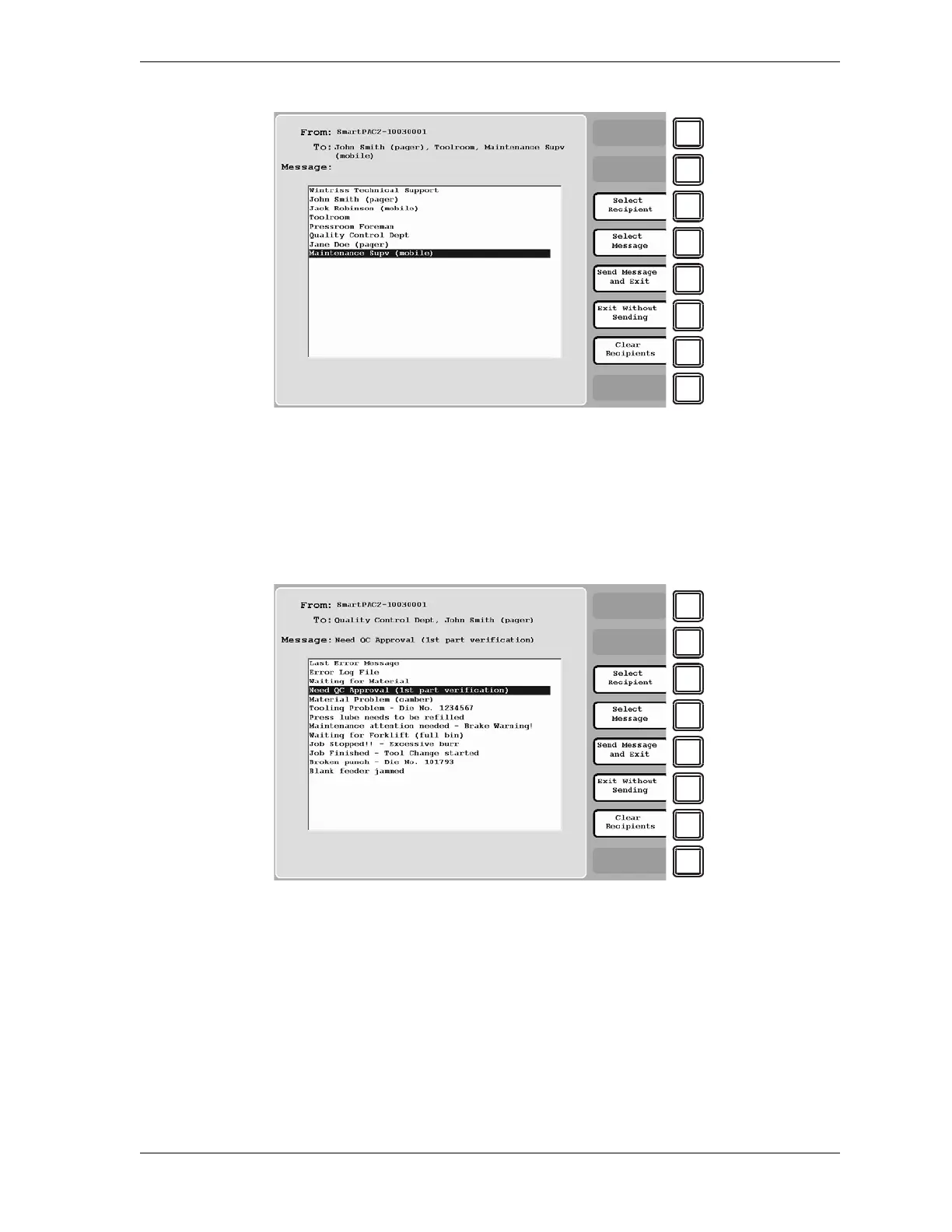
2. Highlight the message recipient, using the cursor keys, then press F3 (Select Recipient).
The recipient’s name displays in the “To:” field at the top of the screen.
3. To add other recipients, repeat step 2.
4. Press F4 (Select Message) to display a list of messages, as shown in Figure 6-28.
5. Highlight the message you want, using the cursor keys, then press F4 (Select Message)
again to select the message. The message name displays in the “Message:” field at the top
of the screen.
6. Press F5 (Send Message and Exit) to send the message. You are returned to the Main Run
Menu.
Figure 6-27. Messaging Screen: List of Recipients
Figure 6-28. Messaging Screen: List of Messages



 To Next Page