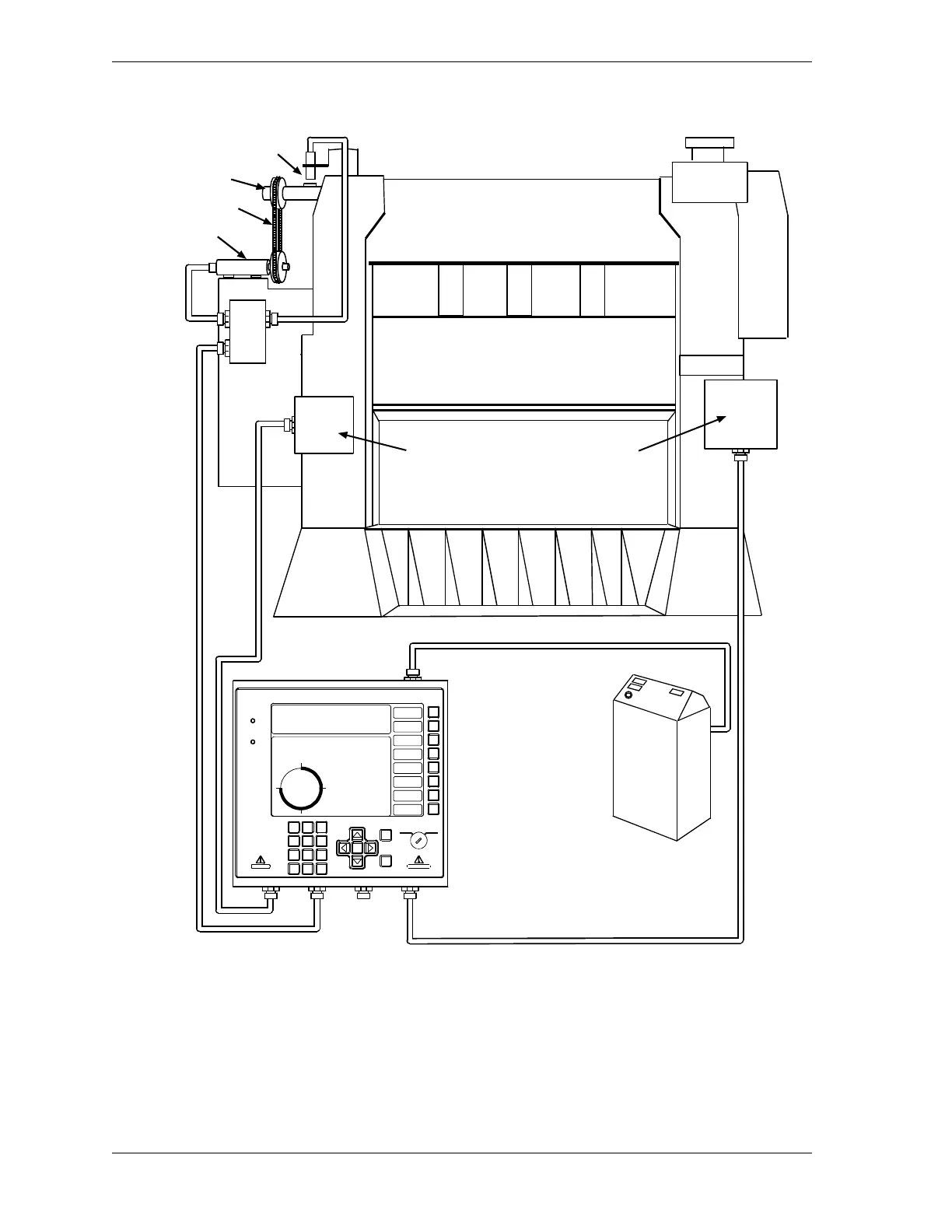
Figure 2-1. Installation Overview
Position sensor (optional)
Timing chain
Resolver
Crankshaft
DiPro Sensor
Interface
ProCamPAC
output
assembly
Press
control
box or
cabinet
Make wiring connections
inside the press control
for AC, emergency stop,
top stop and input check
circuit
ENTER
RESET
PROG RUN
POWER
BRAKE
WARNING
HELP
123
456
987
.
0
CLEAR
SmartPAC 2
Wintriss Press Automation Control
F1
F2
F3
F4
F5
F6
F7
F8
CAMB IE
AL ESPANOL
USE T HE CURSOR KEY S ENABLE S ENSORS
TO MAKE SE LECTIONS. CO UNTERS
PRESS ENTER TO CAM SW ITCH
ACCES S SELECTION. BRA KE MONITOR
TONNAG E/WAVEFORM
PROCES S MONITOR
FEED CONTROL
PM MONIT OR
TOOL INFORMATION
SHUTHG T/CNTRBAL
ERROR LO G
LOAD NEW TOOL
DIALOG MENU
TOGGLE HOT KEYS 1
270
PRESS #14
TOOL NUMB ER 6160 PART CNTR 51635
FLANGE TWO HAND S .S.
PRESS ANGLE 270



 To Next Page