January 2010
2-73
Phaser 7760 Color Laser Printer
007-120, 007-122
Status Indicator RAP’s
Revised
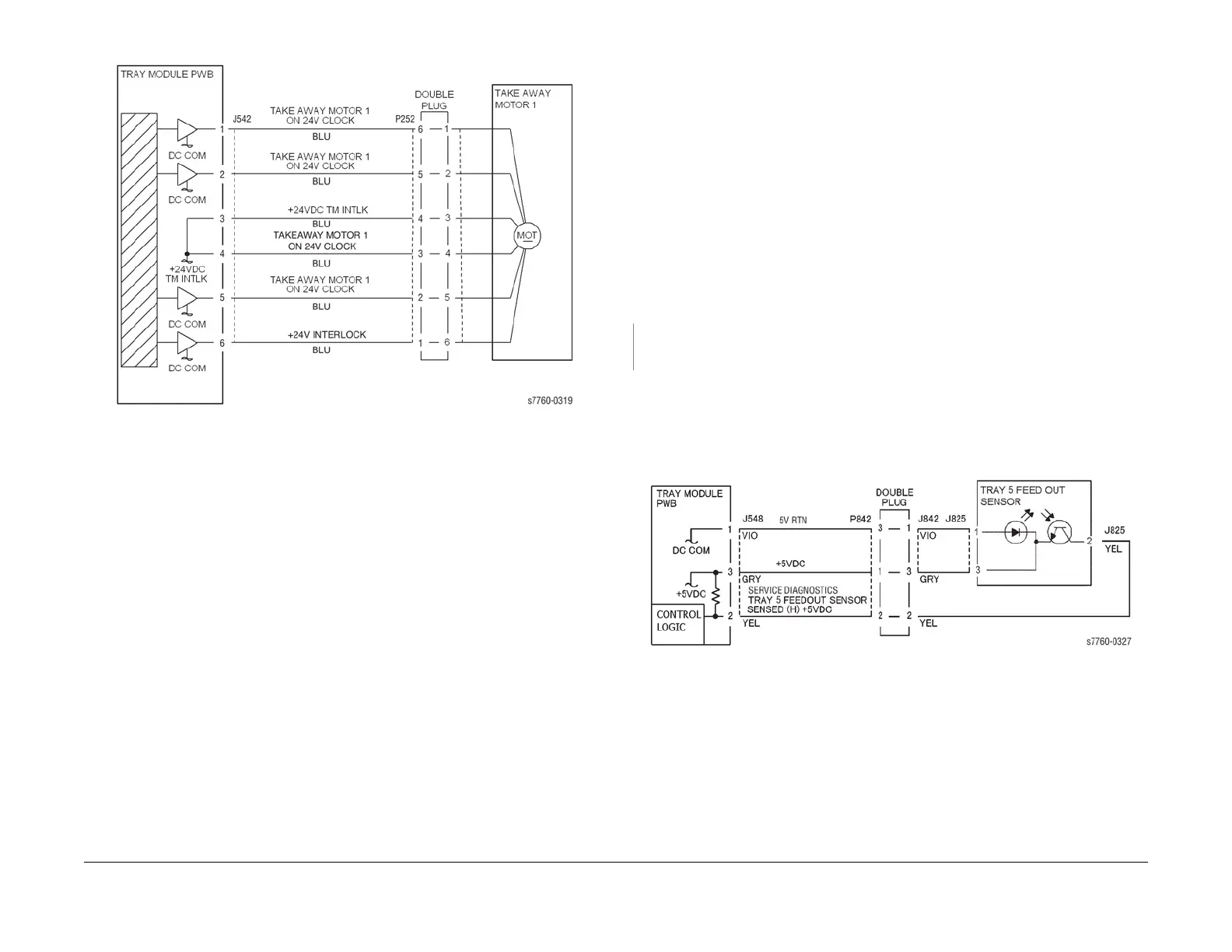
Figure 3 007-120 Takeaway Motor 1
007-122 Tray 5 Opened (TTM)
The Tray 5 Feed Out Sensor detected paper when Tray 5 is pulled out and pushed in during a
print.
Initial Actions
• Check condition and specification of paper in Tray 5.
• Check the paper path for obstructions and clean the Tray 5 Feed Out Sensor.
• Check the Tray 5 mechanical operation.
• Check that Tray 5 is properly closed.
Procedure
Enter Service Diagnostics Menu: Printer Menu > Troubleshooting > Service Tools > Printer
Status Page > hold the Up and Down buttons simultaneously > Run Service Diagnostics >
OK. Block and unblock the Tray 5 Feed Out Sensor (PL 16.5) by sliding Tray 5 in and out of the
machine. The display changes.
YN
Check the circuit of the Tray 5 Feed Out Sensor (Figure 1). Refer to Section 6, Reflective
Sensor Procedure for troubleshooting procedure.
• Ensure that the connectors shown in the circuit diagram (Figure 1) are securely con-
nected and that the wires are not damaged.
• Check the machine Shutdown History Report. If there is a history of this failure, replace
the Tray 5 Feed Out Sensor (PL 16.5).
• If the problem continues, replace the Tray Module PWB (PL 16.15).
Figure 1 007-122 Tray 5 Feedout Sensor





 To Next Page