January 2010
2-331
Phaser 7760 Color Laser Printer
012-961
Status Indicator RAP’s
Revised
012-961 Mix Stack was Detected
Mix Stack Sensor On was detected during Mix Job.
Initial Actions
• Check the Elevator Motor for operation failure.
• Check the Elevator Motor connectors for connection failure.
CAUTION
Caution must be used when activating Elevator Motor test. When activating this test in the
Down position, there is no limit sensor for downward Stacker travels.
Downward steps increment (or decrement) in single steps, not 5. When continuing in the Down
direction, DO NOT continue after an initial thump sound is heard.
Further downward movements may cause damage to the Stacker Unit/Finisher.
Procedure
Enter Service Diagnostics Menu: Printer Menu > Troubleshooting > Service Tools > Printer
Status Page > hold the Up and Down buttons simultaneously > Run Service Diagnostics >
OK. Verify that NVRAM location Printer/Finisher 2274 is set to 0. NVM Printer/Finisher 2274
is set to 0.
YN
Write a value of 0 in Printer/Finisher 2274.
Perform the Elevator Motor test (PL 21.4). The Elevator Motor energizes.
YN
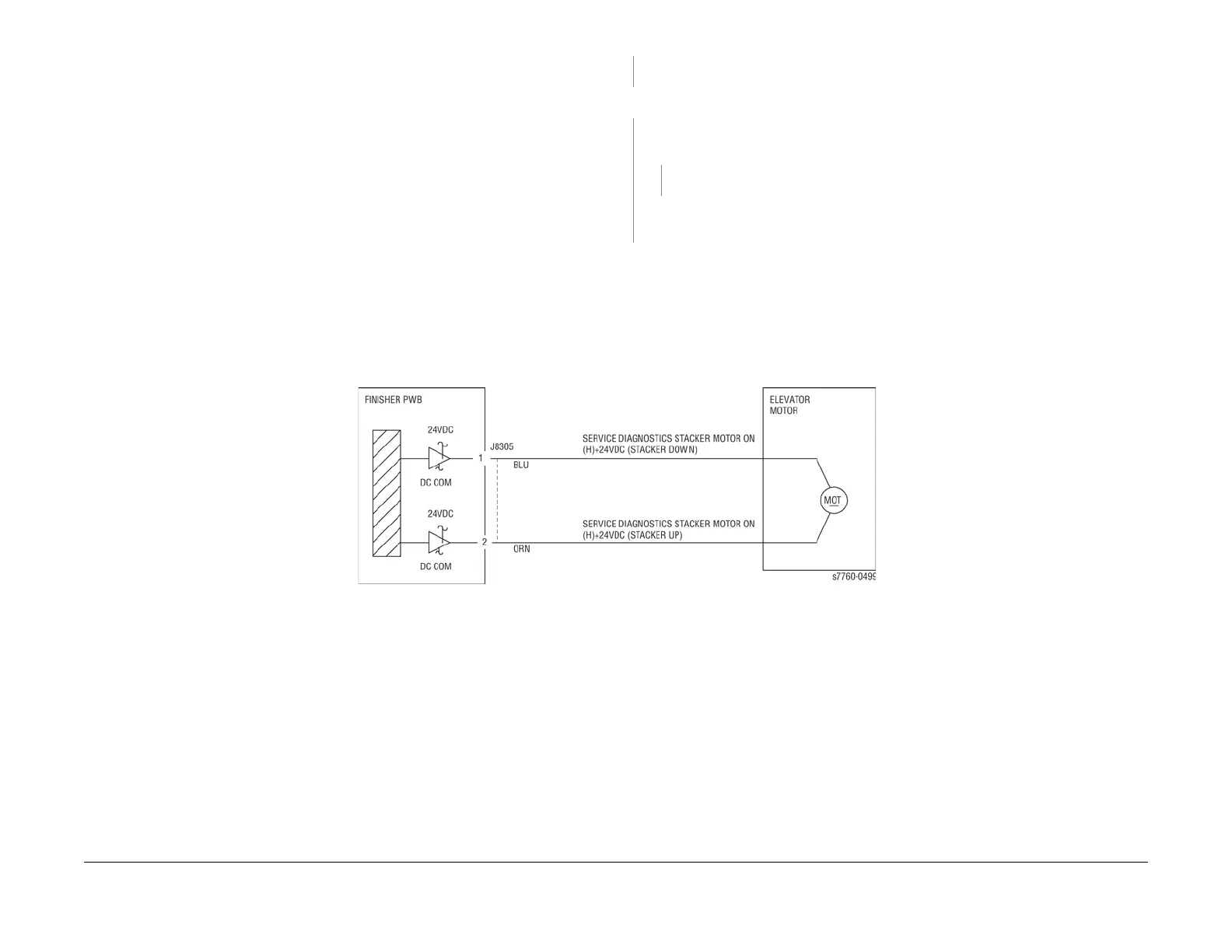
Check continuity between the Elevator Motor and Finisher PWB (Figure 1). The con-
tinuity check is OK.
YN
Repair the open circuit or short circuit.
Replace the Elevator Motor (PL 21.4). If the problem continues, replace the FInisher PWB
(PL 21.12).
If the problem continues, replace the Finisher PWB (PL 21.12).
Figure 1 012-961 Elevator Motor

















 To Next Page