January 2010
2-38
Phaser 7760 Color Laser Printer
004-345, 004-561, 004-346, 004-347
Revised
Status Indicator RAP’s
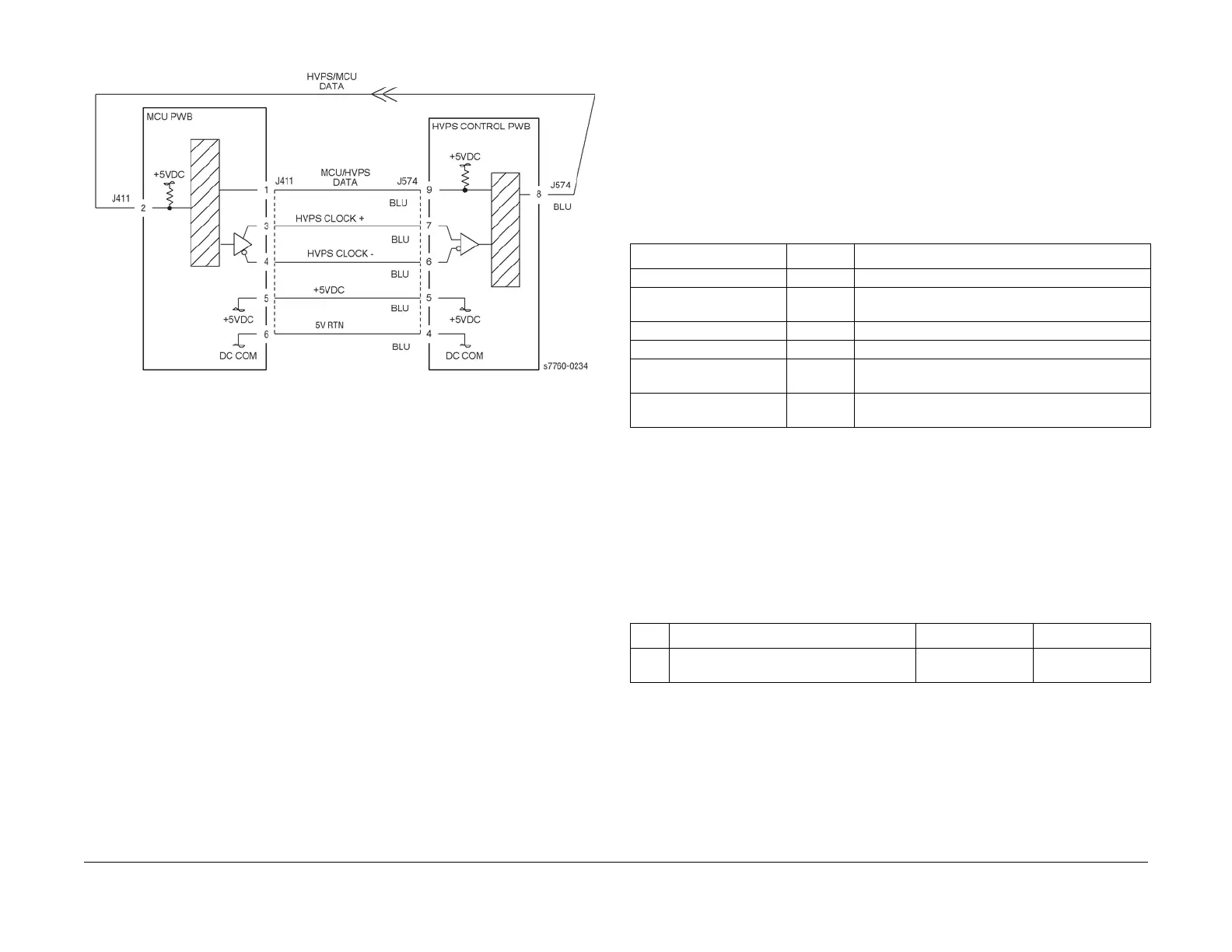
Figure 1 004-345 MCU/HVPS Communication
004-346, 004-347 Accumulator Belt Home Position Fail Too
Long or Out of Position
The IBT Home Sensor does not detect the Belt Home signal or does not sense the Transfer
Belt edge in the correct position. This procedure can be used for troubleshooting Chain Link
code 004-346 or 004-347.
NOTE: If this failure reoccurs three times successively, an Engine NVRAM value is set prevent-
ing further printer use until the Clear Tech Rep Faults (Section 6) is performed.
Troubleshooting References
Troubleshooting Procedure
CAUTION
If the Accumulator Belt is damaged, determine the cause of the damage before installing a new
assembly.
• Visually inspect the Accumulator Belt area inside the printer and inside the Left-Hand
Door for foreign objects or damaged parts.
• Inspect the belt steering mechanism to determine if it is operable.
• It may be necessary to query the user for additional information as to likely causes.
Table 1 References
Applicable Parts Parts List Wiring and Plug/Jack References
Belt Cleaner PL 5.3
Accumulator Belt PL 5.2 Section 7, IBT Belt Assembly Plug/Jack Locations -
Figure 11
Waste Toner PL 4.1
Auger Assembly PL 5.2
I/F PWB PL 9.1 Section 7, I/F PWB, Main Motor, LVPS T11 Plug/Jack
Locations - Figure 16
Engine Control Board
(MCU PWB)
PL 13.1 Section 7, Engine Control Board (MCU PWB) Plug/
Jack Locations - Figure 15
Table 2 Procedure
Step Actions and Questions Yes No
1 Have the Accumulator Belt shipping
restrains been completely removed?
Go to step 2. Remove the
restraints.

















 To Next Page