Configuration Guide
Stratus OCT User Manual PN 2660021134133 A
B-22
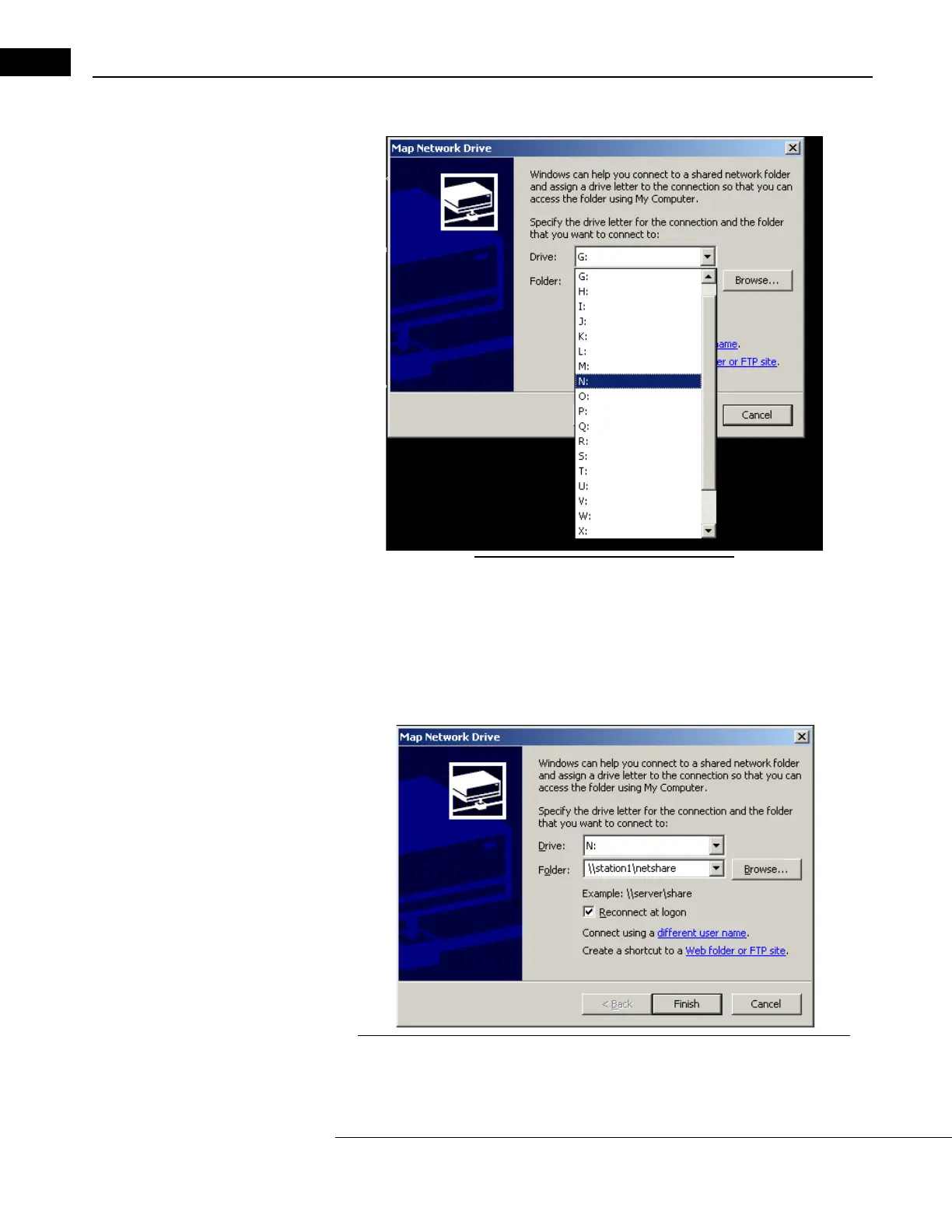
The Map Network Drive dialog appears (Figure B-25).
Figure B-25 Select an unused drive letter
2. Click the down-arrow next to the Drive field, and select an unused drive letter from
the list as in Figure B-25.
3. In the Folder fi
eld, enter the review station computer name and shared folder name.
Use the format “\\computer name\shared folder name” as shown below (Figure
B-26). In th
is example, the review station's computer name is station1 and
the shared folder name is ne
tshare. The names are not case-sensitive.
Figure B-26 Enter the review station computer name and shared folder name



 To Next Page