Acquire Scans
Stratus OCT User Manual PN 2660021134133 A
3-16
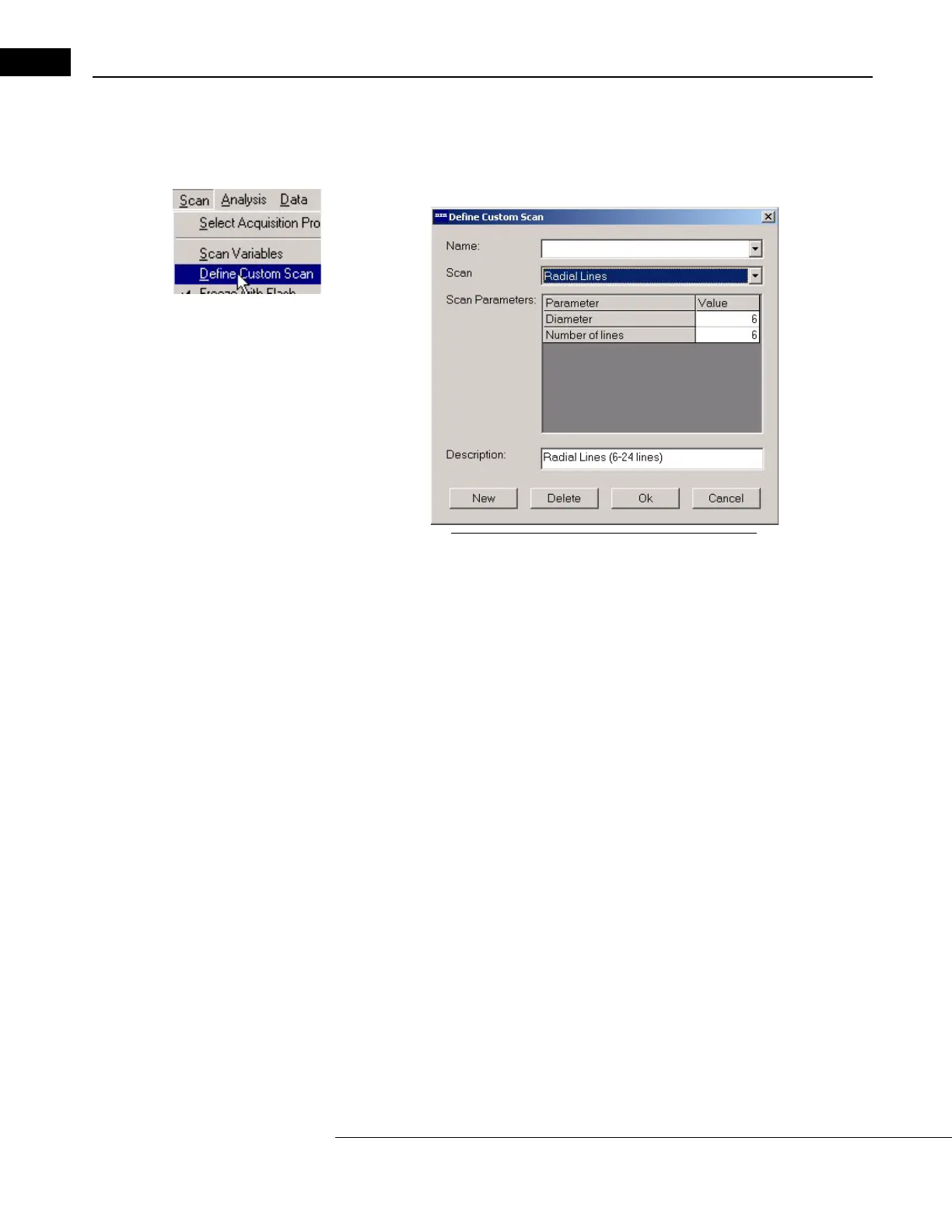
Define Custom Scan
This Sc
an menu option enables you to define your own scan acquisition protocol. Click
Scan > Define Custom Scan (as pictured at left) to display the Define Custom Scan dialog
box.
Figure 3-9 The Define Custom Scan Dialog Box
•Use the Scan drop-down list to select scan patterns already offered by the Stratus
OCT and customize them.
• To change parameter values, click in the value fi
elds and type in the desired values
(within possible ranges—see Adjust Scan Pattern Parameters, page 3-14).
• Type a name and click Ok to save your custom scan.
•Use the Name dr
op-down list to recall previously saved custom scans, which you can
change and re-save, or delete.



 To Next Page