Stratus OCT User Manual PN 2660021134133 A
Acquire Scans
3-15
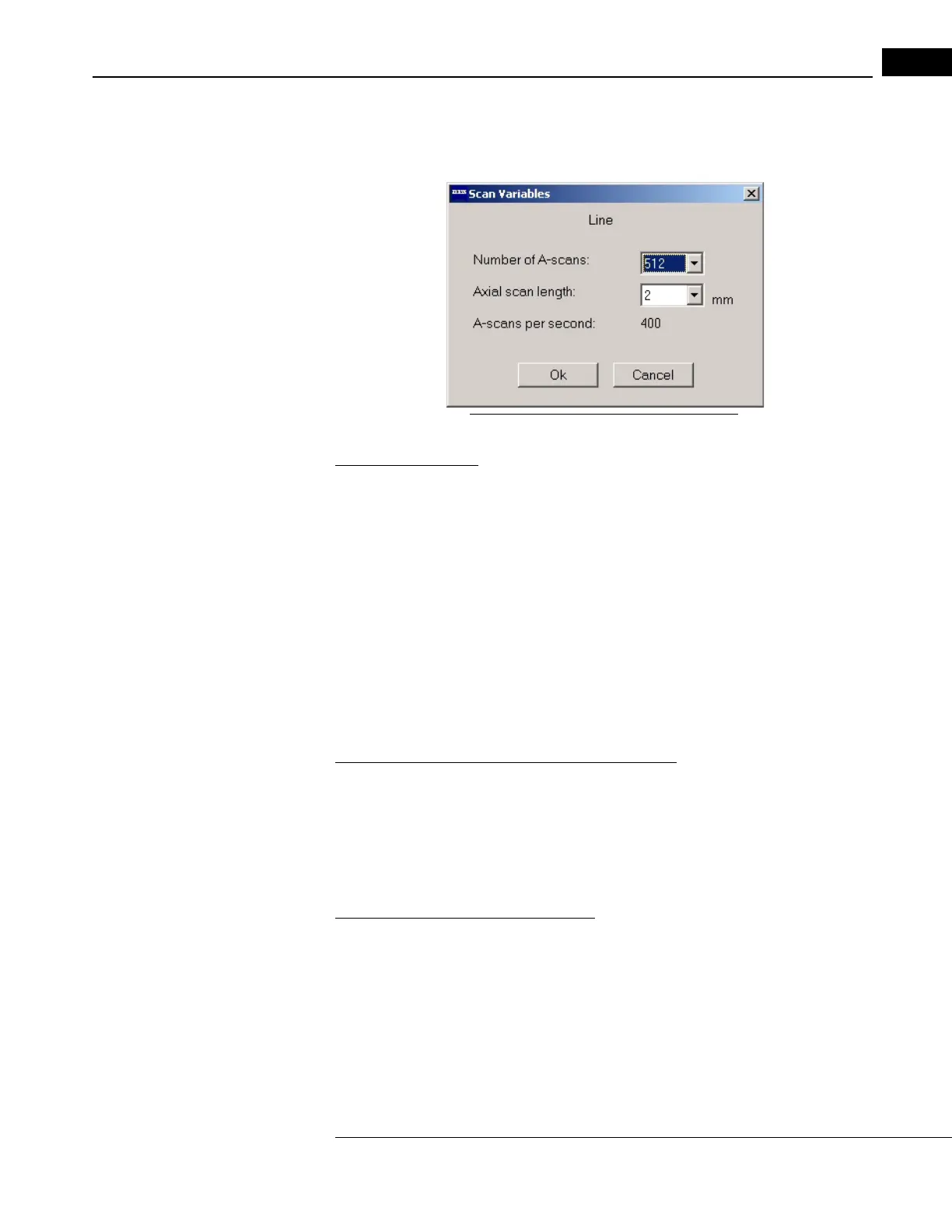
Adjust Scan Variables
From the Scan menu, select Scan
Variables (click Scan > Scan Variables) to reveal the Scan
Variables dialog box. The name of the currently selected scan protocol appears at the top.
Figure 3-8 The Scan Variables Dialog Box
Number of A-Scans
By default, the number of A-scans is 512 for all protocols except the Fast Scan protocols
(fixed at 768 A-scans total). Before scanning, you can adjust this number to 256 or 128
using the drop-down list. Click the down-arrow to view and select an option.
• Note that in scan alignment mode, the aiming patt
ern always consists of 64 A-scans.
• The number of A-scans is in effect the transverse r
esolution of the scan, that is, the
number of transverse data points acquired.
• Changes you make apply to the selected scan protocol until you change it again,
r
estart the Stratus OCT software or restart the system.
• You can also adjust the number of A-scans using the OCT Image Tab while
scanning (see page 3-18).
Axial Scan Length and Number of Data Points
The axial scan length is fixed at 2 mm. For each A-scan, the Stratus OCT acquires a fixed
number of 1024 axial data points through the 2 mm depth. At the default value of 512
A-scans, the Stratus OCT thus acquires 524,288 data points for each scan. The range of
data points per scan is 131,072 (128 A-scans minimum) to 786,432 (768 A-scans maximum
for the Fast Scan protocols).
A-Scans per Second and Scan Time
The number of A-scans per second is fixed at 400. At the default value of 512 A-scans, one
scan requires 1.28 seconds. The maximum possible time for any single scan is 1.92 seconds
(768 A-scans). The minimum is 0.32 seconds (128 A-scans).



 To Next Page