Acquire Scans
Stratus OCT User Manual PN 2660021134133 A
3-18
signal color). This makes the retinal image poorly defined or appearing as
undifferentiated white.
• The slider operates on a percentage scale. At zero, the weakest detectable signal
is
assigned the saturation color in the scan image, and the image is all white. At
100, only the strongest detectable signal is assigned the saturation color in the
scan image, and very little retinal signal is strong enough to be depicted in the
scan image.
Number of A-Scans
The OCT Image Tab also has radio buttons to select the transverse resolution in terms of
the number of A-scans for each scan pass. By default, the number of A-scans is 512 for all
protocols except the Fast Scan protocols (fixed at 768 A-scans total). You cannot adjust this
number after you save the first scan in a series of related scans. In these cases, the radio
buttons will be grayed out. This variable is also adjustable before initiating a scan through
the Scan menu (see Number of A-Scans, page 3-15).
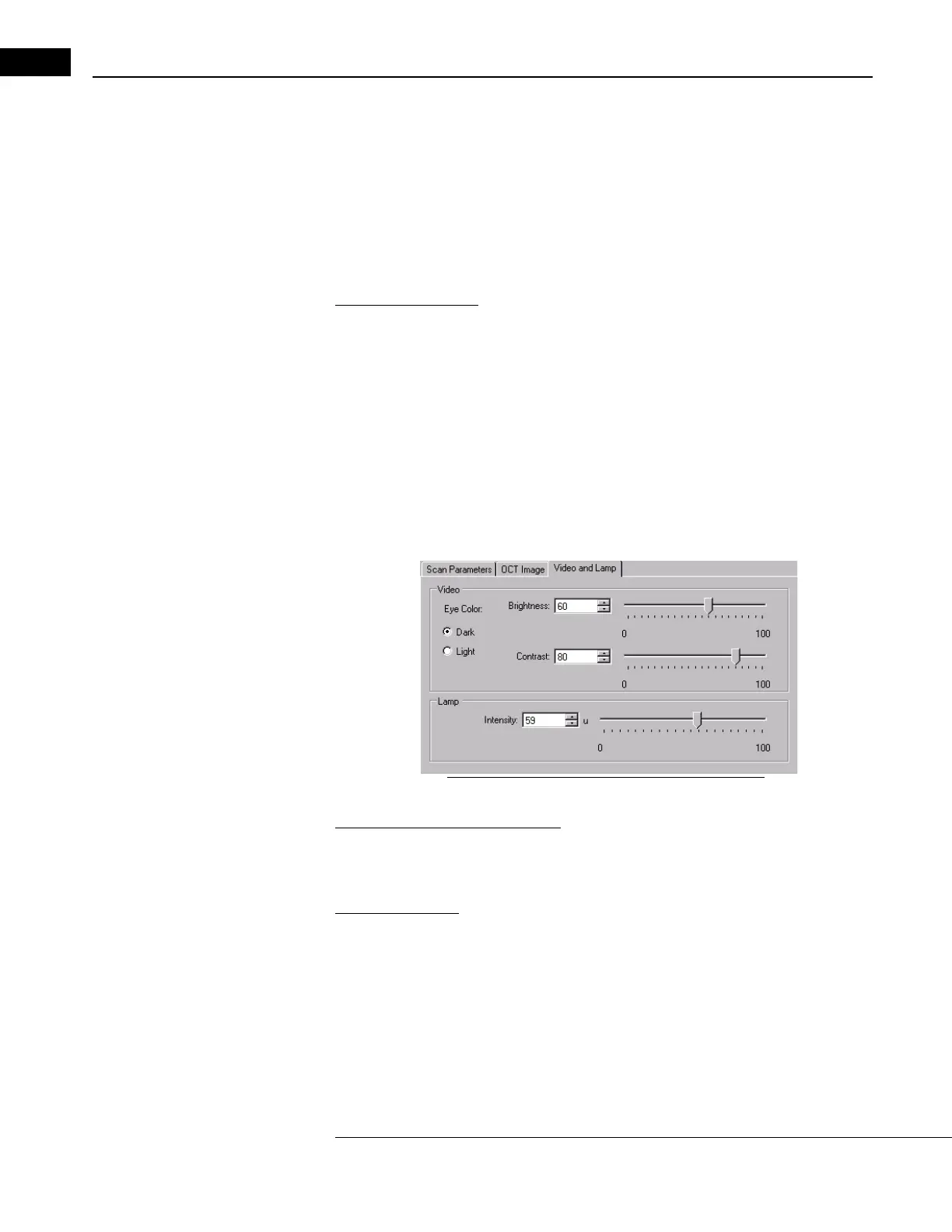
Video and Lamp Parameter Tab
This tab enables you to control video image bright
ness and contrast, and lamp brightness
to suit your preference.
Figure 3-11 The Video and Lamp Parameter Tab
Video Brightness and Contrast
Radio buttons for dark and light eyes offer preset video brightness and contrast settings.
Otherwise, move the sliders or type in the value fields to adjust the settings.
Lamp Brightness
This affects the video image by increasing the illumination inside the eye. Move the slider
or type in the value field to adjust the lamp brightness. Even the 100% setting is safe for
the normal patient's eye.
Information Tabs
The lower left side of the S
CAN ACQUISITION WINDOW has three informational tabs:
Indicators, Details and Comment.



 To Next Page