2-9
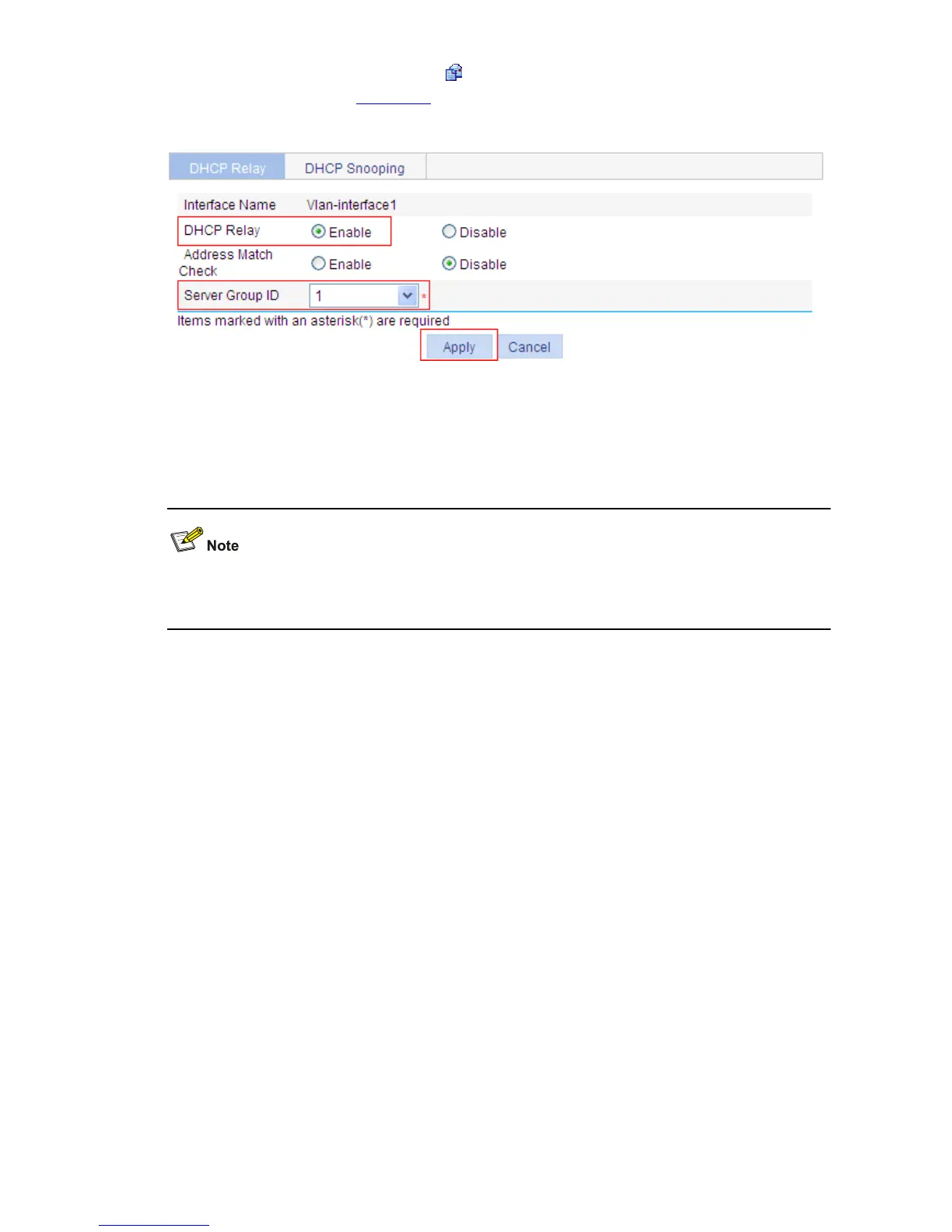
z In the Interface Config field, click the icon of VLAN-interface 1, and then perform the following
operations, as shown in
Figure 2-11.
Figure 2-11 Enable the DHCP relay agent on an interface and correlate it with a server group
z Click on the Enable radio button next to DHCP Relay.
z Select 1 for Server Group ID.
z Click Apply.
Because the DHCP relay agent and server are on different subnets, you need to configure a static route
or dynamic routing protocol to make them reachable to each other.









 To Next Page