1. Overview
Aesys® TC-430™ is the brand new on-board control unit to be used for managing Aesys® LED signs and
vocal announcement equipments in “route/destination” mode.
The control unit supports LED signs currently supported and it fully controllable by remote using Aesys®
Verba 2014™ [1] and AVBUS/AVBUST2-compatible vocal announcement equipments (for current
destination announcement).
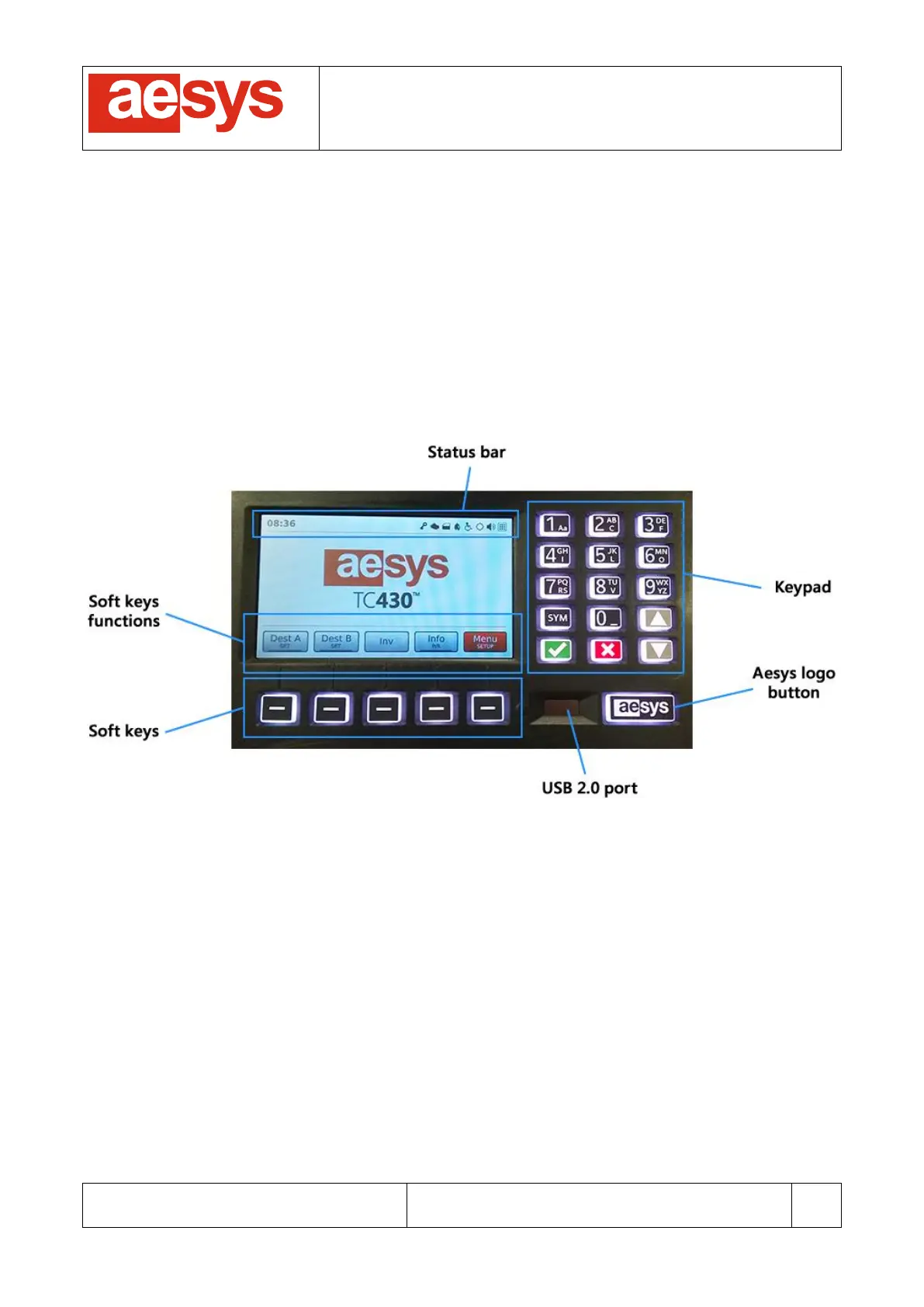
TC-430™ implements a 4.3’’ (480x272) touch-screen and a soft-touch physical keypad (Figure 1). All control
unit functions are accessible by using both the touch-screen and the physical keypad.
Figure 1: System overview
The keypad comprises alphanumeric keys, general purpose keys (ok, cancel, up/down arrows) and 5
programmable “soft keys” whose functions depend on the application context and are described on the
touch-screen within the “soft keys functions” area.
Aesys logo key has no function at the moment.
TC-430™ keypad colorization may be changed for matching user preferences (see paragraph 9.9.6);
furthermore the color of the keypad changes accordingly to the application context.
Touch-screen and keypad brightness is dimmed when the system is not interacted by the user for a
configurable interval of time (see paragraph 9.9.3).
The upper part of the touch-screen is used for showing the “status bar”, that is a collection of icons and
labels which is used for reporting the current status of the system (see paragraph 6. ).


 To Next Page